Menu

Lewati Amazon WAF

Ada 2 opsi bagaimana captcha ini digunakan di halaman tujuan:

1. Halaman penyaringan bot yang ditampilkan Amazon secara otomatis saat Anda mengunjungi situs web di balik firewall mereka. Kami menyebutnya "gokuProps", karena Anda dapat menemukan parameter window.gokuProps di kode sumber halaman ini.

2. Widget captcha mandiri yang dipicu oleh tindakan pengguna. Kami menyebutnya Widget.

Identifikasi jenis captcha Anda sendiri dan gunakan pengalih di bawah ini untuk menampilkan versi dokumentasi dan contoh yang berbeda.

gokuProps
Widget

Gunakan jenis tugas ini untuk mendapatkan token cookie Amazon WAF. Cukup ambil token iv dan context sementara bersama dengan kunci situs key permanen, kirimkan ke API kami. Hasil dari tugas ini adalah token yang dapat Anda gunakan dalam permintaan HTTP Anda sebagai nilai cookie dengan nama amazon-waf-token.

Uji jenis tugas ini terlebih dahulu untuk mengetahui laju bypass sebelum menguji tugas dengan proxy.
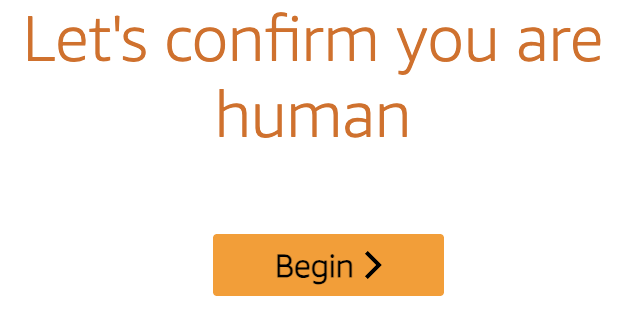
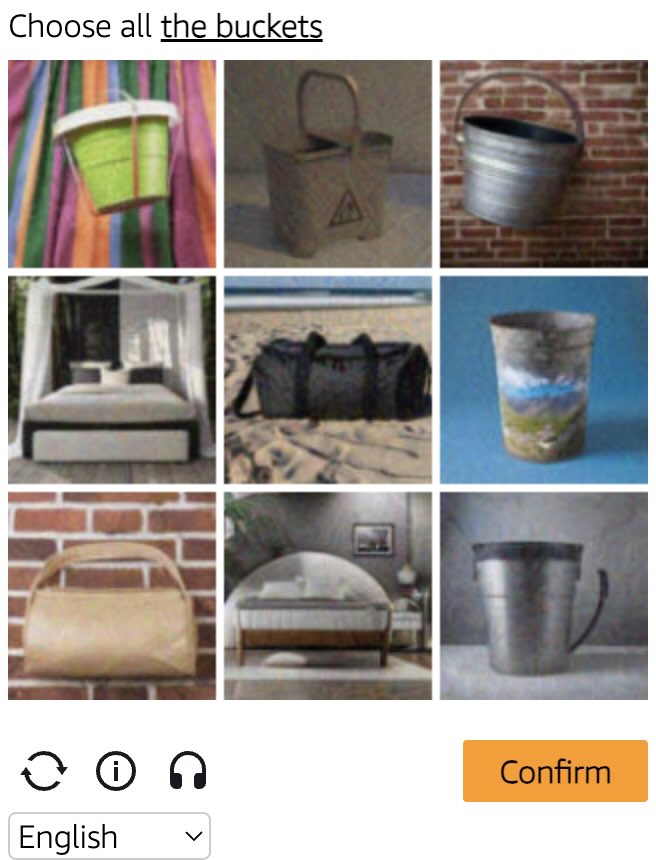
Amazon WAF captcha example Amazon WAF widget captcha example
Contoh Captcha
gokuProps
Widget
Python
Node.js
Go
PHP
Java
Kotlin
C#
C++
Rust
Ruby
bash

Cara menyelesaikan Amazon WAF gokuProps di Python

#pip3 install anticaptchaofficial

from anticaptchaofficial.amazonproxyless import *

solver = amazonProxyless()
solver.set_verbose(1)
solver.set_key("YOUR_API_KEY")
solver.set_website_url("https://website.com")
solver.set_website_key("key_value_from_window.gokuProps_object")
solver.set_iv("iv_value_from_window.gokuProps_object")
solver.set_context("context_value_from_window.gokuProps_object")

# Optional script URLs
solver.set_captcha_script("https://e9b10f157f38.9a96e8b4.us-gov-west-1.captcha.awswaf.com/e9b10f157f38/76cbcde1c834/2a564e323e7b/captcha.js")
solver.set_challenge_script("https://e9b10f157f38.9a96e8b4.us-gov-west-1.token.awswaf.com/e9b10f157f38/76cbcde1c834/2a564e323e7b/challenge.js")

# Specify softId to earn 10% commission with your app.
# Get your softId here: https://anti-captcha.com/clients/tools/devcenter
solver.set_soft_id(0)

token = solver.solve_and_return_solution()
if token != 0:
    print("token: "+token)
    # user-agent in case you need it:
    print("user-agent: "+solver.get_user_agent())
else:
    print("task finished with error "+solver.error_code)

Cara menyelesaikan Amazon WAF gokuProps di Node.js

//npm install @antiadmin/anticaptchaofficial
//https://github.com/anti-captcha/anticaptcha-npm

const ac = require("@antiadmin/anticaptchaofficial");

ac.setAPIKey('YOUR_API_KEY_HERE');

//Specify softId to earn 10% commission with your app.
//Get your softId here: https://anti-captcha.com/clients/tools/devcenter
ac.setSoftId(0);

ac.solveAmazonProxyless('http://DOMAIN.COM',
    'key_value_from_window.gokuProps_object',
    'iv_value_from_window.gokuProps_object',
    'context_value_from_window.gokuProps_object',
    'https://e9b10f157f38.9a96e8b4.us-gov-west-1.captcha.awswaf.com/e9b10f157f38/76cbcde1c834/2a564e323e7b/captcha.js', //optional
    'https://e9b10f157f38.9a96e8b4.us-gov-west-1.token.awswaf.com/e9b10f157f38/76cbcde1c834/2a564e323e7b/challenge.js'  //optional
).then(token => {
    console.log('token: '+token);
})
.catch(error => console.log('test received error '+error));

// in case you need it
console.log("worker's user-agent:");
console.log(ac.getUserAgent());

Cara menyelesaikan Amazon WAF gokuProps di Go

// Install with:
// go get github.com/anti-captcha/anticaptcha-go
package main

import (
    "fmt"
    "github.com/anti-captcha/anticaptcha-go"
    "log"
)

func main() {
    // Create API client and set the API Key
    ac := anticaptcha.NewClient("API_KEY_HERE")

    // set to 'false' to turn off debug output
    ac.IsVerbose = true

    // Specify softId to earn 10% commission with your app.
    // Get your softId here: https://anti-captcha.com/clients/tools/devcenter
    //ac.SoftId = 1187

    // Make sure the API key funds balance is positive
    balance, err := ac.GetBalance()
    if err != nil {
        log.Fatal(err)
        // Exit program to make sure you don't DDoS API with requests, while having empty balance
        return
    }
    fmt.Println("Balance:", balance)

    // Get Amazon WAF token without proxy
    solution, err := ac.SolveAmazon(anticaptcha.AmazonCaptcha{
        WebsiteURL: "https://www.website.com/",
        WebsiteKey: "key_value_from_window.gokuProps_object",
        Iv: "iv_value_from_window.gokuProps_object",
        Context: "context_value_from_window.gokuProps_object",
        //optional scripts:
        //CaptchaScript: "https://e9b10f157f38.9a96e8b4.us-gov-west-1.captcha.awswaf.com/e9b10f157f38/76cbcde1c834/2a564e323e7b/captcha.js",
        //ChallengeScript: "https://e9b10f157f38.9a96e8b4.us-gov-west-1.token.awswaf.com/e9b10f157f38/76cbcde1c834/2a564e323e7b/challenge.js",
    })
    if err != nil {
        log.Fatal(err)
    }
    fmt.Println("amazon-waf-token:", solution)
    // In case you need the worker's user-agent
    fmt.Println("User-Agent:", ac.WorkersUserAgent)
}

Cara menyelesaikan Amazon WAF gokuProps di PHP

//git clone https://github.com/anti-captcha/anticaptcha-php.git

include("anticaptcha.php");
include("amazonroxyless.php");

$api = new AmazonProxyless();
$api->setVerboseMode(true);

//your anti-captchano.com account key
$api->setKey("YOUR_API_KEY_HERE");

//target website address
$api->setWebsiteURL("http://website.com/");

//key value from window.gokuProps object (see html source)
$api->setWebsiteKey("key_value_from_window.gokuProps_object");

//iv and context values from window.gokuProps object (see html source)
$api->setIv("iv_value_from_window.gokuProps_object")
$api->setContext("context_value_from_window.gokuProps_object");

//optional scripts
$api->setCaptchaScript("https://e9b10f157f38.9a96e8b4.us-gov-west-1.captcha.awswaf.com/e9b10f157f38/76cbcde1c834/2a564e323e7b/captcha.js");
$api->setChallengeScript("https://e9b10f157f38.9a96e8b4.us-gov-west-1.token.awswaf.com/e9b10f157f38/76cbcde1c834/2a564e323e7b/challenge.js");

//Specify softId to earn 10% commission with your app.
//Get your softId here: https://anti-captcha.com/clients/tools/devcenter
$api->setSoftId(0);

//create task in API
if (!$api->createTask()) {
    $api->debout("API v2 send failed - ".$api->getErrorMessage(), "red");
    return false;
}

$taskId = $api->getTaskId();

//wait in a loop for max 300 seconds till task is solved
if (!$api->waitForResult(300)) {
    echo "could not solve captcha\n";
    echo $api->getErrorMessage()."\n";
} else {

    $token = $api->getTaskSolution();
    echo "\n";
    echo "your aws-waf-token: $token\n\n";
    echo "worker's user-agent in case you need it:\n";
    echo $api->getWorkersUserAgent()."\n";

}

Cara menyelesaikan Amazon WAF gokuProps di Java

// GitHub: https://github.com/anti-captcha/anticaptcha-java
//
// Maven, add to pom.xml:
//   <dependency>
//     <groupId>com.anti-captcha</groupId>
//     <artifactId>anticaptcha</artifactId>
//     <version>1.0.0</version>
//   </dependency>
//
// Gradle, add to build.gradle:
//   implementation "com.anti-captcha:anticaptcha:1.0.0"

import com.anti_captcha.Api.AmazonProxyless;
import com.anti_captcha.Helper.DebugHelper;

public class Main {

    public static void main(String[] args) throws InterruptedException {
        // Set to false to turn the debug output off
        DebugHelper.setVerboseMode(true);

        AmazonProxyless api = new AmazonProxyless();
        api.setClientKey("YOUR_API_KEY_HERE");

        // Specify softId to earn 10% commission with your app.
        // Get your softId here: https://anti-captcha.com/clients/tools/devcenter
        api.setSoftId(0);

        api.setWebsiteUrl("http://website.com/");
        api.setWebsiteKey("key_value_from_window.gokuProps_object");
        api.setIv("iv_value_from_window.gokuProps_object");
        api.setContext("context_value_from_window.gokuProps_object");

        // Optional scripts
        api.setCaptchaScript("https://e9b10f157f38.9a96e8b4.us-gov-west-1.captcha.awswaf.com/e9b10f157f38/76cbcde1c834/2a564e323e7b/captcha.js");
        api.setChallengeScript("https://e9b10f157f38.9a96e8b4.us-gov-west-1.token.awswaf.com/e9b10f157f38/76cbcde1c834/2a564e323e7b/challenge.js");

        // Make sure the API key funds balance is positive
        Double balance = api.getBalance();
        if (balance == null || balance <= 0) {
            // Stop here to make sure you don't DDoS the API while having empty balance
            DebugHelper.out("Balance error: " + api.getErrorMessage(), DebugHelper.Type.ERROR);
            return;
        }
        DebugHelper.out("Balance: " + balance, DebugHelper.Type.SUCCESS);

        if (!api.createTask()) {
            DebugHelper.out("API v2 send failed. " + api.getErrorMessage(), DebugHelper.Type.ERROR);
        } else if (!api.waitForResult()) {
            DebugHelper.out("Could not solve the captcha.", DebugHelper.Type.ERROR);
        } else {
            DebugHelper.out("Captcha token: " + api.getTaskSolution().getToken(), DebugHelper.Type.SUCCESS);
        }
    }
}

Cara menyelesaikan Amazon WAF gokuProps di Kotlin

// GitHub: https://github.com/anti-captcha/anticaptcha-kotlin
//
// Gradle, add to build.gradle.kts:
//   implementation("com.anti-captcha:anticaptcha-kotlin:1.0.0")

import com.anticaptcha.Amazon
import com.anticaptcha.AnticaptchaClient
import com.anticaptcha.AnticaptchaException
import com.anticaptcha.ApiException
import kotlinx.coroutines.runBlocking

fun main(): Unit = runBlocking {
    // Create the API client and set the API key
    val ac = AnticaptchaClient(
        apiKey = "YOUR_API_KEY_HERE",
        // Specify softId to earn 10% commission with your app.
        // Get your softId here: https://anti-captcha.com/clients/tools/devcenter
        softId = 0,
        // Set to false to turn the debug output off
        verbose = true,
    )

    try {
        // Make sure the API key funds balance is positive
        val balance = ac.getBalance()
        if (balance <= 0) {
            // Stop here to make sure you don't DDoS the API while having empty balance
            System.err.println("Empty balance")
            return@runBlocking
        }
        println("Balance: $balance")

        val solution = ac.solveAmazon(
            Amazon(
                websiteUrl = "http://website.com/",
                websiteKey = "key_value_from_window.gokuProps_object",
                iv = "iv_value_from_window.gokuProps_object",
                context = "context_value_from_window.gokuProps_object",

                // Optional scripts
                captchaScript = "https://e9b10f157f38.9a96e8b4.us-gov-west-1.captcha.awswaf.com/e9b10f157f38/76cbcde1c834/2a564e323e7b/captcha.js",
                challengeScript = "https://e9b10f157f38.9a96e8b4.us-gov-west-1.token.awswaf.com/e9b10f157f38/76cbcde1c834/2a564e323e7b/challenge.js",
            ),
        )

        println("Captcha token: ${solution.token}")
    } catch (error: ApiException) {
        // https://anti-captcha.com/apidoc/errors
        System.err.println("API error: ${error.errorCode} ${error.description}")
    } catch (error: AnticaptchaException) {
        System.err.println("Failed: ${error.message}")
    }
}

Cara menyelesaikan Amazon WAF gokuProps di C#

// GitHub: https://github.com/anti-captcha/anticaptcha-csharp.git
// install:  dotnet add package AntiCaptchaOfficial
// or, in the Package Manager Console:
// Install-Package AntiCaptchaOfficial

using System;
using AntiCaptcha.Api;
using AntiCaptcha.Helper;


class Program
{
    static void Main()
    {
        // Set to 'false' to turn off debug output
        DebugHelper.VerboseMode = true;

        var api = new AmazonProxyless
        {
            ClientKey = "YOUR_API_KEY_HERE",
            WebsiteUrl = new Uri("http://website.com/"),
            WebsiteKey = "key_value_from_window.gokuProps_object",
            Iv = "iv_value_from_window.gokuProps_object",
            Context = "context_value_from_window.gokuProps_object",

            // Optional scripts
            CaptchaScript = "https://e9b10f157f38.9a96e8b4.us-gov-west-1.captcha.awswaf.com/e9b10f157f38/76cbcde1c834/2a564e323e7b/captcha.js",
            ChallengeScript = "https://e9b10f157f38.9a96e8b4.us-gov-west-1.token.awswaf.com/e9b10f157f38/76cbcde1c834/2a564e323e7b/challenge.js",

            // Specify softId to earn 10% commission with your app.
            // Get your softId here:
            // https://anti-captcha.com/clients/tools/devcenter
            SoftId = 0
        };

        // Make sure the API key funds balance is positive
        var balance = api.GetBalance();
        if (balance == null || balance <= 0)
        {
            // Exit the program to make sure you don't DDoS the API with requests while having empty balance
            Console.WriteLine("Balance error: " + api.ErrorMessage);
            return;
        }
        Console.WriteLine("Balance: " + balance);

        var solution = api.Solve();
        Console.WriteLine("Captcha token: " + solution?.Token);
    }
}

Cara menyelesaikan Amazon WAF gokuProps di C++

// GitHub: https://github.com/anti-captcha/anticaptcha-cplus.git
// Add it to your CMake project:
//   include(FetchContent)
//   FetchContent_Declare(anticaptcha
//           GIT_REPOSITORY https://github.com/anti-captcha/anticaptcha-cplus.git
//           GIT_TAG v1.0.0)
//   FetchContent_MakeAvailable(anticaptcha)
//   target_link_libraries(your_app PRIVATE anticaptcha::anticaptcha)

#include <iostream>
#include <anticaptcha/anticaptcha.hpp>

int main() {
    // Create the API client and set the API key
    anticaptcha::Client ac("YOUR_API_KEY_HERE");

    // Debug output is on by default, turn it off with:
    // ac.shut_up();

    // Specify softId to earn 10% commission with your app.
    // Get your softId here: https://anti-captcha.com/clients/tools/devcenter
    ac.set_soft_id(0);

    try {
        // Make sure the API key funds balance is positive
        const double balance = ac.get_balance();
        if (balance <= 0) {
            // Stop here to make sure you don't DDoS the API while having empty balance
            std::cerr << "Empty balance" << std::endl;
            return 1;
        }
        std::cout << "Balance: " << balance << std::endl;

        anticaptcha::Amazon params;
        params.website_url = "http://website.com/";
        params.website_key = "key_value_from_window.gokuProps_object";
        params.iv = "iv_value_from_window.gokuProps_object";
        params.context = "context_value_from_window.gokuProps_object";

        // Optional scripts
        params.captcha_script = "https://e9b10f157f38.9a96e8b4.us-gov-west-1.captcha.awswaf.com/e9b10f157f38/76cbcde1c834/2a564e323e7b/captcha.js";
        params.challenge_script = "https://e9b10f157f38.9a96e8b4.us-gov-west-1.token.awswaf.com/e9b10f157f38/76cbcde1c834/2a564e323e7b/challenge.js";

        const anticaptcha::Solution solution = ac.solve_amazon(params);
        std::cout << "Captcha token: " << solution.token() << std::endl;
    } catch (const anticaptcha::ApiError& error) {
        // https://anti-captcha.com/apidoc/errors
        std::cerr << "API error: " << error.error_code() << " " << error.description() << std::endl;
        return 1;
    } catch (const anticaptcha::Error& error) {
        std::cerr << "Failed: " << error.what() << std::endl;
        return 1;
    }

    return 0;
}

Cara menyelesaikan Amazon WAF gokuProps di Rust

// GitHub: https://github.com/anti-captcha/anticaptcha-rust
// Install with:
//   cargo add anticaptchaofficial
// or add it to Cargo.toml:
//   [dependencies]
//   anticaptchaofficial = "1"

use anticaptcha::{Amazon, Client};

#[tokio::main]
async fn main() -> anticaptcha::Result<()> {
    // Create the API client and set the API key
    let ac = Client::new("YOUR_API_KEY_HERE")
        // Specify softId to earn 10% commission with your app.
        // Get your softId here: https://anti-captcha.com/clients/tools/devcenter
        .with_soft_id(0);
    // .quiet() turns the debug output off

    // Make sure the API key funds balance is positive
    let balance = ac.get_balance().await?;
    if balance <= 0.0 {
        // Stop here to make sure you don't DDoS the API while having empty balance
        eprintln!("Empty balance");
        return Ok(());
    }
    println!("Balance: {balance}");

    let solution = ac
        .solve_amazon(&Amazon {
            website_url: "http://website.com/".into(),
            website_key: "key_value_from_window.gokuProps_object".into(),
            iv: "iv_value_from_window.gokuProps_object".into(),
            context: "context_value_from_window.gokuProps_object".into(),

            // Optional scripts
            captcha_script: "https://e9b10f157f38.9a96e8b4.us-gov-west-1.captcha.awswaf.com/e9b10f157f38/76cbcde1c834/2a564e323e7b/captcha.js"
                .into(),
            challenge_script: "https://e9b10f157f38.9a96e8b4.us-gov-west-1.token.awswaf.com/e9b10f157f38/76cbcde1c834/2a564e323e7b/challenge.js"
                .into(),
            ..Default::default()
        })
        .await?;

    println!("Captcha token: {}", solution.token());

    Ok(())
}

Cara menyelesaikan Amazon WAF gokuProps di Ruby

# GitHub: https://github.com/anti-captcha/anticaptcha-ruby
# Install with:
#   gem install anticaptchaofficial
# or add it to your Gemfile:
#   gem "anticaptchaofficial"

require "anticaptcha"

# Create the API client and set the API key
ac = Anticaptcha.new("YOUR_API_KEY_HERE")

# Specify softId to earn 10% commission with your app.
# Get your softId here: https://anti-captcha.com/clients/tools/devcenter
ac.soft_id = 0

# Set to false to turn the debug output off
ac.verbose = true

begin
  # Make sure the API key funds balance is positive
  balance = ac.balance
  # Stop here to make sure you don't DDoS the API while having empty balance
  abort "Empty balance" if balance <= 0
  puts "Balance: #{balance}"

  solution = ac.solve_amazon(
    website_url: "http://website.com/",
    website_key: "key_value_from_window.gokuProps_object",
    iv: "iv_value_from_window.gokuProps_object",
    context: "context_value_from_window.gokuProps_object",
    captcha_script: "https://e9b10f157f38.9a96e8b4.us-gov-west-1.captcha.awswaf.com/e9b10f157f38/76cbcde1c834/2a564e323e7b/captcha.js",
    challenge_script: "https://e9b10f157f38.9a96e8b4.us-gov-west-1.token.awswaf.com/e9b10f157f38/76cbcde1c834/2a564e323e7b/challenge.js"
  )

  puts "Captcha token: #{solution.token}"
rescue Anticaptcha::ApiError => e
  # https://anti-captcha.com/apidoc/errors
  warn "API error: #{e.error_code} #{e.description}"
rescue Anticaptcha::Error => e
  warn "Failed: #{e.message}"
end

Cara menyelesaikan Amazon WAF gokuProps di bash

curl -i -H "Accept: application/json" \
     -H "Content-Type: application/json" \
     -X POST -d '{
    "clientKey":"YOUR_API_KEY_HERE",
    "task":
        {
            "type":"AmazonTaskProxyless",
            "websiteURL":"https://website.com/",
            "websiteKey":"key_value_from_window.gokuProps_object",
            "iv":"iv_value_from_window.gokuProps_object",
            "context":"context_value_from_window.gokuProps_object",
            "captchaScript": "https://e9b10f157f38.9a96e8b4.us-gov-west-1.captcha.awswaf.com/e9b10f157f38/76cbcde1c834/2a564e323e7b/captcha.js",
            "challengeScript": "https://e9b10f157f38.9a96e8b4.us-gov-west-1.token.awswaf.com/e9b10f157f38/76cbcde1c834/2a564e323e7b/challenge.js"
        },
    "softId": 0
}' https://api.anti-captcha.com/createTask
gokuProps
Widget

Objek tugas

Properti Jenis Wajib Tujuan
type String Ya AmazonTaskProxyless
websiteURL String Ya Alamat halaman web target. Dapat terletak di mana pun di situs web, bahkan di area anggota. Pekerja kami tidak mengarah ke sana, namun mereka melakukan simulasi kunjungan.
websiteKey String Ya Nilai key dari objek window.gokuProps dalam kode sumber halaman WAF.
iv String Ya Nilai iv dari objek window.gokuProps dalam kode sumber halaman WAF.
context String Ya Nilai context dari objek window.gokuProps dalam kode sumber halaman WAF.
captchaScript String Tidak URL opsional yang mengarah ke captcha.js
challengeScript String Tidak URL opsional yang mengarah ke challenge.js

Objek solusi tugas

Properti Jenis Tujuan
token String Gunakan token ini sebagai nilai cookie dengan nama "aws-waf-token" dalam permintaan Anda ke halaman web target.
userAgent String User-Agent dari peramban pekerja. Gunakan ketika Anda mengirimkan token respons.

Contoh respons

{
    "errorId":0,
    "status":"ready",
    "solution": {
      "token": "fe4c2ff3-6ed6-40fa-95c9-4c738a7dad49:FgoAe0ZLBmYBAAAA:LK0S/m1nGbfjDk/9i6tMmiUWGecMfyjvuAx9lY6ZhaBUmjrILEqW00UAsEliykPjwebdzn9J3...",
      "userAgent":"Mozilla\5.0 (Windows NT 10.0; Win64; x64) AppleWebKit\/537.36 (KHTML, like Gecko) Chrome\/145.0.0.0 Safari\/537.36"
    },
    "cost":"0.002000",
    "ip":"46.98.54.221",
    "createTime":1472205564,
    "endTime":1472205570,
    "solveCount":"0"
}