

 GitHub

Menu
프록시를 통해 보안 문자 캡차 해결하기
이 유형의 작업은 프록시를 통해 보안 문자 캡차를 해결합니다. 프록시를 사용하지 않는 작업은 해결 파이프라인을 느리게 하고 프록시 작동 방식에 대한 전문적인 이해가 필요하므로 이 작업을 사용하지 않는 경우에만 사용하세요.
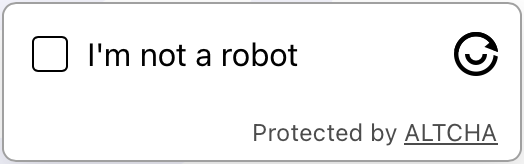
CAPTCHA 예제
Python
Node.js
Go
PHP
Java
Kotlin
C#
C++
Rust
Ruby
bash
Python에서 Altcha proxy-on을(를) 해결하는 방법
#pip3 install anticaptchaofficial

from anticaptchaofficial.altchaproxyon import *

solver = altchaProxyon()
solver.set_verbose(1)
solver.set_key("YOUR_API_KEY_HERE")
solver.set_website_url("https://website.com/")
# Option 1: set challenge URL
solver.set_challenge_url("/path/to/challenge/url")
# Option 2: set challenge JSON grabbed from challenge URL
#solver.set_challenge_json('"algorithm":"SHA-256","challenge":"2a40f7ba3393f9513011179de41c7221f14e563856de2f647233a00accf9c28b","salt":"08d7f273d79df143355b9e5n","signature":"1de2bbf282420aef6ca0a84c38c85e2b1e40023d28bef72278d735555a8f47fb"}')
solver.set_proxy_address("PROXY_ADDRESS")
solver.set_proxy_port(1234)
solver.set_proxy_login("proxylogin")
solver.set_proxy_password("proxypassword")

# Specify softId to earn 10% commission with your app.
# Get your softId here: https://anti-captcha.com/clients/tools/devcenter
solver.set_soft_id(0)

token = solver.solve_and_return_solution()
if token != 0:
    print("token: "+token)
    # user-agent in case you need it:
    print("user-agent: "+solver.get_user_agent())
else:
    print("task finished with error "+solver.error_code)
Node.js에서 Altcha proxy-on을(를) 해결하는 방법
//npm install @antiadmin/anticaptchaofficial
//https://github.com/anti-captcha/anticaptcha-npm

const ac = require("@antiadmin/anticaptchaofficial");

ac.setAPIKey('YOUR_API_KEY_HERE');

//Specify softId to earn 10% commission with your app.
//Get your softId here: https://anti-captcha.com/clients/tools/devcenter
ac.setSoftId(0);

ac.solveAltchaProxyOn('http://DOMAIN.COM',
    // option 1:
    '/some/challenge/url',
    // option 2 (use one of the option !):
    '{"algorithm":"SHA-256","challenge":"2a40f7ba3393f9513011179de41c7221f14e563856de2f647233a00accf9c28b","salt":"08d7f273d79df143355b9e5n","signature":"1de2bbf282420aef6ca0a84c38c85e2b1e40023d28bef72278d735555a8f47fb"}',
    'http', //http, socks4, socks5
    'PROXY_ADDRESS',
    'PROXY_PORT',
    'PROXY_LOGIN',
    'PROXY_PASSWORD')
    .then(token => {
        console.log('token: '+token);
    })
    .catch(error => console.log('test received error '+error));

// in case you need it
console.log("worker's user-agent:");
console.log(ac.getUserAgent());
Go에서 Altcha proxy-on을(를) 해결하는 방법
// Install with:
// go get github.com/anti-captcha/anticaptcha-go
package main

import (
    "fmt"
    "github.com/anti-captcha/anticaptcha-go"
    "log"
)

func main() {
    // Create API client and set the API Key
    ac := anticaptcha.NewClient("API_KEY_HERE")

    // set to 'false' to turn off debug output
    ac.IsVerbose = true

    // Specify softId to earn 10% commission with your app.
    // Get your softId here: https://anti-captcha.com/clients/tools/devcenter
    //ac.SoftId = 1187

    // Make sure the API key funds balance is positive
    balance, err := ac.GetBalance()
    if err != nil {
        log.Fatal(err)
        // Exit program to make sure you don't DDoS API with requests, while having empty balance
        return
    }
    fmt.Println("Balance:", balance)

    // Solve Altcha with proxy
    solution, err := ac.SolveAltchaProxyOn(anticaptcha.AltchaCaptcha{
        WebsiteURL:   "https://www.website.com/",
        // Option 1: use challenge URL (use one of the options!)
        ChallengeURL: "/some/path/to/challenge/url",
        // Option 2: use challenge JSON:
        ChallengeJSON: `{"algorithm":"SHA-256","challenge":"1a40f7ba3393f9513016879de41c7221f14e563856de2f647233a00accf9c28b","salt":"0887f273d79df143355b9e5f","signature":"1de2bbf282420aef6ca0a84c38c85e2b1e40023d28bef72278d735555a8f47fb"}`,
        Proxy: &anticaptcha.Proxy{
            Type:      "http",
            IPAddress: "1.2.3.4",
            Port:      1234,
            Login:     "login-optional",
            Password:  "pass-optional",
        },
    })
    if err != nil {
        log.Fatal(err)
    }
    fmt.Println("Altcha Token:", solution)
    // In case you need the worker's user-agent
    fmt.Println("User-Agent:", ac.WorkersUserAgent)
}
PHP에서 Altcha proxy-on을(를) 해결하는 방법
//git clone https://github.com/anti-captcha/anticaptcha-php.git

include("anticaptcha.php");
include("altcha.php");

$api = new Altcha();
$api->setVerboseMode(true);

//your anti-captcha.com account key
$api->setKey("YOUR_API_KEY_HERE");

//target website address
$api->setWebsiteURL("https://website.com/");

//altcha challenge URL from target website
$api->setChallengeURL("/some/url");

//proxy access parameters
// DO NOT USE PURCHASED/RENTED PROXIES ON PROXY SERVICES!!!
// THEY WILL NOT WORK!
// USE ONLY PROXIES YOU INSTALL YOURSELF ON YOUR OWN SERVER OR FAST VPS
// USE PROPER PROXY SOFTWARE LIKE SQUID !
// INSTALLATION INSTRUCTIONS:
// https://anti-captcha.com/apidoc/articles/how-to-install-squid
$api->setProxyType("http");
$api->setProxyAddress("8.8.8.8");
$api->setProxyPort(1234);
//optional login and password
$api->setProxyLogin("login");
$api->setProxyPassword("password");

//Specify softId to earn 10% commission with your app.
//Get your softId here: https://anti-captcha.com/clients/tools/devcenter
$api->setSoftId(0);

//create task in API
if (!$api->createTask()) {
    $api->debout("API v2 send failed - ".$api->getErrorMessage(), "red");
    return false;
}

$taskId = $api->getTaskId();

//wait in a loop for max 300 seconds till task is solved
if (!$api->waitForResult(300)) {
    echo "could not solve captcha\n";
    echo $api->getErrorMessage()."\n";
} else {

    $token    =   $api->getTaskSolution();
    echo "\n";
    echo "your Altcha token: $token\n\n";
    echo "worker's user-agent in case you need it:\n";
    echo $api->getWorkersUserAgent()."\n";

}
Java에서 Altcha proxy-on을(를) 해결하는 방법
// GitHub: https://github.com/anti-captcha/anticaptcha-java
//
// Maven, add to pom.xml:
//   <dependency>
//     <groupId>com.anti-captcha</groupId>
//     <artifactId>anticaptcha</artifactId>
//     <version>1.0.0</version>
//   </dependency>
//
// Gradle, add to build.gradle:
//   implementation "com.anti-captcha:anticaptcha:1.0.0"

import com.anti_captcha.AnticaptchaBase;
import com.anti_captcha.Api.Altcha;
import com.anti_captcha.Helper.DebugHelper;

public class Main {

    public static void main(String[] args) throws InterruptedException {
        // Set to false to turn the debug output off
        DebugHelper.setVerboseMode(true);

        Altcha api = new Altcha();
        api.setClientKey("YOUR_API_KEY_HERE");

        // Specify softId to earn 10% commission with your app.
        // Get your softId here: https://anti-captcha.com/clients/tools/devcenter
        api.setSoftId(0);

        api.setWebsiteUrl("http://website.com/");
        api.setChallengeURL("/some/path/to/challenge/url");

        // Do not use purchased/rented proxies from proxy services,
        // use proper proxy software like Squid
        api.setProxyType(AnticaptchaBase.ProxyTypeOption.HTTP);
        api.setProxyAddress("xxx.xx.xx.xx");
        api.setProxyPort(1234);
        api.setProxyLogin("login");
        api.setProxyPassword("password");

        // Make sure the API key funds balance is positive
        Double balance = api.getBalance();
        if (balance == null || balance <= 0) {
            // Stop here to make sure you don't DDoS the API while having empty balance
            DebugHelper.out("Balance error: " + api.getErrorMessage(), DebugHelper.Type.ERROR);
            return;
        }
        DebugHelper.out("Balance: " + balance, DebugHelper.Type.SUCCESS);

        if (!api.createTask()) {
            DebugHelper.out("API v2 send failed. " + api.getErrorMessage(), DebugHelper.Type.ERROR);
        } else if (!api.waitForResult()) {
            DebugHelper.out("Could not solve the captcha.", DebugHelper.Type.ERROR);
        } else {
            DebugHelper.out("Captcha token: " + api.getTaskSolution().getToken(), DebugHelper.Type.SUCCESS);
        }
    }
}
Kotlin에서 Altcha proxy-on을(를) 해결하는 방법
// GitHub: https://github.com/anti-captcha/anticaptcha-kotlin
//
// Gradle, add to build.gradle.kts:
//   implementation("com.anti-captcha:anticaptcha-kotlin:1.0.0")

import com.anticaptcha.Altcha
import com.anticaptcha.AnticaptchaClient
import com.anticaptcha.AnticaptchaException
import com.anticaptcha.ApiException
import com.anticaptcha.Proxy
import com.anticaptcha.ProxyType
import kotlinx.coroutines.runBlocking

fun main(): Unit = runBlocking {
    // Create the API client and set the API key
    val ac = AnticaptchaClient(
        apiKey = "YOUR_API_KEY_HERE",
        // Specify softId to earn 10% commission with your app.
        // Get your softId here: https://anti-captcha.com/clients/tools/devcenter
        softId = 0,
        // Set to false to turn the debug output off
        verbose = true,
    )

    try {
        // Make sure the API key funds balance is positive
        val balance = ac.getBalance()
        if (balance <= 0) {
            // Stop here to make sure you don't DDoS the API while having empty balance
            System.err.println("Empty balance")
            return@runBlocking
        }
        println("Balance: $balance")

        val solution = ac.solveAltchaProxyOn(
            Altcha(
                websiteUrl = "http://website.com/",
                challengeUrl = "/some/path/to/challenge/url",
            ),
            // Do not use purchased/rented proxies from proxy services,
            // use proper proxy software like Squid
            Proxy(
                address = "xxx.xx.xx.xx",
                port = 1234,
                type = ProxyType.HTTP,
                login = "login",
                password = "password",
            ),
        )

        println("Captcha token: ${solution.token}")
    } catch (error: ApiException) {
        // https://anti-captcha.com/apidoc/errors
        System.err.println("API error: ${error.errorCode} ${error.description}")
    } catch (error: AnticaptchaException) {
        System.err.println("Failed: ${error.message}")
    }
}
C#에서 Altcha proxy-on을(를) 해결하는 방법
// GitHub: https://github.com/anti-captcha/anticaptcha-csharp.git
// install:  dotnet add package AntiCaptchaOfficial
// or, in the Package Manager Console:
// Install-Package AntiCaptchaOfficial

using System;
using AntiCaptcha.Api;
using AntiCaptcha.Helper;


class Program
{
    static void Main()
    {
        // Set to 'false' to turn off debug output
        DebugHelper.VerboseMode = true;

        var api = new Altcha
        {
            ClientKey = "YOUR_API_KEY_HERE",
            WebsiteUrl = new Uri("http://website.com"),
            ChallengeURL = "/some/path/to/challenge/url",
            ProxyAddress = "xxx.xx.xx.xx",
            ProxyPort = 1234,
            ProxyLogin = "login",
            ProxyPassword = "password",
            // Specify softId to earn 10% commission with your app.
            // Get your softId here:
            // https://anti-captcha.com/clients/tools/devcenter
            SoftId = 0
        };

        // Make sure the API key funds balance is positive
        var balance = api.GetBalance();
        if (balance == null || balance <= 0)
        {
            // Exit the program to make sure you don't DDoS the API with requests while having empty balance
            Console.WriteLine("Balance error: " + api.ErrorMessage);
            return;
        }
        Console.WriteLine("Balance: " + balance);

        var solution = api.Solve();
        Console.WriteLine("Altcha Token: " + solution?.Token);
    }
}
C++에서 Altcha proxy-on을(를) 해결하는 방법
// GitHub: https://github.com/anti-captcha/anticaptcha-cplus.git
// Add it to your CMake project:
//   include(FetchContent)
//   FetchContent_Declare(anticaptcha
//           GIT_REPOSITORY https://github.com/anti-captcha/anticaptcha-cplus.git
//           GIT_TAG v1.0.0)
//   FetchContent_MakeAvailable(anticaptcha)
//   target_link_libraries(your_app PRIVATE anticaptcha::anticaptcha)

#include <iostream>
#include <anticaptcha/anticaptcha.hpp>

int main() {
    // Create the API client and set the API key
    anticaptcha::Client ac("YOUR_API_KEY_HERE");

    // Debug output is on by default, turn it off with:
    // ac.shut_up();

    // Specify softId to earn 10% commission with your app.
    // Get your softId here: https://anti-captcha.com/clients/tools/devcenter
    ac.set_soft_id(0);

    try {
        // Make sure the API key funds balance is positive
        const double balance = ac.get_balance();
        if (balance <= 0) {
            // Stop here to make sure you don't DDoS the API while having empty balance
            std::cerr << "Empty balance" << std::endl;
            return 1;
        }
        std::cout << "Balance: " << balance << std::endl;

        anticaptcha::Altcha params;
        params.website_url = "http://website.com/";
        params.challenge_url = "/some/path/to/challenge/url";
        // Do not use purchased/rented proxies from proxy services,
        // use proper proxy software like Squid
        params.proxy.type = "http";  // "http", "socks4" or "socks5"
        params.proxy.address = "xxx.xx.xx.xx";
        params.proxy.port = 1234;
        params.proxy.login = "login";
        params.proxy.password = "password";

        const anticaptcha::Solution solution = ac.solve_altcha_proxy_on(params);
        std::cout << "Captcha token: " << solution.token() << std::endl;
    } catch (const anticaptcha::ApiError& error) {
        // https://anti-captcha.com/apidoc/errors
        std::cerr << "API error: " << error.error_code() << " " << error.description() << std::endl;
        return 1;
    } catch (const anticaptcha::Error& error) {
        std::cerr << "Failed: " << error.what() << std::endl;
        return 1;
    }

    return 0;
}
Rust에서 Altcha proxy-on을(를) 해결하는 방법
// GitHub: https://github.com/anti-captcha/anticaptcha-rust
// Install with:
//   cargo add anticaptchaofficial
// or add it to Cargo.toml:
//   [dependencies]
//   anticaptchaofficial = "1"

use anticaptcha::{Altcha, Client, Proxy, ProxyType};

#[tokio::main]
async fn main() -> anticaptcha::Result<()> {
    // Create the API client and set the API key
    let ac = Client::new("YOUR_API_KEY_HERE")
        // Specify softId to earn 10% commission with your app.
        // Get your softId here: https://anti-captcha.com/clients/tools/devcenter
        .with_soft_id(0);
    // .quiet() turns the debug output off

    // Make sure the API key funds balance is positive
    let balance = ac.get_balance().await?;
    if balance <= 0.0 {
        // Stop here to make sure you don't DDoS the API while having empty balance
        eprintln!("Empty balance");
        return Ok(());
    }
    println!("Balance: {balance}");

    let solution = ac
        .solve_altcha_proxy_on(&Altcha {
            website_url: "http://website.com/".into(),
            challenge_url: "/some/path/to/challenge/url".into(),
            // Do not use purchased/rented proxies from proxy services,
            // use proper proxy software like Squid
            proxy: Proxy::new(ProxyType::Http, "xxx.xx.xx.xx", 1234)
                .with_auth("login", "password"),
            ..Default::default()
        })
        .await?;

    println!("Captcha token: {}", solution.token());

    Ok(())
}
Ruby에서 Altcha proxy-on을(를) 해결하는 방법
# GitHub: https://github.com/anti-captcha/anticaptcha-ruby
# Install with:
#   gem install anticaptchaofficial
# or add it to your Gemfile:
#   gem "anticaptchaofficial"

require "anticaptcha"

# Create the API client and set the API key
ac = Anticaptcha.new("YOUR_API_KEY_HERE")

# Specify softId to earn 10% commission with your app.
# Get your softId here: https://anti-captcha.com/clients/tools/devcenter
ac.soft_id = 0

# Set to false to turn the debug output off
ac.verbose = true

begin
  # Make sure the API key funds balance is positive
  balance = ac.balance
  # Stop here to make sure you don't DDoS the API while having empty balance
  abort "Empty balance" if balance <= 0
  puts "Balance: #{balance}"

  solution = ac.solve_altcha_proxy_on(
    website_url: "http://website.com/",
    challenge_url: "/some/path/to/challenge/url",
    # Do not use purchased/rented proxies from proxy services,
    # use proper proxy software like Squid
    proxy: { type: "http", address: "xxx.xx.xx.xx", port: 1234,
             login: "login", password: "password" }
  )

  puts "Captcha token: #{solution.token}"
rescue Anticaptcha::ApiError => e
  # https://anti-captcha.com/apidoc/errors
  warn "API error: #{e.error_code} #{e.description}"
rescue Anticaptcha::Error => e
  warn "Failed: #{e.message}"
end
bash에서 Altcha proxy-on을(를) 해결하는 방법
echo "option 1:"
curl -i -H "Accept: application/json" \
     -H "Content-Type: application/json" \
     -X POST -d '{
    "clientKey":"YOUR_API_KEY_HERE",
    "task":
        {
            "type":"AltchaTask",
            "websiteURL":"https://website.com/",
            "challengeURL":"/some/path/to/challenge/url",
            "proxyType":"http",
            "proxyAddress":"8.8.8.8",
            "proxyPort":8080,
            "proxyLogin":"proxyLoginHere",
            "proxyPassword":"proxyPasswordHere"
        },
    "softId": 0
}' https://api.anti-captcha.com/createTask


echo "option 2:"
curl -i -H "Accept: application/json" \
     -H "Content-Type: application/json" \
     -X POST -d '{
    "clientKey":"YOUR_API_KEY_HERE",
    "task":
        {
            "type":"AltchaTask",
            "websiteURL":"https://website.com/",
            "challengeJSON":"{\"algorithm\":\"SHA-256\",\"challenge\":\"2b40f7ba3393f9513016879de41c7221f14e563856de2f647233a00accf9c28b\",\"salt\":\"08d8f273d79df143355b9e5f\",\"signature\":\"1de2bbf282420aef6ca0a84c38c85e2b1e40023d28bef72278d735555a8f47fb\"}",
            "proxyType":"http",
            "proxyAddress":"8.8.8.8",
            "proxyPort":8080,
            "proxyLogin":"proxyLoginHere",
            "proxyPassword":"proxyPasswordHere"
        },
    "softId": 0
}' https://api.anti-captcha.com/createTask
작업 객체
| 속성 | 유형 | 필수 | 목적 |
|---|---|---|---|
| type | 문자열 | 예 | AltchaoTask |
| websiteURL | 문자열 | 예 | 대상 웹페이지 주소. 회원 영역을 포함하여 웹사이트의 어느 곳에나 위치할 수 있습니다. 당사의 작업자는 해당 페이지를 탐색하지는 않으나, 대신에 해당 페이지의 방문 시뮬레이션합니다. |
| challengeURL | 문자열 | 아니요 | 옵션 1: 알트차 위젯의 챌린지 URL <altcha-widget challengeurl="/this/one"></altcha-widget > |
| challengeJSON | 문자열 | 아니요 | 옵션 2: 위젯의 챌린지 URL에서 가져온 챌린지 JSON |
| proxyType | 문자열 | 예 | 프록시 유형 http - 일반적인 http/https 프록시 socks4 - socks4 프록시 socks5 - socks5 프록시 |
| proxyAddress | 문자열 | 예 | 프록시 IP 주소 ipv4/ipv6. 로컬 네트워크의 호스트명이나 IP 주소는 필요 없습니다. |
| proxyPort | 정수 | 예 | 프록시 포트 |
| proxyLogin | 문자열 | 예 | 인증이 필요한 프록시 로그인 (기본) |
| proxyPassword | 문자열 | 예 | 프록시 비밀번호 |
작업 솔루션 객체
| 속성 | 유형 | 목적 |
|---|---|---|
| token | 문자열 | 대상 웹사이트의 제출 양식과 상호작용하는 데 필요한 토큰 문자열. |
| userAgent | 문자열 | 작업자 브라우저의 사용자 에이전트. 응답 토큰을 제출할 때 사용합니다. |
응답 예제
{
    "errorId":0,
    "status":"ready",
    "solution":
    {
        "token":"eyJhbGdvcml0aG0iOiJTSEEtMjU2IiwiY2hhbGxlbmdlIjoiZWFiOTE3NjRkM2Y5ZDBjMGU4ZmR.......",
        "userAgent":"Mozilla\5.0 (Windows NT 10.0; Win64; x64) AppleWebKit\/537.36 (KHTML, like Gecko) Chrome\/145.0.0.0 Safari\/537.36"
    },
    "cost":"0.001500",
    "ip":"46.98.54.221",
    "createTime":1472205564,
    "endTime":1472205570,
    "solveCount":"0"
}