

 GitHub

Menu
프록시와 함께 Google reCAPTCHA V2 엔터프라이즈 풀기
해당 유형의 작업은 제공된 프록시를 사용하여 Google reCAPTCHA 엔터프라이즈 V2를 풀기 위한 작업입니다.
RecaptchaV2Task와 대부분 유사하지만, Enterprise API를 사용하여 작업을 해결하고 reCAPTCHA V3 점수가 가장 높은 작업자에게 작업을 할당한다는 점이 다릅니다.
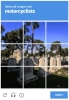

Recaptcha V2 엔터프라이즈 예제. 겉보기에는 비엔터프라이즈 버전과 동일합니다.
Python
Node.js
Go
PHP
Java
Kotlin
C#
C++
Rust
Ruby
bash
Python에서 Recaptcha V2 Enterprise proxy-on을(를) 해결하는 방법
#pip3 install anticaptchaofficial

from anticaptchaofficial.recaptchav2enterpriseproxyon import *

solver = recaptchaV2EnterpriseProxyon()
solver.set_verbose(1)
solver.set_key("YOUR_API_KEY_HERE")

# Set to "true" if there's "size":"invisible" option in "grecaptcha.enterprise.render" function
#solver.set_is_invisible(True)

# Set customer Enterprise payload or action value:
#solver.set_enterprise_payload({"s": "TEMPORARY_TOKEN_VALUE_IF_PRESENT", "action": "form_submit"})

solver.set_website_url("https://website.com")
solver.set_website_key("SITE_KEY")
solver.set_proxy_address("PROXY_ADDRESS")
solver.set_proxy_port(1234)
solver.set_proxy_login("proxylogin")
solver.set_proxy_password("proxypassword")
solver.set_user_agent("Mozilla/5.0")
solver.set_cookies("test=true")

# Specify softId to earn 10% commission with your app.
# Get your softId here: https://anti-captcha.com/clients/tools/devcenter
solver.set_soft_id(0)

g_response = solver.solve_and_return_solution()
if g_response != 0:
    print("g-response: "+g_response)
    # user-agent in case you need it:
    print("user-agent: "+solver.get_user_agent())
else:
    print("task finished with error "+solver.error_code)
Node.js에서 Recaptcha V2 Enterprise proxy-on을(를) 해결하는 방법
//npm install @antiadmin/anticaptchaofficial
//https://github.com/anti-captcha/anticaptcha-npm

const ac = require("@antiadmin/anticaptchaofficial");

ac.setAPIKey('YOUR_API_KEY_HERE');

//Specify softId to earn 10% commission with your app.
//Get your softId here: https://anti-captcha.com/clients/tools/devcenter
ac.setSoftId(0);

ac.solveRecaptchaV2EnterpriseProxyOn(
    'http://DOMAIN.COM',
    'WEBSITE_KEY',
    {
        "s" : "SOME_TOKEN",
        "action": "form_submit",
        "any_custom_parameter": "string_number_or_boolean"
    },
    'http', //http, socks4, socks5
    'PROXY_ADDRESS',
    'PROXY_PORT',
    'PROXY_LOGIN',
    'PROXY_PASSWORD',
    'Mozilla/5.0 (Macintosh; Intel Mac OS X 10_11_6) AppleWebKit/537.36 (KHTML, like Gecko) Chrome/52.0.2743.116',
    'some=cookies',
    false) // isInvisible flag, set to "true" if there's "size":"invisible" option in "grecaptcha.enterprise.render" function
    .then(gresponse => {
        console.log('g-response: '+gresponse);
    })
    .catch(error => console.log('test received error '+error));

// in case you need it
console.log("worker's user-agent:");
console.log(ac.getUserAgent());
Go에서 reCaptcha V2을(를) 해결하는 방법
// Install with:
// go get github.com/anti-captcha/anticaptcha-go
package main

import (
    "fmt"
    "github.com/anti-captcha/anticaptcha-go"
    "log"
)

func main() {
    // Create API client and set the API Key
    ac := anticaptcha.NewClient("API_KEY_HERE")

    // set to 'false' to turn off debug output
    ac.IsVerbose = true

    // Specify softId to earn 10% commission with your app.
    // Get your softId here: https://anti-captcha.com/clients/tools/devcenter
    //ac.SoftId = 1187

    // Make sure the API key funds balance is positive
    balance, err := ac.GetBalance()
    if err != nil {
        log.Fatal(err)
        // Exit program to make sure you don't DDoS API with requests, while having empty balance
        return
    }
    fmt.Println("Balance:", balance)

    // Solve Recaptcha V2 Enterprise without proxy
    solution, err := ac.SolveRecaptchaV2EnterpriseProxyOn(anticaptcha.RecaptchaV2{
        WebsiteURL:  "https://huev.com/",
        WebsiteKey:  "6Lcyu8UZAAAAACwSh6Xf58WrNXTu0LLu4F85xf20",
        IsInvisible: false, // Set to "true" if there's "size":"invisible" option in "grecaptcha.enterprise.render" function
        EnterprisePayload:  map[string]interface{}{
            "action": "form_submit",
            "s": "TEMPORARY_TOKEN_VALUE_IF_PRESENT",
        },
        UserAgent:   "Mozilla/5.0 (Windows NT 10.0; Win64; x64) AppleWebKit/537.36 (KHTML, like Gecko) Chrome/58.0.3029.110 Safari/537.3",
        Proxy: &anticaptcha.Proxy{
            Type:      "http",
            IPAddress: "1.2.3.4",
            Port:      1234,
            Login:     "login-optional",
            Password:  "pass-optional",
        },
    })
    if err != nil {
        log.Fatal(err)
    }
    fmt.Println("Recaptcha Enterprise g-response token:", solution)
}
PHP에서 Recaptcha V2 Enterprise proxy-on을(를) 해결하는 방법
//git clone https://github.com/anti-captcha/anticaptcha-php.git

include("anticaptcha.php");
include("recaptchav2enterprise.php");

$api = new RecaptchaV2Enterprise();
$api->setVerboseMode(true);

//your anti-captcha.com account key
$api->setKey("YOUR_API_KEY_HERE");

//target website address
$api->setWebsiteURL("http://enteprisedomain.com/recaptcha/test.php");

//recaptcha key from target website
$api->setWebsiteKey("ENTEPRISE_SITEKEY_HERE");

//optional custom payload for grecaptcha.enterprise.render
$api->setEnterprisePayload(["s" => "TEMPORARY_TOKEN_VALUE_IF_PRESENT", "action" => "form_submit"]);

//set to "true" if there's "size":"invisible" option in "grecaptcha.enterprise.render" function
//$api->setIsInvisible();

//proxy access parameters
// DO NOT USE PURCHASED/RENTED PROXIES ON PROXY SERVICES!!!
// THEY WILL NOT WORK!
// USE ONLY PROXIES YOU INSTALL YOURSELF ON YOUR OWN SERVER OR FAST VPS
// USE PROPER PROXY SOFTWARE LIKE SQUID !
// INSTALLATION INSTRUCTIONS:
// https://anti-captcha.com/apidoc/articles/how-to-install-squid
$api->setProxyType("http");
$api->setProxyAddress("8.8.8.8");
$api->setProxyPort(1234);
//optional login and password
$api->setProxyLogin("login");
$api->setProxyPassword("password");

//browser header parameters
$api->setUserAgent("Mozilla/5.0 (Macintosh; Intel Mac OS X 10_11_6) AppleWebKit/537.36 (KHTML, like Gecko) Chrome/52.0.2743.116");

//Specify softId to earn 10% commission with your app.
//Get your softId here: https://anti-captcha.com/clients/tools/devcenter
$api->setSoftId(0);

//create task in API
if (!$api->createTask()) {
    $api->debout("API v2 send failed - ".$api->getErrorMessage(), "red");
    return false;
}

$taskId = $api->getTaskId();

//wait in a loop for max 300 seconds till task is solved
if (!$api->waitForResult(300)) {
    echo "could not solve captcha\n";
    echo $api->getErrorMessage()."\n";
} else {

    $gResponse    =   $api->getTaskSolution();
    echo "your recaptcha token: $gResponse\n\n";
    echo "worker's user-agent in case you need it:\n";
    echo $api->getWorkersUserAgent()."\n";

}
Java에서 Recaptcha V2 Enterprise proxy-on을(를) 해결하는 방법
// GitHub: https://github.com/anti-captcha/anticaptcha-java
//
// Maven, add to pom.xml:
//   <dependency>
//     <groupId>com.anti-captcha</groupId>
//     <artifactId>anticaptcha</artifactId>
//     <version>1.0.0</version>
//   </dependency>
//
// Gradle, add to build.gradle:
//   implementation "com.anti-captcha:anticaptcha:1.0.0"

import com.anti_captcha.AnticaptchaBase;
import com.anti_captcha.Api.RecaptchaV2Enterprise;
import com.anti_captcha.Helper.DebugHelper;
import org.json.JSONObject;

public class Main {

    public static void main(String[] args) throws InterruptedException {
        // Set to false to turn the debug output off
        DebugHelper.setVerboseMode(true);

        RecaptchaV2Enterprise api = new RecaptchaV2Enterprise();
        api.setClientKey("YOUR_API_KEY_HERE");

        // Specify softId to earn 10% commission with your app.
        // Get your softId here: https://anti-captcha.com/clients/tools/devcenter
        api.setSoftId(0);

        api.setWebsiteUrl("http://makeawebsitehub.com/recaptcha/test.php");
        api.setWebsiteKey("6LfI9IsUAAAAAKuvopU0hfY8pWADfR_mogXokIIZ");

        // Additional parameters passed to the grecaptcha.enterprise.render call
        api.setEnterprisePayload(new JSONObject()
                .put("s", "TEMPORARY_TOKEN_VALUE_IF_PRESENT")
                .put("action", "form_submit"));

        // set to "true" if there's "size":"invisible" option in "grecaptcha.enterprise.render" function
        api.setIsInvisible(false);

        api.setUserAgent("Mozilla/5.0 (Macintosh; Intel Mac OS X 10_11_6) AppleWebKit/537.36 "
                + "(KHTML, like Gecko) Chrome/52.0.2743.116");

        // Do not use purchased/rented proxies from proxy services,
        // use proper proxy software like Squid
        api.setProxyType(AnticaptchaBase.ProxyTypeOption.HTTP);
        api.setProxyAddress("xxx.xx.xx.xx");
        api.setProxyPort(1234);
        api.setProxyLogin("login");
        api.setProxyPassword("password");

        // Make sure the API key funds balance is positive
        Double balance = api.getBalance();
        if (balance == null || balance <= 0) {
            // Stop here to make sure you don't DDoS the API while having empty balance
            DebugHelper.out("Balance error: " + api.getErrorMessage(), DebugHelper.Type.ERROR);
            return;
        }
        DebugHelper.out("Balance: " + balance, DebugHelper.Type.SUCCESS);

        if (!api.createTask()) {
            DebugHelper.out("API v2 send failed. " + api.getErrorMessage(), DebugHelper.Type.ERROR);
        } else if (!api.waitForResult()) {
            DebugHelper.out("Could not solve the captcha.", DebugHelper.Type.ERROR);
        } else {
            DebugHelper.out("Recaptcha g-response token: " + api.getTaskSolution().getGRecaptchaResponse(), DebugHelper.Type.SUCCESS);
            DebugHelper.out("Worker's user-agent in case you need it: " + api.getTaskSolution().getUserAgent(), DebugHelper.Type.SUCCESS);
        }
    }
}
Kotlin에서 Recaptcha V2 Enterprise proxy-on을(를) 해결하는 방법
// GitHub: https://github.com/anti-captcha/anticaptcha-kotlin
//
// Gradle, add to build.gradle.kts:
//   implementation("com.anti-captcha:anticaptcha-kotlin:1.0.0")

import com.anticaptcha.AnticaptchaClient
import com.anticaptcha.AnticaptchaException
import com.anticaptcha.ApiException
import com.anticaptcha.Proxy
import com.anticaptcha.ProxyType
import com.anticaptcha.RecaptchaV2
import kotlinx.coroutines.runBlocking

fun main(): Unit = runBlocking {
    // Create the API client and set the API key
    val ac = AnticaptchaClient(
        apiKey = "YOUR_API_KEY_HERE",
        // Specify softId to earn 10% commission with your app.
        // Get your softId here: https://anti-captcha.com/clients/tools/devcenter
        softId = 0,
        // Set to false to turn the debug output off
        verbose = true,
    )

    try {
        // Make sure the API key funds balance is positive
        val balance = ac.getBalance()
        if (balance <= 0) {
            // Stop here to make sure you don't DDoS the API while having empty balance
            System.err.println("Empty balance")
            return@runBlocking
        }
        println("Balance: $balance")

        val solution = ac.solveRecaptchaV2ProxyOn(
            RecaptchaV2(
                websiteUrl = "http://makeawebsitehub.com/recaptcha/test.php",
                websiteKey = "6LfI9IsUAAAAAKuvopU0hfY8pWADfR_mogXokIIZ",
                isEnterprise = true,

                // set to "true" if there's "size":"invisible" option in "grecaptcha.enterprise.render" function
                isInvisible = false,
                // Additional parameters passed to the grecaptcha.enterprise.render call
                enterprisePayload = mapOf(
                    "s" to "SOME_UNDOCUMENTED_TOKEN",
                    "action" to "form_submit",
                ),
                userAgent = "Mozilla/5.0 (Macintosh; Intel Mac OS X 10_11_6) AppleWebKit/537.36 " +
                                    "(KHTML, like Gecko) Chrome/52.0.2743.116",
            ),
            // Do not use purchased/rented proxies from proxy services,
            // use proper proxy software like Squid
            Proxy(
                address = "xxx.xx.xx.xx",
                port = 1234,
                type = ProxyType.HTTP,
                login = "login",
                password = "password",
            ),
        )

        println("Recaptcha g-response token: ${solution.gRecaptchaResponse}")
        println("Worker's user-agent in case you need it: ${solution.userAgent}")
    } catch (error: ApiException) {
        // https://anti-captcha.com/apidoc/errors
        System.err.println("API error: ${error.errorCode} ${error.description}")
    } catch (error: AnticaptchaException) {
        System.err.println("Failed: ${error.message}")
    }
}
C#에서 Recaptcha V2 Enterprise proxy-on을(를) 해결하는 방법
// GitHub: https://github.com/anti-captcha/anticaptcha-csharp.git
// install:  dotnet add package AntiCaptchaOfficial
// or, in the Package Manager Console:
// Install-Package AntiCaptchaOfficial

using System;
using AntiCaptcha.Api;
using AntiCaptcha.Helper;


class Program
{
    static void Main()
    {
        // Set to 'false' to turn off debug output
        DebugHelper.VerboseMode = true;

        var api = new RecaptchaV2Enterprise
        {
            ClientKey = "YOUR_API_KEY_HERE",
            WebsiteUrl = new Uri("http://makeawebsitehub.com/recaptcha/test.php"),
            WebsiteKey = "6LfI9IsUAAAAAKuvopU0hfY8pWADfR_mogXokIIZ",
            IsInvisible = false,  // set to "true" if there's "size":"invisible" option in "grecaptcha.enterprise.render" function
            // ApiDomain = "recaptcha.net", // only if the script is loaded from a non-google.com domain
            UserAgent = "Mozilla/5.0 (Macintosh; Intel Mac OS X 10_11_6) AppleWebKit/537.36 (KHTML, like Gecko) Chrome/52.0.2743.116",
            // Proxy type is Http by default, set ProxyType for socks4/socks5
            ProxyAddress = "xxx.xx.xx.xx",
            ProxyPort = 1234,
            ProxyLogin = "login",
            ProxyPassword = "password",

            // Specify softId to earn 10% commission with your app.
            // Get your softId here:
            // https://anti-captcha.com/clients/tools/devcenter
            SoftId = 0
        };

        api.EnterprisePayload.Add("s", "SOME_UNDOCUMENTED_TOKEN");
        api.EnterprisePayload.Add("action", "form_submit");

        // Make sure the API key funds balance is positive
        var balance = api.GetBalance();
        if (balance == null || balance <= 0)
        {
            // Exit the program to make sure you don't DDoS the API with requests while having empty balance
            Console.WriteLine("Balance error: " + api.ErrorMessage);
            return;
        }
        Console.WriteLine("Balance: " + balance);

        var solution = api.Solve();
        Console.WriteLine("Recaptcha g-response token: " + solution?.GRecaptchaResponse);
        Console.WriteLine("Worker's user-agent in case you need it: " + solution?.UserAgent);
    }
}
C++에서 Recaptcha V2 Enterprise proxy-on을(를) 해결하는 방법
// GitHub: https://github.com/anti-captcha/anticaptcha-cplus.git
// Add it to your CMake project:
//   include(FetchContent)
//   FetchContent_Declare(anticaptcha
//           GIT_REPOSITORY https://github.com/anti-captcha/anticaptcha-cplus.git
//           GIT_TAG v1.1.0)
//   FetchContent_MakeAvailable(anticaptcha)
//   target_link_libraries(your_app PRIVATE anticaptcha::anticaptcha)

#include <iostream>
#include <anticaptcha/anticaptcha.hpp>

int main() {
    // Create the API client and set the API key
    anticaptcha::Client ac("YOUR_API_KEY_HERE");

    // Debug output is on by default, turn it off with:
    // ac.shut_up();

    // Specify softId to earn 10% commission with your app.
    // Get your softId here: https://anti-captcha.com/clients/tools/devcenter
    ac.set_soft_id(0);

    try {
        // Make sure the API key funds balance is positive
        const double balance = ac.get_balance();
        if (balance <= 0) {
            // Stop here to make sure you don't DDoS the API while having empty balance
            std::cerr << "Empty balance" << std::endl;
            return 1;
        }
        std::cout << "Balance: " << balance << std::endl;

        anticaptcha::RecaptchaV2 params;
        params.website_url = "http://makeawebsitehub.com/recaptcha/test.php";
        params.website_key = "6LfI9IsUAAAAAKuvopU0hfY8pWADfR_mogXokIIZ";
        params.is_enterprise = true;
        // set to "true" if there's "size":"invisible" option in "grecaptcha.enterprise.render" function
        params.is_invisible = false;
        // Additional parameters passed to the grecaptcha.enterprise.render call
        params.enterprise_payload = { {"s", "TEMPORARY_TOKEN_VALUE_IF_PRESENT"}, {"action", "form_submit"} };
        params.user_agent = "Mozilla/5.0 (Macintosh; Intel Mac OS X 10_11_6) AppleWebKit/537.36 (KHTML, like Gecko) Chrome/52.0.2743.116";
        // Do not use purchased/rented proxies from proxy services,
        // use proper proxy software like Squid
        params.proxy.type = "http";  // "http", "socks4" or "socks5"
        params.proxy.address = "xxx.xx.xx.xx";
        params.proxy.port = 1234;
        params.proxy.login = "login";
        params.proxy.password = "password";

        const anticaptcha::Solution solution = ac.solve_recaptcha_v2_proxy_on(params);
        std::cout << "Recaptcha g-response token: " << solution.g_recaptcha_response() << std::endl;
        std::cout << "Worker's user-agent in case you need it: " << solution.user_agent() << std::endl;
    } catch (const anticaptcha::ApiError& error) {
        // https://anti-captcha.com/apidoc/errors
        std::cerr << "API error: " << error.error_code() << " " << error.description() << std::endl;
        return 1;
    } catch (const anticaptcha::Error& error) {
        std::cerr << "Failed: " << error.what() << std::endl;
        return 1;
    }

    return 0;
}
Rust에서 Recaptcha V2 Enterprise proxy-on을(를) 해결하는 방법
// GitHub: https://github.com/anti-captcha/anticaptcha-rust
// Install with:
//   cargo add anticaptchaofficial
// or add it to Cargo.toml:
//   [dependencies]
//   anticaptchaofficial = "1"

use std::collections::BTreeMap;
use anticaptcha::{Client, Proxy, ProxyType, RecaptchaV2};

#[tokio::main]
async fn main() -> anticaptcha::Result<()> {
    // Create the API client and set the API key
    let ac = Client::new("YOUR_API_KEY_HERE")
        // Specify softId to earn 10% commission with your app.
        // Get your softId here: https://anti-captcha.com/clients/tools/devcenter
        .with_soft_id(0);
    // .quiet() turns the debug output off

    // Make sure the API key funds balance is positive
    let balance = ac.get_balance().await?;
    if balance <= 0.0 {
        // Stop here to make sure you don't DDoS the API while having empty balance
        eprintln!("Empty balance");
        return Ok(());
    }
    println!("Balance: {balance}");

    let mut enterprise_payload = BTreeMap::new();
    enterprise_payload.insert("s".to_owned(), "TEMPORARY_TOKEN_VALUE_IF_PRESENT".to_owned());
    enterprise_payload.insert("action".to_owned(), "form_submit".to_owned());

    let solution = ac
        .solve_recaptcha_v2_proxy_on(&RecaptchaV2 {
            website_url: "http://makeawebsitehub.com/recaptcha/test.php".into(),
            website_key: "6LfI9IsUAAAAAKuvopU0hfY8pWADfR_mogXokIIZ".into(),
            is_enterprise: true,
            is_invisible: false, // set to "true" if there's "size":"invisible" option in "grecaptcha.enterprise.render" function
            // Additional parameters passed to the grecaptcha.enterprise.render call
            enterprise_payload,
            // api_domain: "recaptcha.net".into(), // only for a non-google.com script domain
            user_agent: "Mozilla/5.0 (Macintosh; Intel Mac OS X 10_11_6) AppleWebKit/537.36 (KHTML, like Gecko) Chrome/52.0.2743.116"
                .into(),
            // Do not use purchased/rented proxies from proxy services,
            // use proper proxy software like Squid
            proxy: Proxy::new(ProxyType::Http, "xxx.xx.xx.xx", 1234)
                .with_auth("login", "password"),
            ..Default::default()
        })
        .await?;

    println!("Recaptcha g-response token: {}", solution.g_recaptcha_response());
    println!("Worker's user-agent in case you need it: {}", solution.user_agent());

    Ok(())
}
Ruby에서 Recaptcha V2 Enterprise proxy-on을(를) 해결하는 방법
# GitHub: https://github.com/anti-captcha/anticaptcha-ruby
# Install with:
#   gem install anticaptchaofficial
# or add it to your Gemfile:
#   gem "anticaptchaofficial"

require "anticaptcha"

# Create the API client and set the API key
ac = Anticaptcha.new("YOUR_API_KEY_HERE")

# Specify softId to earn 10% commission with your app.
# Get your softId here: https://anti-captcha.com/clients/tools/devcenter
ac.soft_id = 0

# Set to false to turn the debug output off
ac.verbose = true

begin
  # Make sure the API key funds balance is positive
  balance = ac.balance
  # Stop here to make sure you don't DDoS the API while having empty balance
  abort "Empty balance" if balance <= 0
  puts "Balance: #{balance}"

  solution = ac.solve_recaptcha_v2_proxy_on(
    website_url: "http://makeawebsitehub.com/recaptcha/test.php",
    website_key: "6LfI9IsUAAAAAKuvopU0hfY8pWADfR_mogXokIIZ",
    is_enterprise: true,
    # set to "true" if there's "size":"invisible" option in "grecaptcha.enterprise.render" function
    # is_invisible: true,
    # Additional parameters passed to the grecaptcha.enterprise.render call
    enterprise_payload: { "s" => "TEMPORARY_TOKEN_VALUE_IF_PRESENT", "action" => "form_submit" },
    # api_domain: "recaptcha.net", # only for a non-google.com script domain
    user_agent: "Mozilla/5.0 (Macintosh; Intel Mac OS X 10_11_6) AppleWebKit/537.36 " \
                "(KHTML, like Gecko) Chrome/52.0.2743.116",
    # Do not use purchased/rented proxies from proxy services,
    # use proper proxy software like Squid
    proxy: { type: "http", address: "xxx.xx.xx.xx", port: 1234,
             login: "login", password: "password" }
  )

  puts "Recaptcha g-response token: #{solution.g_recaptcha_response}"
  puts "Worker's user-agent in case you need it: #{solution.user_agent}"
rescue Anticaptcha::ApiError => e
  # https://anti-captcha.com/apidoc/errors
  warn "API error: #{e.error_code} #{e.description}"
rescue Anticaptcha::Error => e
  warn "Failed: #{e.message}"
end
bash에서 Recaptcha V2 Enterprise proxy-on을(를) 해결하는 방법
curl -i -H "Accept: application/json" \
     -H "Content-Type: application/json" \
     -X POST -d '{
    "clientKey":"YOUR_API_KEY_HERE",
    "task":
        {
            "type":"RecaptchaV2EnterpriseTask",
            "websiteURL":"http://mywebsite.com/recaptcha/test.php",
            "websiteKey":"6Lc_aCMTAAAAABx7u2N0D1XnVbI_v6ZdbM6rYf16",
            "enterprisePayload": {
                "s": "TEMPORARY_TOKEN_VALUE_IF_PRESENT",
                "action": "form_submit"
            },
            "isInvisible": false,
            "proxyType":"http",
            "proxyAddress":"8.8.8.8",
            "proxyPort":8080,
            "proxyLogin":"proxyLoginHere",
            "proxyPassword":"proxyPasswordHere",
            "userAgent":"MODERN_USER_AGENT_HERE"
        },
    "softId": 0
}' https://api.anti-captcha.com/createTask
작업 객체
| 속성 | 유형 | 필수 | 목적 |
|---|---|---|---|
| type | 문자열 | 예 | RecaptchaV2EnterpriseTask |
| websiteURL | 문자열 | 예 | 대상 웹페이지 주소. 회원 영역을 포함하여 웹사이트의 어느 곳에나 위치할 수 있습니다. 당사의 작업자는 해당 페이지를 탐색하지는 않으나, 대신에 해당 페이지의 방문 시뮬레이션합니다. |
| websiteKey | 문자열 | 예 | reCAPTCHA 웹사이트 키. 해당 키를 찾는 방법의 경우, 해당 글을 참고하시기 바랍니다. |
| enterprisePayload | 객체 | 아니요 | sitekey와 함께 "grecaptcha.enterprise.render" 메서드에 전달될 수 있는 선택적 추가 매개변수입니다. 다음은 검색해 볼 수 있는 예시입니다: |
| isInvisible | 불린 | 아니요 | reCAPTCHA의 invisible 여부를 지정하며, 이를 통해 작업자를 위한 적절한 위젯을 렌더링할 수 있습니다. |
| apiDomain | 문자열 | 아니요 | 해당 매개변수를 사용하면 reCAPTCHA 스크립트가 제공되어야 하는 도메인 이름을 전송합니다. "www.google.com" 또는 "www.recaptcha.net"의 두 값 중 하나만 가질 수 있습니다. 수행 중인 작업을 제대로 파악하고 있지 못하는 경우에는 이 매개변수를 사용하지 마시기 바랍니다. |
| proxyType | 문자열 | 예 | 프록시 유형 http - 일반적인 http/https 프록시 socks4 - socks4 프록시 socks5 - socks5 프록시 |
| proxyAddress | 문자열 | 예 | 프록시 IP 주소 ipv4/ipv6. 로컬 네트워크의 호스트명이나 IP 주소는 필요 없습니다. |
| proxyPort | 정수 | 예 | 프록시 포트 |
| proxyLogin | 문자열 | 예 | 인증이 필요한 프록시 로그인 (기본) |
| proxyPassword | 문자열 | 예 | 프록시 비밀번호 |
| userAgent | 문자열 | 예 | 에뮬레이션에 사용되는 브라우저의 사용자 에이전트. 최신 브라우저의 서명을 사용해야 하며, 그렇지 않은 경우에는 Google에서 "update your browser"를 요청합니다. |
| cookies | 문자열 | 아니요 | Google 도메인에서 사용해야 하는 추가 쿠키. |
작업 솔루션 객체
| 속성 | 유형 | 목적 |
|---|---|---|
| gRecaptchaResponse | 문자열 | 대상 웹사이트의 제출 양식과 상호작용하는 데 필요한 토큰 문자열. |
| userAgent | 문자열 | 작업자 브라우저의 사용자 에이전트. 응답 토큰을 제출할 때 사용합니다. |
응답 예제
{
    "errorId":0,
    "status":"ready",
    "solution":
    {
        "gRecaptchaResponse":"3AHJ_VuvYIBNBW5yyv0zRYJ75VkOKvhKj9_xGBJKnQimF72rfoq3Iy-DyGHMwLAo6a3",
        "userAgent":"Mozilla\5.0 (Windows NT 10.0; Win64; x64) AppleWebKit\/537.36 (KHTML, like Gecko) Chrome\/145.0.0.0 Safari\/537.36"
    },
    "cost":"0.001500",
    "ip":"46.98.54.221",
    "createTime":1472205564,
    "endTime":1472205570,
    "solveCount":"0"
}