Menu

RecaptchaV2EnterpriseTaskProxyless: Google reCAPTCHA v2 Enterprise को बिना प्रॉक्सी के बायपास करें

इस तरह की टास्क का इस्तेमाल कर्मचारी के IP पते से Google reCAPTCHA Enterprise v2 को हल करने के लिए किया जाता है।

ज़्यादातर पहलुओं में यह RecaptchaV2TaskProxyless जैसी ही होती है, सिवाय इसके कि टास्कों को Enterprise API के माध्यम से हल करके सबसे बेहतरीन Recaptcha V3 स्कोर वाले कर्मचारियों को आवंटित कर दिया जाता है।

इस टास्क को हमारे अपने प्रॉक्सी सर्वरों और/या कर्मचारियों के IP पतों के माध्यम से एक्सीक्यूट किया जाता है। फ़िलहाल Recaptcha ऐसे हालातों से सुरक्षित नहीं होता, जहाँ किसी पहेली को एक IP पते पर हल कर g-response वाले फ़ॉर्म को किसी और IP पते पर सबमिट कर दिया जाए। Google का IP उनके Recaptcha को हल करने वाले व्यक्ति का IP पता मुहैया नहीं कराता। इसमें कोई भी बदलाव होने पर उसके लिए हमारी मानक टास्क प्रकार का आप कभी भी इस्तेमाल कर सकते हैं - RecaptchaV2EnterpriseTask।

Recaptcha V2 funny example
Recaptcha V2 with QR
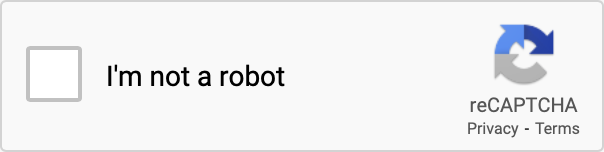
Recaptcha V2 checkbox
reCAPTCHA v2 Enterprise का उदाहरण। देखने में नॉन-एंटरप्राइज़ वर्शन जैसा।
Python
Node.js
Go
PHP
Java
Kotlin
C#
C++
Rust
Ruby
bash

Python में Recaptcha V2 Enterprise को कैसे हल करें

#pip3 install anticaptchaofficial

from anticaptchaofficial.recaptchav2enterpriseproxyless import *

solver = recaptchaV2EnterpriseProxyless()
solver.set_verbose(1)
solver.set_key("YOUR_API_KEY_HERE")
solver.set_website_url("https://website.com")
solver.set_website_key("YOUR_API_KEY_HERE")

# Set to "true" if there's "size":"invisible" option in "grecaptcha.enterprise.render" function
#solver.set_is_invisible(True)

# Set customer Enterprise payload or action value:
#solver.set_enterprise_payload({"s": "TEMPORARY_TOKEN_VALUE_IF_PRESENT", "action": "form_submit"})

# Specify softId to earn 10% commission with your app.
# Get your softId here: https://anti-captcha.com/clients/tools/devcenter
solver.set_soft_id(0)

g_response = solver.solve_and_return_solution()
if g_response != 0:
    print("g-response: "+g_response)
    # user-agent in case you need it:
    print("user-agent: "+solver.get_user_agent())
else:
    print("task finished with error "+solver.error_code)

Node.js में Recaptcha V2 Enterprise को कैसे हल करें

//npm install @antiadmin/anticaptchaofficial
//https://github.com/anti-captcha/anticaptcha-npm

const ac = require("@antiadmin/anticaptchaofficial");

ac.setAPIKey('YOUR_API_KEY_HERE');

//Specify softId to earn 10% commission with your app.
//Get your softId here: https://anti-captcha.com/clients/tools/devcenter
ac.setSoftId(0);

ac.solveRecaptchaV2EnterpriseProxyless(
    'http://DOMAIN.COM',
    'WEBSITE_KEY',
    {
        "s" : "SOME_TOKEN",
        "action": "form_submit",
        "any_custom_parameter" : "string_number_or_boolean"
    },
    false)  // isInvisible flag, set to "true" if there's "size":"invisible" option in "grecaptcha.enterprise.render" function
    .then(gresponse => {
        console.log('g-response: '+gresponse);
    })
    .catch(error => console.log('test received error '+error));

// in case you need it
console.log("worker's user-agent:");
console.log(ac.getUserAgent());

Go में reCaptcha V2 को कैसे हल करें

// Install with:
// go get github.com/anti-captcha/anticaptcha-go
package main

import (
    "fmt"
    "github.com/anti-captcha/anticaptcha-go"
    "log"
)

func main() {
    // Create API client and set the API Key
    ac := anticaptcha.NewClient("API_KEY_HERE")

    // set to 'false' to turn off debug output
    ac.IsVerbose = true

    // Specify softId to earn 10% commission with your app.
    // Get your softId here: https://anti-captcha.com/clients/tools/devcenter
    //ac.SoftId = 1187

    // Make sure the API key funds balance is positive
    balance, err := ac.GetBalance()
    if err != nil {
        log.Fatal(err)
        // Exit program to make sure you don't DDoS API with requests, while having empty balance
        return
    }
    fmt.Println("Balance:", balance)

    // Solve Recaptcha V2 Enterprise without proxy
    solution, err := ac.SolveRecaptchaV2Enterprise(anticaptcha.RecaptchaV2{
        WebsiteURL:  "https://huev.com/",
        WebsiteKey:  "6Lcyu8UZAAAAACwSh6Xf58WrNXTu0LLu4F85xf20",
        IsInvisible: false, // Set to "true" if there's "size":"invisible" option in "grecaptcha.enterprise.render" function
        EnterprisePayload:  map[string]interface{}{
            "action": "form_submit",
            "s": "TEMPORARY_TOKEN_VALUE_IF_PRESENT",
        },
    })
    if err != nil {
        log.Fatal(err)
    }
    fmt.Println("Recaptcha Enterprise g-response token:", solution)
}

PHP में Recaptcha V2 Enterprise को कैसे हल करें

//git clone https://github.com/anti-captcha/anticaptcha-php.git

include("anticaptcha.php");
include("recaptchaV2Enterpriseproxyless.php");

$api = new Recaptchav2enterpriseProxyless();
$api->setVerboseMode(true);

//your anti-captcha.com account key
$api->setKey("YOUR_API_KEY_HERE");

//target website address
$api->setWebsiteURL("http://enteprisedomain.com/recaptcha/test.php");

//recaptcha key from target website
$api->setWebsiteKey("ENTERPRISE_SITEKEY_HERE");

//optional custom payload for grecaptcha.enterprise.render
$api->setEnterprisePayload(["s" => "TEMPORARY_TOKEN_VALUE_IF_PRESENT", "action" => "form_submit"]);

//set to "true" if there's "size":"invisible" option in "grecaptcha.enterprise.render" function
//$api->setIsInvisible();

//Specify softId to earn 10% commission with your app.
//Get your softId here: https://anti-captcha.com/clients/tools/devcenter
$api->setSoftId(0);

//create task in API
if (!$api->createTask()) {
    $api->debout("API v2 send failed - ".$api->getErrorMessage(), "red");
    return false;
}

$taskId = $api->getTaskId();

//wait in a loop for max 300 seconds till task is solved
if (!$api->waitForResult(300)) {
    echo "could not solve captcha\n";
    echo $api->getErrorMessage()."\n";
} else {

    $gResponse    =   $api->getTaskSolution();
    echo "\your recaptcha token: $gResponse\n\n";
    echo "worker's user-agent in case you need it:\n";
    echo $api->getWorkersUserAgent()."\n";

}

Java में Recaptcha V2 Enterprise को कैसे हल करें

// GitHub: https://github.com/anti-captcha/anticaptcha-java
//
// Maven, add to pom.xml:
//   <dependency>
//     <groupId>com.anti-captcha</groupId>
//     <artifactId>anticaptcha</artifactId>
//     <version>1.0.0</version>
//   </dependency>
//
// Gradle, add to build.gradle:
//   implementation "com.anti-captcha:anticaptcha:1.0.0"

import com.anti_captcha.Api.RecaptchaV2EnterpriseProxyless;
import com.anti_captcha.Helper.DebugHelper;
import org.json.JSONObject;

public class Main {

    public static void main(String[] args) throws InterruptedException {
        // Set to false to turn the debug output off
        DebugHelper.setVerboseMode(true);

        RecaptchaV2EnterpriseProxyless api = new RecaptchaV2EnterpriseProxyless();
        api.setClientKey("YOUR_API_KEY_HERE");

        // Specify softId to earn 10% commission with your app.
        // Get your softId here: https://anti-captcha.com/clients/tools/devcenter
        api.setSoftId(0);

        api.setWebsiteUrl("http://makeawebsitehub.com/recaptcha/test.php");
        api.setWebsiteKey("6LfI9IsUAAAAAKuvopU0hfY8pWADfR_mogXokIIZ");

        // Additional parameters passed to the grecaptcha.enterprise.render call
        api.setEnterprisePayload(new JSONObject()
                .put("s", "TEMPORARY_TOKEN_VALUE_IF_PRESENT")
                .put("action", "form_submit"));

        // set to "true" if there's "size":"invisible" option in "grecaptcha.enterprise.render" function
        api.setIsInvisible(false);

        // Make sure the API key funds balance is positive
        Double balance = api.getBalance();
        if (balance == null || balance <= 0) {
            // Stop here to make sure you don't DDoS the API while having empty balance
            DebugHelper.out("Balance error: " + api.getErrorMessage(), DebugHelper.Type.ERROR);
            return;
        }
        DebugHelper.out("Balance: " + balance, DebugHelper.Type.SUCCESS);

        if (!api.createTask()) {
            DebugHelper.out("API v2 send failed. " + api.getErrorMessage(), DebugHelper.Type.ERROR);
        } else if (!api.waitForResult()) {
            DebugHelper.out("Could not solve the captcha.", DebugHelper.Type.ERROR);
        } else {
            DebugHelper.out("Recaptcha g-response token: " + api.getTaskSolution().getGRecaptchaResponse(), DebugHelper.Type.SUCCESS);
            DebugHelper.out("Worker's user-agent in case you need it: " + api.getTaskSolution().getUserAgent(), DebugHelper.Type.SUCCESS);
        }
    }
}

Kotlin में Recaptcha V2 Enterprise को कैसे हल करें

// GitHub: https://github.com/anti-captcha/anticaptcha-kotlin
//
// Gradle, add to build.gradle.kts:
//   implementation("com.anti-captcha:anticaptcha-kotlin:1.0.0")

import com.anticaptcha.AnticaptchaClient
import com.anticaptcha.AnticaptchaException
import com.anticaptcha.ApiException
import com.anticaptcha.RecaptchaV2
import kotlinx.coroutines.runBlocking

fun main(): Unit = runBlocking {
    // Create the API client and set the API key
    val ac = AnticaptchaClient(
        apiKey = "YOUR_API_KEY_HERE",
        // Specify softId to earn 10% commission with your app.
        // Get your softId here: https://anti-captcha.com/clients/tools/devcenter
        softId = 0,
        // Set to false to turn the debug output off
        verbose = true,
    )

    try {
        // Make sure the API key funds balance is positive
        val balance = ac.getBalance()
        if (balance <= 0) {
            // Stop here to make sure you don't DDoS the API while having empty balance
            System.err.println("Empty balance")
            return@runBlocking
        }
        println("Balance: $balance")

        val solution = ac.solveRecaptchaV2(
            RecaptchaV2(
                websiteUrl = "http://makeawebsitehub.com/recaptcha/test.php",
                websiteKey = "6LfI9IsUAAAAAKuvopU0hfY8pWADfR_mogXokIIZ",
                isEnterprise = true,
                // set to "true" if there's "size":"invisible" option in "grecaptcha.enterprise.render" function
                isInvisible = false,
                // Additional parameters passed to the grecaptcha.enterprise.render call
                enterprisePayload = mapOf(
                    "s" to "SOME_UNDOCUMENTED_TOKEN",
                    "action" to "form_submit",
                ),
            ),
        )

        println("Recaptcha g-response token: ${solution.gRecaptchaResponse}")
        println("Worker's user-agent in case you need it: ${solution.userAgent}")
    } catch (error: ApiException) {
        // https://anti-captcha.com/apidoc/errors
        System.err.println("API error: ${error.errorCode} ${error.description}")
    } catch (error: AnticaptchaException) {
        System.err.println("Failed: ${error.message}")
    }
}

C# में Recaptcha V2 Enterprise को कैसे हल करें

// GitHub: https://github.com/anti-captcha/anticaptcha-csharp.git
// install:  dotnet add package AntiCaptchaOfficial
// or, in the Package Manager Console:
// Install-Package AntiCaptchaOfficial

using System;
using AntiCaptcha.Api;
using AntiCaptcha.Helper;


class Program
{
    static void Main()
    {
        // Set to 'false' to turn off debug output
        DebugHelper.VerboseMode = true;

        var api = new RecaptchaV2EnterpriseProxyless
        {
            ClientKey = "YOUR_API_KEY_HERE",
            WebsiteUrl = new Uri("http://makeawebsitehub.com/recaptcha/test.php"),
            WebsiteKey = "6LfI9IsUAAAAAKuvopU0hfY8pWADfR_mogXokIIZ",
            IsInvisible = false,  // set to "true" if there's "size":"invisible" option in "grecaptcha.enterprise.render" function
            // ApiDomain = "recaptcha.net", // only if the script is loaded from a non-google.com domain
            // Specify softId to earn 10% commission with your app.
            // Get your softId here:
            // https://anti-captcha.com/clients/tools/devcenter
            SoftId = 0
        };

        api.EnterprisePayload.Add("s", "TEMPORARY_TOKEN_VALUE_IF_PRESENT");
        api.EnterprisePayload.Add("action", "form_submit");

        // Make sure the API key funds balance is positive
        var balance = api.GetBalance();
        if (balance == null || balance <= 0)
        {
            // Exit the program to make sure you don't DDoS the API with requests while having empty balance
            Console.WriteLine("Balance error: " + api.ErrorMessage);
            return;
        }
        Console.WriteLine("Balance: " + balance);

        var solution = api.Solve();
        Console.WriteLine("Recaptcha g-response token: " + solution?.GRecaptchaResponse);
        Console.WriteLine("Worker's user-agent in case you need it: " + solution?.UserAgent);
    }
}

C++ में Recaptcha V2 Enterprise को कैसे हल करें

// GitHub: https://github.com/anti-captcha/anticaptcha-cplus.git
// Add it to your CMake project:
//   include(FetchContent)
//   FetchContent_Declare(anticaptcha
//           GIT_REPOSITORY https://github.com/anti-captcha/anticaptcha-cplus.git
//           GIT_TAG v1.1.0)
//   FetchContent_MakeAvailable(anticaptcha)
//   target_link_libraries(your_app PRIVATE anticaptcha::anticaptcha)

#include <iostream>
#include <anticaptcha/anticaptcha.hpp>

int main() {
    // Create the API client and set the API key
    anticaptcha::Client ac("YOUR_API_KEY_HERE");

    // Debug output is on by default, turn it off with:
    // ac.shut_up();

    // Specify softId to earn 10% commission with your app.
    // Get your softId here: https://anti-captcha.com/clients/tools/devcenter
    ac.set_soft_id(0);

    try {
        // Make sure the API key funds balance is positive
        const double balance = ac.get_balance();
        if (balance <= 0) {
            // Stop here to make sure you don't DDoS the API while having empty balance
            std::cerr << "Empty balance" << std::endl;
            return 1;
        }
        std::cout << "Balance: " << balance << std::endl;

        anticaptcha::RecaptchaV2 params;
        params.website_url = "http://makeawebsitehub.com/recaptcha/test.php";
        params.website_key = "6LfI9IsUAAAAAKuvopU0hfY8pWADfR_mogXokIIZ";
        params.is_enterprise = true;
        // set to "true" if there's "size":"invisible" option in "grecaptcha.enterprise.render" function
        params.is_invisible = false;
        // Additional parameters passed to the grecaptcha.enterprise.render call
        params.enterprise_payload = { {"s", "TEMPORARY_TOKEN_VALUE_IF_PRESENT"}, {"action", "form_submit"} };
        // params.api_domain = "recaptcha.net"; // only for a non-google.com script domain

        const anticaptcha::Solution solution = ac.solve_recaptcha_v2(params);
        std::cout << "Recaptcha g-response token: " << solution.g_recaptcha_response() << std::endl;
        std::cout << "Worker's user-agent in case you need it: " << solution.user_agent() << std::endl;
    } catch (const anticaptcha::ApiError& error) {
        // https://anti-captcha.com/apidoc/errors
        std::cerr << "API error: " << error.error_code() << " " << error.description() << std::endl;
        return 1;
    } catch (const anticaptcha::Error& error) {
        std::cerr << "Failed: " << error.what() << std::endl;
        return 1;
    }

    return 0;
}

Rust में Recaptcha V2 Enterprise को कैसे हल करें

// GitHub: https://github.com/anti-captcha/anticaptcha-rust
// Install with:
//   cargo add anticaptchaofficial
// or add it to Cargo.toml:
//   [dependencies]
//   anticaptchaofficial = "1"

use std::collections::BTreeMap;
use anticaptcha::{Client, RecaptchaV2};

#[tokio::main]
async fn main() -> anticaptcha::Result<()> {
    // Create the API client and set the API key
    let ac = Client::new("YOUR_API_KEY_HERE")
        // Specify softId to earn 10% commission with your app.
        // Get your softId here: https://anti-captcha.com/clients/tools/devcenter
        .with_soft_id(0);
    // .quiet() turns the debug output off

    // Make sure the API key funds balance is positive
    let balance = ac.get_balance().await?;
    if balance <= 0.0 {
        // Stop here to make sure you don't DDoS the API while having empty balance
        eprintln!("Empty balance");
        return Ok(());
    }
    println!("Balance: {balance}");

    let mut enterprise_payload = BTreeMap::new();
    enterprise_payload.insert("s".to_owned(), "TEMPORARY_TOKEN_VALUE_IF_PRESENT".to_owned());
    enterprise_payload.insert("action".to_owned(), "form_submit".to_owned());

    let solution = ac
        .solve_recaptcha_v2(&RecaptchaV2 {
            website_url: "http://makeawebsitehub.com/recaptcha/test.php".into(),
            website_key: "6LfI9IsUAAAAAKuvopU0hfY8pWADfR_mogXokIIZ".into(),
            is_enterprise: true,
            is_invisible: false, // set to "true" if there's "size":"invisible" option in "grecaptcha.enterprise.render" function
            // Additional parameters passed to the grecaptcha.enterprise.render call
            enterprise_payload,
            // api_domain: "recaptcha.net".into(), // only for a non-google.com script domain
            ..Default::default()
        })
        .await?;

    println!("Recaptcha g-response token: {}", solution.g_recaptcha_response());
    println!("Worker's user-agent in case you need it: {}", solution.user_agent());

    Ok(())
}

Ruby में Recaptcha V2 Enterprise को कैसे हल करें

# GitHub: https://github.com/anti-captcha/anticaptcha-ruby
# Install with:
#   gem install anticaptchaofficial
# or add it to your Gemfile:
#   gem "anticaptchaofficial"

require "anticaptcha"

# Create the API client and set the API key
ac = Anticaptcha.new("YOUR_API_KEY_HERE")

# Specify softId to earn 10% commission with your app.
# Get your softId here: https://anti-captcha.com/clients/tools/devcenter
ac.soft_id = 0

# Set to false to turn the debug output off
ac.verbose = true

begin
  # Make sure the API key funds balance is positive
  balance = ac.balance
  # Stop here to make sure you don't DDoS the API while having empty balance
  abort "Empty balance" if balance <= 0
  puts "Balance: #{balance}"

  solution = ac.solve_recaptcha_v2(
    website_url: "http://makeawebsitehub.com/recaptcha/test.php",
    website_key: "6LfI9IsUAAAAAKuvopU0hfY8pWADfR_mogXokIIZ",
    is_enterprise: true,
    # set to "true" if there's "size":"invisible" option in "grecaptcha.enterprise.render" function
    # is_invisible: true,
    # Additional parameters passed to the grecaptcha.enterprise.render call
    enterprise_payload: { "s" => "TEMPORARY_TOKEN_VALUE_IF_PRESENT", "action" => "form_submit" }
    # api_domain: "recaptcha.net", # only for a non-google.com script domain
  )

  puts "Recaptcha g-response token: #{solution.g_recaptcha_response}"
  puts "Worker's user-agent in case you need it: #{solution.user_agent}"
rescue Anticaptcha::ApiError => e
  # https://anti-captcha.com/apidoc/errors
  warn "API error: #{e.error_code} #{e.description}"
rescue Anticaptcha::Error => e
  warn "Failed: #{e.message}"
end

bash में Recaptcha V2 Enterprise को कैसे हल करें

curl -i -H "Accept: application/json" \
     -H "Content-Type: application/json" \
     -X POST -d '{
    "clientKey":"YOUR_API_KEY_HERE",
    "task":
        {
            "type":"RecaptchaV2EnterpriseTaskProxyless",
            "websiteURL":"http://mywebsite.com/recaptcha/test.php",
            "websiteKey":"6Lc_aCMTAAAAABx7u2N0D1XnVbI_v6ZdbM6rYf16",
            "enterprisePayload": {
                "s": "TEMPORARY_TOKEN_VALUE_IF_PRESENT",
                "action": "form_submit"
            },
            "isInvisible": false
        },
    "softId": 0
}' https://api.anti-captcha.com/createTask

टास्क ऑब्जेक्ट

प्रॉपर्टी टाइप आवश्यक लक्ष्य
type स्ट्रिंग हाँ RecaptchaV2EnterpriseTaskProxyless
websiteURL स्ट्रिंग हाँ किसी लक्षित वेब पेज का पता। यह वेबसाइट में कहीं भी पाया जा सकता है, किसी सदस्य वाले एरिया में भी। हमारे कर्मचारी वहाँ जाते तो नहीं, पर अपने जाने की सिमुलेशन ज़रूर कर देते हैं।
websiteKey स्ट्रिंग हाँ Recaptcha वेबसाइट कुंजी। इस लेख में जानें कि उसे कैसे ढूँढा जाता है।
enterprisePayload ऑब्जेक्ट नहीं वैकल्पिक अतिरिक्त पैरामीटर जिन्हें sitekey के साथ "grecaptcha.enterprise.render" विधि को पास किया जा सकता है। आप जिसकी खोज कर सकते हैं उसका उदाहरण:
grecaptcha.enterprise.render("some-div-id", {
    sitekey: "6Lc_aCMTAAAAABx7u2N0D1XnVbI_v6ZdbM6rYf16",
    theme: "dark",
    s: "2JvUXHNTnZlhBcG07rk9bpaAaE0LRq1ZeP5NYa0N...[cut]",
    action: "form_submit",
    size: "normal" //if set to "invisible" then send isInvisible=true
});
इस उदाहरण में आपको एक पैरामीटर "s" दिखाई देगा, जिसे प्रमाणित तो नहीं किया गया है, लेकिन ज़ाहिर है कि वह आवश्यक है। उसे API को भेज दें ताकि इस पैरामीटर के साथ हम Recaptcha विजेट को ठीक से रेंडर कर सकें।
isInvisible Boolean नहीं यह निर्दिष्ट करें कि Recaptcha अदृश्य है या नहीं। इससे हमारे कर्मचारियों के लिए एक उपयुक्त विजेट रेंडर हो जाएगा।
apiDomain स्ट्रिंग नहीं इस पैरामीटर का इस्तेमाल उस डोमेन नेम को भेजने के लिए करें, जहाँ से Recaptcha स्क्रिप्ट प्रस्तुत की जानी चाहिए। दो में से इसकी केवल एक ही वैल्यू हो सकती है: "www.google.com" या "www.recaptcha.net"। इस पैरामीटर का उपयोग तब तक न करें, जब तक कि आप यह न समझ लें कि आप क्या कर रहे हैं।

टास्क सॉल्यूशन ऑब्जेक्ट

प्रॉपर्टी टाइप लक्ष्य
gRecaptchaResponse स्ट्रिंग लक्षित वेबसाइट पर सबमिट किए गए फ़ॉर्म से इंटरैक्ट करने के लिए आवश्यक टोकन स्ट्रिंग।
userAgent स्ट्रिंग कर्मचारी के ब्राउज़र का उपयोगकर्ता-एजेंट। रिस्पॉन्स टोकन जमा करते समय इसका इस्तेमाल करें।

रिस्पॉन्स का उदाहरण

{
    "errorId":0,
    "status":"ready",
    "solution":
    {
        "gRecaptchaResponse":"3AHJ_VuvYIBNBW5yyv0zRYJ75VkOKvhKj9_xGBJKnQimF72rfoq3Iy-DyGHMwLAo6a3",
        "userAgent":"Mozilla\5.0 (Windows NT 10.0; Win64; x64) AppleWebKit\/537.36 (KHTML, like Gecko) Chrome\/145.0.0.0 Safari\/537.36"
    },
    "cost":"0.001500",
    "ip":"46.98.54.221",
    "createTime":1472205564,
    "endTime":1472205570,
    "solveCount":"0"
}