Menu

Risolvi Google Recaptcha automaticamente

Usa questo tipo di attività per risolvere Recaptcha su servizi Google. In tutti gli altri casi usa RecaptchaV2TaskProxyless per risolvere Recaptcha in modalità proxy-off. L'API di Google non rivela l'indirizzo IP del risolutore ai proprietari del sito web.

Il nostro sistema di risoluzione è sviluppato in modo tale che il browser dell'operatore non abbia accesso ai tuoi server proxy. Questi dati vengono conservati nei nostri server e vengono rimossi non appena l'attività viene completata. I computer degli operatori interagiscono solo con i nostri server. Si accede al tuo proxy solo da un indirizzo IP.

Prima di eseguire questo tipo di attività, il nostro addetto alla verifica del proxy potrebbe testare il tuo proxy per vederne la compatibilità facendo una serie di richieste test. Se queste richieste test falliscono, la tua attività sarà segnata con ERROR_PROXY_CONNECT_TIMEOUT o un errore simile e verrà annullata. In fase di risoluzione, anche il tuo proxy potrebbe fallire e la nostra API genererà altri errori proxy.
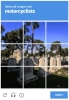
Recaptcha V2 funny example
Recaptcha V2 checkbox
Esempio di risoluzione Recaptcha V2
Python
Node.js
Go
PHP
Java
Kotlin
C#
C++
Rust
Ruby
bash

Come risolvere reCaptcha V2 proxy-on in Python

#pip3 install anticaptchaofficial

from anticaptchaofficial.recaptchav2proxyon import *

solver = recaptchaV2Proxyon()
solver.set_verbose(1)
solver.set_key("YOUR_KEY")
solver.set_website_url("https://website.com")
solver.set_website_key("SITE_KEY")
#set optional custom parameter which Google made for their search page Recaptcha v2
#solver.set_data_s('"data-s" token from Google Search results "protection"')

# DO NOT USE PURCHASED/RENTED PROXIES ON PROXY SERVICES!!!
# THEY WILL NOT WORK!
# USE ONLY PROXIES YOU INSTALL YOURSELF ON YOUR OWN SERVER OR FAST VPS
# USE PROPER PROXY SOFTWARE LIKE SQUID !
# INSTALLATION INSTRUCTIONS:
# https://anti-captcha.com/apidoc/articles/how-to-install-squid
solver.set_proxy_address("PROXY_ADDRESS")
solver.set_proxy_port(1234)
solver.set_proxy_login("proxylogin")
solver.set_proxy_password("proxypassword")
solver.set_user_agent("Mozilla/5.0")
solver.set_cookies("test=true")

# Specify softId to earn 10% commission with your app.
# Get your softId here: https://anti-captcha.com/clients/tools/devcenter
solver.set_soft_id(0)

g_response = solver.solve_and_return_solution()
if g_response != 0:
    print("g-response: "+g_response)
    # user-agent in case you need it:
    print("user-agent: "+solver.get_user_agent())
else:
    print("task finished with error "+solver.error_code)

Come risolvere reCaptcha V2 proxy-on in Node.js

//npm install @antiadmin/anticaptchaofficial
//https://github.com/anti-captcha/anticaptcha-npm

const ac = require("@antiadmin/anticaptchaofficial");

//set API key
ac.setAPIKey('YOUR_API_KEY_HERE');

//Specify softId to earn 10% commission with your app.
//Get your softId here: https://anti-captcha.com/clients/tools/devcenter
ac.setSoftId(0);

//set optional custom parameter which Google made for their search page Recaptcha v2
//ac.settings.recaptchaDataSValue = '"data-s" token from Google Search results "protection"'

ac.solveRecaptchaV2ProxyOn('http://DOMAIN.COM',
    'WEBSITE_KEY',
    'http', //http, socks4, socks5
    'PROXY_ADDRESS',
    'PROXY_PORT',
    'PROXY_LOGIN',
    'PROXY_PASSWORD',
    'Mozilla/5.0 (Macintosh; Intel Mac OS X 10_11_6) AppleWebKit/537.36 (KHTML, like Gecko) Chrome/52.0.2743.116',
    'some=cookies')
    .then(gresponse => {
        console.log('g-response: '+gresponse);
        console.log('google cookies:');
        console.log(ac.getCookies());
    })
    .catch(error => console.log('test received error '+error));

// in case you need it
console.log("worker's user-agent:");
console.log(ac.getUserAgent());

Come risolvere reCaptcha V2 proxy-on in Go

// Install with:
// go get github.com/anti-captcha/anticaptcha-go

package main

import (
    "fmt"
    "github.com/anti-captcha/anticaptcha-go"
    "log"
)

func main() {
    // Create API client and set the API Key
    ac := anticaptcha.NewClient("API_KEY_HERE")

    // set to 'false' to turn off debug output
    ac.IsVerbose = true

    // Specify softId to earn 10% commission with your app.
    // Get your softId here: https://anti-captcha.com/clients/tools/devcenter
    //ac.SoftId = 1187

    // Make sure the API key funds balance is positive
    balance, err := ac.GetBalance()
    if err != nil {
        log.Fatal(err)
        // Exit program to make sure you don't DDoS API with requests, while having empty balance
        return
    }
    fmt.Println("Balance:", balance)

    // Solve Recaptcha V2 with proxy
    solution, err := ac.SolveRecaptchaV2ProxyOn(anticaptcha.RecaptchaV2{
        WebsiteURL:  "https://huev.com/",
        WebsiteKey:  "6Lcyu8UZAAAAACwSh6Xf58WrNXTu0LLu4F85xf20",
        IsInvisible: false, // Set to 'true' if you are solving an invisible Recaptcha V2
        DataSValue:  "",    // Fill this value if you are solving a ReCaptcha V2 with the 'data-s' parameter, typically found at google.com websites
        UserAgent:   "Mozilla/5.0 (Windows NT 10.0; Win64; x64) AppleWebKit/537.36 (KHTML, like Gecko) Chrome/58.0.3029.110 Safari/537.3",
        Proxy: &anticaptcha.Proxy{
            Type:      "http",
            IPAddress: "1.2.3.4",
            Port:      1234,
            Login:     "login-optional",
            Password:  "pass-optional",
        },
    })
    if err != nil {
        log.Fatal(err)
    }
    fmt.Println("Recaptcha g-response token:", solution)
    // In case you need the worker's user-agent
    fmt.Println("User-Agent:", ac.WorkersUserAgent)
}

Come risolvere reCaptcha V2 proxy-on in PHP

//git clone https://github.com/anti-captcha/anticaptcha-php.git

include("anticaptcha.php");
include("recaptchav2.php");

$api = new RecaptchaV2();
$api->setVerboseMode(true);

//your anti-captcha.com account key
$api->setKey("YOUR_API_KEY_HERE");

//target website address
$api->setWebsiteURL("http://makeawebsitehub.com/recaptcha/test.php");

//recaptcha key from target website
$api->setWebsiteKey("6LfI9IsUAAAAAKuvopU0hfY8pWADfR_mogXokIIZ");

//optional custom parameter which Google made for their search page Recaptcha v2
//$api->setDataSValue("'data-s' token from Google Search");

//proxy access parameters
// DO NOT USE PURCHASED/RENTED PROXIES ON PROXY SERVICES!!!
// THEY WILL NOT WORK!
// USE ONLY PROXIES YOU INSTALL YOURSELF ON YOUR OWN SERVER OR FAST VPS
// USE PROPER PROXY SOFTWARE LIKE SQUID !
// INSTALLATION INSTRUCTIONS:
// https://anti-captcha.com/apidoc/articles/how-to-install-squid
$api->setProxyType("http");
$api->setProxyAddress("8.8.8.8");
$api->setProxyPort(1234);
//optional login and password
$api->setProxyLogin("login");
$api->setProxyPassword("password");

//browser header parameters
$api->setUserAgent("Mozilla/5.0 (Macintosh; Intel Mac OS X 10_11_6) AppleWebKit/537.36 (KHTML, like Gecko) Chrome/52.0.2743.116");

//Specify softId to earn 10% commission with your app.
//Get your softId here: https://anti-captcha.com/clients/tools/devcenter
$api->setSoftId(0);

//create task in API
if (!$api->createTask()) {
    $api->debout("API v2 send failed - ".$api->getErrorMessage(), "red");
    return false;
}

$taskId = $api->getTaskId();

//wait in a loop for max 300 seconds till task is solved
if (!$api->waitForResult(300)) {
    echo "could not solve captcha\n";
    echo $api->getErrorMessage()."\n";
} else {

    $gResponse    =   $api->getTaskSolution();
    echo "\n";
    echo "your recaptcha token: $gResponse\n\n";
    echo "worker's user-agent in case you need it:\n";
    echo $api->getWorkersUserAgent()."\n";

}

Come risolvere reCaptcha V2 proxy-on in Java

// GitHub: https://github.com/anti-captcha/anticaptcha-java
//
// Maven, add to pom.xml:
//   <dependency>
//     <groupId>com.anti-captcha</groupId>
//     <artifactId>anticaptcha</artifactId>
//     <version>1.0.0</version>
//   </dependency>
//
// Gradle, add to build.gradle:
//   implementation "com.anti-captcha:anticaptcha:1.0.0"

import com.anti_captcha.AnticaptchaBase;
import com.anti_captcha.Api.RecaptchaV2;
import com.anti_captcha.Helper.DebugHelper;

public class Main {

    public static void main(String[] args) throws InterruptedException {
        // Set to false to turn the debug output off
        DebugHelper.setVerboseMode(true);

        RecaptchaV2 api = new RecaptchaV2();
        api.setClientKey("YOUR_API_KEY_HERE");

        // Specify softId to earn 10% commission with your app.
        // Get your softId here: https://anti-captcha.com/clients/tools/devcenter
        api.setSoftId(0);

        api.setWebsiteUrl("http://makeawebsitehub.com/recaptcha/test.php");
        api.setWebsiteKey("6LfI9IsUAAAAAKuvopU0hfY8pWADfR_mogXokIIZ");

        // api.setIsInvisible(true);                       // invisible Recaptcha V2
        api.setUserAgent("Mozilla/5.0 (Macintosh; Intel Mac OS X 10_11_6) AppleWebKit/537.36 "
                + "(KHTML, like Gecko) Chrome/52.0.2743.116");

        // Do not use purchased/rented proxies from proxy services,
        // use proper proxy software like Squid
        api.setProxyType(AnticaptchaBase.ProxyTypeOption.HTTP);
        api.setProxyAddress("xxx.xx.xx.xx");
        api.setProxyPort(1234);
        api.setProxyLogin("login");
        api.setProxyPassword("password");

        // Make sure the API key funds balance is positive
        Double balance = api.getBalance();
        if (balance == null || balance <= 0) {
            // Stop here to make sure you don't DDoS the API while having empty balance
            DebugHelper.out("Balance error: " + api.getErrorMessage(), DebugHelper.Type.ERROR);
            return;
        }
        DebugHelper.out("Balance: " + balance, DebugHelper.Type.SUCCESS);

        if (!api.createTask()) {
            DebugHelper.out("API v2 send failed. " + api.getErrorMessage(), DebugHelper.Type.ERROR);
        } else if (!api.waitForResult()) {
            DebugHelper.out("Could not solve the captcha.", DebugHelper.Type.ERROR);
        } else {
            DebugHelper.out("Recaptcha g-response token: " + api.getTaskSolution().getGRecaptchaResponse(), DebugHelper.Type.SUCCESS);
            DebugHelper.out("Worker's user-agent in case you need it: " + api.getTaskSolution().getUserAgent(), DebugHelper.Type.SUCCESS);
        }
    }
}

Come risolvere reCaptcha V2 proxy-on in Kotlin

// GitHub: https://github.com/anti-captcha/anticaptcha-kotlin
//
// Gradle, add to build.gradle.kts:
//   implementation("com.anti-captcha:anticaptcha-kotlin:1.0.0")

import com.anticaptcha.AnticaptchaClient
import com.anticaptcha.AnticaptchaException
import com.anticaptcha.ApiException
import com.anticaptcha.Proxy
import com.anticaptcha.ProxyType
import com.anticaptcha.RecaptchaV2
import kotlinx.coroutines.runBlocking

fun main(): Unit = runBlocking {
    // Create the API client and set the API key
    val ac = AnticaptchaClient(
        apiKey = "YOUR_API_KEY_HERE",
        // Specify softId to earn 10% commission with your app.
        // Get your softId here: https://anti-captcha.com/clients/tools/devcenter
        softId = 0,
        // Set to false to turn the debug output off
        verbose = true,
    )

    try {
        // Make sure the API key funds balance is positive
        val balance = ac.getBalance()
        if (balance <= 0) {
            // Stop here to make sure you don't DDoS the API while having empty balance
            System.err.println("Empty balance")
            return@runBlocking
        }
        println("Balance: $balance")

        val solution = ac.solveRecaptchaV2ProxyOn(
            RecaptchaV2(
                websiteUrl = "http://makeawebsitehub.com/recaptcha/test.php",
                websiteKey = "6LfI9IsUAAAAAKuvopU0hfY8pWADfR_mogXokIIZ",

                // isInvisible = true,                  // invisible Recaptcha V2
                userAgent = "Mozilla/5.0 (Macintosh; Intel Mac OS X 10_11_6) AppleWebKit/537.36 " +
                                    "(KHTML, like Gecko) Chrome/52.0.2743.116",
            ),
            // Do not use purchased/rented proxies from proxy services,
            // use proper proxy software like Squid
            Proxy(
                address = "xxx.xx.xx.xx",
                port = 1234,
                type = ProxyType.HTTP,
                login = "login",
                password = "password",
            ),
        )

        println("Recaptcha g-response token: ${solution.gRecaptchaResponse}")
        println("Worker's user-agent in case you need it: ${solution.userAgent}")
    } catch (error: ApiException) {
        // https://anti-captcha.com/apidoc/errors
        System.err.println("API error: ${error.errorCode} ${error.description}")
    } catch (error: AnticaptchaException) {
        System.err.println("Failed: ${error.message}")
    }
}

Come risolvere reCaptcha V2 proxy-on in C#

// GitHub: https://github.com/anti-captcha/anticaptcha-csharp.git
// install:  dotnet add package AntiCaptchaOfficial
// or, in the Package Manager Console:
// Install-Package AntiCaptchaOfficial

using System;
using AntiCaptcha.Api;
using AntiCaptcha.Helper;


class Program
{
    static void Main()
    {
        // Set to 'false' to turn off debug output
        DebugHelper.VerboseMode = true;

        var api = new RecaptchaV2
        {
            ClientKey = "YOUR_API_KEY_HERE",
            WebsiteUrl = new Uri("http://makeawebsitehub.com/recaptcha/test.php"),
            WebsiteKey = "6LfI9IsUAAAAAKuvopU0hfY8pWADfR_mogXokIIZ",
            // IsInvisible = true,          // solving an invisible Recaptcha V2
            // DataSValue = "data-s value", // the "data-s" parameter, typical for google.com
            UserAgent = "Mozilla/5.0 (Macintosh; Intel Mac OS X 10_11_6) AppleWebKit/537.36 (KHTML, like Gecko) Chrome/52.0.2743.116",
            // Proxy type is Http by default, set ProxyType for socks4/socks5
            ProxyAddress = "xxx.xx.xx.xx",
            ProxyPort = 1234,
            ProxyLogin = "login",
            ProxyPassword = "password",

            // Specify softId to earn 10% commission with your app.
            // Get your softId here:
            // https://anti-captcha.com/clients/tools/devcenter
            SoftId = 0
        };

        // Make sure the API key funds balance is positive
        var balance = api.GetBalance();
        if (balance == null || balance <= 0)
        {
            // Exit the program to make sure you don't DDoS the API with requests while having empty balance
            Console.WriteLine("Balance error: " + api.ErrorMessage);
            return;
        }
        Console.WriteLine("Balance: " + balance);

        var solution = api.Solve();
        Console.WriteLine("Recaptcha g-response token: " + solution?.GRecaptchaResponse);
        Console.WriteLine("Worker's user-agent in case you need it: " + solution?.UserAgent);
    }
}

Come risolvere reCaptcha V2 proxy-on in C++

// GitHub: https://github.com/anti-captcha/anticaptcha-cplus.git
// Add it to your CMake project:
//   include(FetchContent)
//   FetchContent_Declare(anticaptcha
//           GIT_REPOSITORY https://github.com/anti-captcha/anticaptcha-cplus.git
//           GIT_TAG v1.0.0)
//   FetchContent_MakeAvailable(anticaptcha)
//   target_link_libraries(your_app PRIVATE anticaptcha::anticaptcha)

#include <iostream>
#include <anticaptcha/anticaptcha.hpp>

int main() {
    // Create the API client and set the API key
    anticaptcha::Client ac("YOUR_API_KEY_HERE");

    // Debug output is on by default, turn it off with:
    // ac.shut_up();

    // Specify softId to earn 10% commission with your app.
    // Get your softId here: https://anti-captcha.com/clients/tools/devcenter
    ac.set_soft_id(0);

    try {
        // Make sure the API key funds balance is positive
        const double balance = ac.get_balance();
        if (balance <= 0) {
            // Stop here to make sure you don't DDoS the API while having empty balance
            std::cerr << "Empty balance" << std::endl;
            return 1;
        }
        std::cout << "Balance: " << balance << std::endl;

        anticaptcha::RecaptchaV2 params;
        params.website_url = "http://makeawebsitehub.com/recaptcha/test.php";
        params.website_key = "6LfI9IsUAAAAAKuvopU0hfY8pWADfR_mogXokIIZ";
        // params.is_invisible = true;             // solving an invisible Recaptcha V2
        // params.data_s_value = "data-s value";   // the "data-s" parameter, typical for google.com
        params.user_agent = "Mozilla/5.0 (Macintosh; Intel Mac OS X 10_11_6) AppleWebKit/537.36 (KHTML, like Gecko) Chrome/52.0.2743.116";
        // Do not use purchased/rented proxies from proxy services,
        // use proper proxy software like Squid
        params.proxy.type = "http";  // "http", "socks4" or "socks5"
        params.proxy.address = "xxx.xx.xx.xx";
        params.proxy.port = 1234;
        params.proxy.login = "login";
        params.proxy.password = "password";

        const anticaptcha::Solution solution = ac.solve_recaptcha_v2_proxy_on(params);
        std::cout << "Recaptcha g-response token: " << solution.g_recaptcha_response() << std::endl;
        std::cout << "Worker's user-agent in case you need it: " << solution.user_agent() << std::endl;
    } catch (const anticaptcha::ApiError& error) {
        // https://anti-captcha.com/apidoc/errors
        std::cerr << "API error: " << error.error_code() << " " << error.description() << std::endl;
        return 1;
    } catch (const anticaptcha::Error& error) {
        std::cerr << "Failed: " << error.what() << std::endl;
        return 1;
    }

    return 0;
}

Come risolvere reCaptcha V2 proxy-on in Rust

// GitHub: https://github.com/anti-captcha/anticaptcha-rust
// Install with:
//   cargo add anticaptchaofficial
// or add it to Cargo.toml:
//   [dependencies]
//   anticaptchaofficial = "1"

use anticaptcha::{Client, Proxy, ProxyType, RecaptchaV2};

#[tokio::main]
async fn main() -> anticaptcha::Result<()> {
    // Create the API client and set the API key
    let ac = Client::new("YOUR_API_KEY_HERE")
        // Specify softId to earn 10% commission with your app.
        // Get your softId here: https://anti-captcha.com/clients/tools/devcenter
        .with_soft_id(0);
    // .quiet() turns the debug output off

    // Make sure the API key funds balance is positive
    let balance = ac.get_balance().await?;
    if balance <= 0.0 {
        // Stop here to make sure you don't DDoS the API while having empty balance
        eprintln!("Empty balance");
        return Ok(());
    }
    println!("Balance: {balance}");

    let solution = ac
        .solve_recaptcha_v2_proxy_on(&RecaptchaV2 {
            website_url: "http://makeawebsitehub.com/recaptcha/test.php".into(),
            website_key: "6LfI9IsUAAAAAKuvopU0hfY8pWADfR_mogXokIIZ".into(),
            // is_invisible: true,                    // solving an invisible Recaptcha V2
            // data_s_value: "data-s value".into(),   // typical for google.com websites
            user_agent: "Mozilla/5.0 (Macintosh; Intel Mac OS X 10_11_6) AppleWebKit/537.36 (KHTML, like Gecko) Chrome/52.0.2743.116"
                .into(),
            // Do not use purchased/rented proxies from proxy services,
            // use proper proxy software like Squid
            proxy: Proxy::new(ProxyType::Http, "xxx.xx.xx.xx", 1234)
                .with_auth("login", "password"),
            ..Default::default()
        })
        .await?;

    println!("Recaptcha g-response token: {}", solution.g_recaptcha_response());
    println!("Worker's user-agent in case you need it: {}", solution.user_agent());

    Ok(())
}

Come risolvere reCaptcha V2 proxy-on in Ruby

# GitHub: https://github.com/anti-captcha/anticaptcha-ruby
# Install with:
#   gem install anticaptchaofficial
# or add it to your Gemfile:
#   gem "anticaptchaofficial"

require "anticaptcha"

# Create the API client and set the API key
ac = Anticaptcha.new("YOUR_API_KEY_HERE")

# Specify softId to earn 10% commission with your app.
# Get your softId here: https://anti-captcha.com/clients/tools/devcenter
ac.soft_id = 0

# Set to false to turn the debug output off
ac.verbose = true

begin
  # Make sure the API key funds balance is positive
  balance = ac.balance
  # Stop here to make sure you don't DDoS the API while having empty balance
  abort "Empty balance" if balance <= 0
  puts "Balance: #{balance}"

  solution = ac.solve_recaptcha_v2_proxy_on(
    website_url: "http://makeawebsitehub.com/recaptcha/test.php",
    website_key: "6LfI9IsUAAAAAKuvopU0hfY8pWADfR_mogXokIIZ",
    # is_invisible: true,                  # solving an invisible Recaptcha V2
    # data_s_value: "data-s value",        # typical for google.com websites
    user_agent: "Mozilla/5.0 (Macintosh; Intel Mac OS X 10_11_6) AppleWebKit/537.36 " \
                "(KHTML, like Gecko) Chrome/52.0.2743.116",
    # Do not use purchased/rented proxies from proxy services,
    # use proper proxy software like Squid
    proxy: { type: "http", address: "xxx.xx.xx.xx", port: 1234,
             login: "login", password: "password" }
  )

  puts "Recaptcha g-response token: #{solution.g_recaptcha_response}"
  puts "Worker's user-agent in case you need it: #{solution.user_agent}"
rescue Anticaptcha::ApiError => e
  # https://anti-captcha.com/apidoc/errors
  warn "API error: #{e.error_code} #{e.description}"
rescue Anticaptcha::Error => e
  warn "Failed: #{e.message}"
end

Come risolvere reCaptcha V2 proxy-on in bash

curl -i -H "Accept: application/json" \
     -H "Content-Type: application/json" \
     -X POST -d '{
    "clientKey":"YOUR_API_KEY_HERE",
    "task":
        {
            "type":"RecaptchaV2Task",
            "websiteURL":"http://mywebsite.com/recaptcha/test.php",
            "websiteKey":"6Lc_aCMTAAAAABx7u2N0D1XnVbI_v6ZdbM6rYf16",
            "proxyType":"http",
            "proxyAddress":"8.8.8.8",
            "proxyPort":8080,
            "proxyLogin":"proxyLoginHere",
            "proxyPassword":"proxyPasswordHere",
            "userAgent":"MODERN_USER_AGENT_HERE",
            "cookie":"cookiename1=cookievalue1; cookiename2=cookievalue2"
        },
    "softId": 0
}' https://api.anti-captcha.com/createTask

Oggetto attività

Proprietà Tipo Richiesto Scopo
type Stringa RecaptchaV2Task
Nome attività precedente: 'NoCaptchaTask'. Continueremo a supportare sempre il vecchio nome dell'attività, non è necessario aggiornare il tuo codice.
websiteURL Stringa Indirizzo di una pagina web target. Può trovarsi in qualsiasi punto del sito web, anche nell'area riservata. I nostri operatori non navigano in quest'area, ma simulano la visita.
websiteKey Stringa Chiave del sito Recaptcha. Scopri come trovarlo in questo articolo.
recaptchaDataSValue Stringa No Valore del parametro 'data-s'. Si applica solo a Recaptcha su siti web Google.
proxyType Stringa Tipo di proxy
http - tipico proxy http/https
socks4 - proxy socks4
socks5 - proxy socks5
proxyAddress Stringa Indirizzo IP proxy ipv4/ipv6. Nessun host name o indirizzo IP dalle reti locali.
proxyPort Intero Porta proxy
proxyLogin Stringa No Login per proxy che richiede un'autorizzazione (base)
proxyPassword Stringa No Password proxy
userAgent Stringa User-Agent del browser usato in emulazione. Devi usare una firma di un browser moderno; altrimenti Google ti chiederà di "aggiornare il tuo browser".
cookies Stringa No Cookie aggiuntivi che dovremmo usare nei dominii Google.
isInvisible Boolean No Specifica se il Recaptcha è invisible o meno. Ciò fornirà un widget appropriato per i nostri operatori.

Oggetto soluzione attività

Proprietà Tipo Scopo
gRecaptchaResponse Stringa Stringa token richiesta per interagire con l'evento submit sul sito web target.
cookies Matrice Gruppo di cookie opzionale usato per risolvere Recaptcha. Si applica solo per dominii e sottodominii google.com.
userAgent Stringa User-Agent del browser dell'operatore. Usalo quando invii il token di risposta.

Esempio di risposta

{
    "errorId":0,
    "status":"ready",
    "solution":
    {
        "gRecaptchaResponse":"3AHJ_VuvYIBNBW5yyv0zRYJ75VkOKvhKj9_xGBJKnQimF72rfoq3Iy-DyGHMwLAo6a3",
        "userAgent":"Mozilla\5.0 (Windows NT 10.0; Win64; x64) AppleWebKit\/537.36 (KHTML, like Gecko) Chrome\/145.0.0.0 Safari\/537.36"
    },
    "cost":"0.001500",
    "ip":"46.98.54.221",
    "createTime":1472205564,
    "endTime":1472205570,
    "solveCount":"0"
}