Menu

Los Google Recaptcha V2 Enterprise met een proxy op

Dit soort taken zijn voor het oplossen van Google Recaptcha Enterprise V2 via de geleverde proxy.

Het is grotendeels vergelijkbaar met RecaptchaV2Task, behalve dat taken worden opgelost met behulp van de Enterprise API en toegewezen aan medewerkers met de beste Recaptcha V3-score.
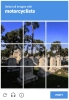
Recaptcha V2 funny example
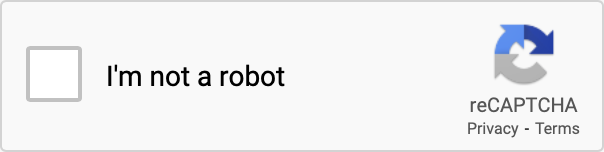
Recaptcha V2 checkbox
Recaptcha V2 Enterprise voorbeeld. Is visueel identiek aan de niet-enterprise versie.
Python
Node.js
PHP
Java
Kotlin
C#
C++
Rust
Ruby
bash

Hoe je Recaptcha V2 Enterprise proxy-on oplost in Python

#pip3 install anticaptchaofficial

from anticaptchaofficial.recaptchav2enterpriseproxyon import *

solver = recaptchaV2EnterpriseProxyon()
solver.set_verbose(1)
solver.set_key("YOUR_API_KEY_HERE")
# solver.set_enterprise_payload({"s": "sometoken"})
solver.set_website_url("https://website.com")
solver.set_website_key("SITE_KEY")
solver.set_proxy_address("PROXY_ADDRESS")
solver.set_proxy_port(1234)
solver.set_proxy_login("proxylogin")
solver.set_proxy_password("proxypassword")
solver.set_user_agent("Mozilla/5.0")
solver.set_cookies("test=true")

# Specify softId to earn 10% commission with your app.
# Get your softId here: https://anti-captcha.com/clients/tools/devcenter
solver.set_soft_id(0)

g_response = solver.solve_and_return_solution()
if g_response != 0:
    print("g-response: "+g_response)
    # user-agent in case you need it:
    print("user-agent: "+solver.get_user_agent())
else:
    print("task finished with error "+solver.error_code)

Hoe je Recaptcha V2 Enterprise proxy-on oplost in Node.js

//npm install @antiadmin/anticaptchaofficial
//https://github.com/anti-captcha/anticaptcha-npm

const ac = require("@antiadmin/anticaptchaofficial");

ac.setAPIKey('YOUR_API_KEY_HERE');

//Specify softId to earn 10% commission with your app.
//Get your softId here: https://anti-captcha.com/clients/tools/devcenter
ac.setSoftId(0);

ac.solveRecaptchaV2EnterpriseProxyOn(
    'http://DOMAIN.COM',
    'WEBSITE_KEY',
    {
        "s" : "SOME_TOKEN",
        "any_custom_parameter" : "string_number_or_boolean"
    },
    'http', //http, socks4, socks5
    'PROXY_ADDRESS',
    'PROXY_PORT',
    'PROXY_LOGIN',
    'PROXY_PASSWORD',
    'Mozilla/5.0 (Macintosh; Intel Mac OS X 10_11_6) AppleWebKit/537.36 (KHTML, like Gecko) Chrome/52.0.2743.116',
    'some=cookies')
    .then(gresponse => {
        console.log('g-response: '+gresponse);
    })
    .catch(error => console.log('test received error '+error));

// in case you need it
console.log("worker's user-agent:");
console.log(ac.getUserAgent());

Hoe je Recaptcha V2 Enterprise proxy-on oplost in PHP

//git clone https://github.com/anti-captcha/anticaptcha-php.git

include("anticaptcha.php");
include("recaptchav2enterprise.php");

$api = new RecaptchaV2Enterprise();
$api->setVerboseMode(true);

//your anti-captcha.com account key
$api->setKey("YOUR_API_KEY_HERE");

//target website address
$api->setWebsiteURL("http://enteprisedomain.com/recaptcha/test.php");

//recaptcha key from target website
$api->setWebsiteKey("ENTEPRISE_SITEKEY_HERE");

//optional custom payload for grecaptcha.enterprise.render
$api->setEnterprisePayload(["s" => "TEMPORARY_TOKEN_VALUE"]);

//proxy access parameters
// DO NOT USE PURCHASED/RENTED PROXIES ON PROXY SERVICES!!!
// THEY WILL NOT WORK!
// USE ONLY PROXIES YOU INSTALL YOURSELF ON YOUR OWN SERVER OR FAST VPS
// USE PROPER PROXY SOFTWARE LIKE SQUID !
// INSTALLATION INSTRUCTIONS:
// https://anti-captcha.com/apidoc/articles/how-to-install-squid
$api->setProxyType("http");
$api->setProxyAddress("8.8.8.8");
$api->setProxyPort(1234);
//optional login and password
$api->setProxyLogin("login");
$api->setProxyPassword("password");

//browser header parameters
$api->setUserAgent("Mozilla/5.0 (Macintosh; Intel Mac OS X 10_11_6) AppleWebKit/537.36 (KHTML, like Gecko) Chrome/52.0.2743.116");

//Specify softId to earn 10% commission with your app.
//Get your softId here: https://anti-captcha.com/clients/tools/devcenter
$api->setSoftId(0);

//create task in API
if (!$api->createTask()) {
    $api->debout("API v2 send failed - ".$api->getErrorMessage(), "red");
    return false;
}

$taskId = $api->getTaskId();

//wait in a loop for max 300 seconds till task is solved
if (!$api->waitForResult(300)) {
    echo "could not solve captcha\n";
    echo $api->getErrorMessage()."\n";
} else {

    $gResponse    =   $api->getTaskSolution();
    echo "your recaptcha token: $gResponse\n\n";
    echo "worker's user-agent in case you need it:\n";
    echo $api->getWorkersUserAgent()."\n";

}

Hoe je Recaptcha V2 Enterprise proxy-on oplost in Java

// GitHub: https://github.com/anti-captcha/anticaptcha-java
//
// Maven, add to pom.xml:
//   <dependency>
//     <groupId>com.anti-captcha</groupId>
//     <artifactId>anticaptcha</artifactId>
//     <version>1.0.0</version>
//   </dependency>
//
// Gradle, add to build.gradle:
//   implementation "com.anti-captcha:anticaptcha:1.0.0"

import com.anti_captcha.AnticaptchaBase;
import com.anti_captcha.Api.RecaptchaV2Enterprise;
import com.anti_captcha.Helper.DebugHelper;
import org.json.JSONObject;

public class Main {

    public static void main(String[] args) throws InterruptedException {
        // Set to false to turn the debug output off
        DebugHelper.setVerboseMode(true);

        RecaptchaV2Enterprise api = new RecaptchaV2Enterprise();
        api.setClientKey("YOUR_API_KEY_HERE");

        // Specify softId to earn 10% commission with your app.
        // Get your softId here: https://anti-captcha.com/clients/tools/devcenter
        api.setSoftId(0);

        api.setWebsiteUrl("http://makeawebsitehub.com/recaptcha/test.php");
        api.setWebsiteKey("6LfI9IsUAAAAAKuvopU0hfY8pWADfR_mogXokIIZ");

        // Additional parameters passed to the grecaptcha.enterprise.render call
        api.setEnterprisePayload(new JSONObject()
        .put("s", "SOME_UNDOCUMENTED_TOKEN")
        .put("blabla", "ANOTHER TOKEN"));
        api.setUserAgent("Mozilla/5.0 (Macintosh; Intel Mac OS X 10_11_6) AppleWebKit/537.36 "
                + "(KHTML, like Gecko) Chrome/52.0.2743.116");

        // Do not use purchased/rented proxies from proxy services,
        // use proper proxy software like Squid
        api.setProxyType(AnticaptchaBase.ProxyTypeOption.HTTP);
        api.setProxyAddress("xxx.xx.xx.xx");
        api.setProxyPort(1234);
        api.setProxyLogin("login");
        api.setProxyPassword("password");

        // Make sure the API key funds balance is positive
        Double balance = api.getBalance();
        if (balance == null || balance <= 0) {
            // Stop here to make sure you don't DDoS the API while having empty balance
            DebugHelper.out("Balance error: " + api.getErrorMessage(), DebugHelper.Type.ERROR);
            return;
        }
        DebugHelper.out("Balance: " + balance, DebugHelper.Type.SUCCESS);

        if (!api.createTask()) {
            DebugHelper.out("API v2 send failed. " + api.getErrorMessage(), DebugHelper.Type.ERROR);
        } else if (!api.waitForResult()) {
            DebugHelper.out("Could not solve the captcha.", DebugHelper.Type.ERROR);
        } else {
            DebugHelper.out("Recaptcha g-response token: " + api.getTaskSolution().getGRecaptchaResponse(), DebugHelper.Type.SUCCESS);
            DebugHelper.out("Worker's user-agent in case you need it: " + api.getTaskSolution().getUserAgent(), DebugHelper.Type.SUCCESS);
        }
    }
}

Hoe je Recaptcha V2 Enterprise proxy-on oplost in Kotlin

// GitHub: https://github.com/anti-captcha/anticaptcha-kotlin
//
// Gradle, add to build.gradle.kts:
//   implementation("com.anti-captcha:anticaptcha-kotlin:1.0.0")

import com.anticaptcha.AnticaptchaClient
import com.anticaptcha.AnticaptchaException
import com.anticaptcha.ApiException
import com.anticaptcha.Proxy
import com.anticaptcha.ProxyType
import com.anticaptcha.RecaptchaV2
import kotlinx.coroutines.runBlocking

fun main(): Unit = runBlocking {
    // Create the API client and set the API key
    val ac = AnticaptchaClient(
        apiKey = "YOUR_API_KEY_HERE",
        // Specify softId to earn 10% commission with your app.
        // Get your softId here: https://anti-captcha.com/clients/tools/devcenter
        softId = 0,
        // Set to false to turn the debug output off
        verbose = true,
    )

    try {
        // Make sure the API key funds balance is positive
        val balance = ac.getBalance()
        if (balance <= 0) {
            // Stop here to make sure you don't DDoS the API while having empty balance
            System.err.println("Empty balance")
            return@runBlocking
        }
        println("Balance: $balance")

        val solution = ac.solveRecaptchaV2ProxyOn(
            RecaptchaV2(
                websiteUrl = "http://makeawebsitehub.com/recaptcha/test.php",
                websiteKey = "6LfI9IsUAAAAAKuvopU0hfY8pWADfR_mogXokIIZ",
                isEnterprise = true,

                // Additional parameters passed to the grecaptcha.enterprise.render call
                enterprisePayload = mapOf(
                    "s" to "SOME_UNDOCUMENTED_TOKEN",
                    "blabla" to "ANOTHER TOKEN",
                ),
                userAgent = "Mozilla/5.0 (Macintosh; Intel Mac OS X 10_11_6) AppleWebKit/537.36 " +
                                    "(KHTML, like Gecko) Chrome/52.0.2743.116",
            ),
            // Do not use purchased/rented proxies from proxy services,
            // use proper proxy software like Squid
            Proxy(
                address = "xxx.xx.xx.xx",
                port = 1234,
                type = ProxyType.HTTP,
                login = "login",
                password = "password",
            ),
        )

        println("Recaptcha g-response token: ${solution.gRecaptchaResponse}")
        println("Worker's user-agent in case you need it: ${solution.userAgent}")
    } catch (error: ApiException) {
        // https://anti-captcha.com/apidoc/errors
        System.err.println("API error: ${error.errorCode} ${error.description}")
    } catch (error: AnticaptchaException) {
        System.err.println("Failed: ${error.message}")
    }
}

Hoe je Recaptcha V2 Enterprise proxy-on oplost in C#

// GitHub: https://github.com/anti-captcha/anticaptcha-csharp.git
// install:  dotnet add package AntiCaptchaOfficial
// or, in the Package Manager Console:
// Install-Package AntiCaptchaOfficial

using System;
using AntiCaptcha.Api;
using AntiCaptcha.Helper;


class Program
{
    static void Main()
    {
        // Set to 'false' to turn off debug output
        DebugHelper.VerboseMode = true;

        var api = new RecaptchaV2Enterprise
        {
            ClientKey = "YOUR_API_KEY_HERE",
            WebsiteUrl = new Uri("http://makeawebsitehub.com/recaptcha/test.php"),
            WebsiteKey = "6LfI9IsUAAAAAKuvopU0hfY8pWADfR_mogXokIIZ",
            // ApiDomain = "recaptcha.net", // only if the script is loaded from a non-google.com domain
            UserAgent = "Mozilla/5.0 (Macintosh; Intel Mac OS X 10_11_6) AppleWebKit/537.36 (KHTML, like Gecko) Chrome/52.0.2743.116",
            // Proxy type is Http by default, set ProxyType for socks4/socks5
            ProxyAddress = "xxx.xx.xx.xx",
            ProxyPort = 1234,
            ProxyLogin = "login",
            ProxyPassword = "password",

            // Specify softId to earn 10% commission with your app.
            // Get your softId here:
            // https://anti-captcha.com/clients/tools/devcenter
            SoftId = 0
        };

        api.EnterprisePayload.Add("s", "SOME_UNDOCUMENTED_TOKEN");
        api.EnterprisePayload.Add("blabla", "ANOTHER TOKEN");

        // Make sure the API key funds balance is positive
        var balance = api.GetBalance();
        if (balance == null || balance <= 0)
        {
            // Exit the program to make sure you don't DDoS the API with requests while having empty balance
            Console.WriteLine("Balance error: " + api.ErrorMessage);
            return;
        }
        Console.WriteLine("Balance: " + balance);

        var solution = api.Solve();
        Console.WriteLine("Recaptcha g-response token: " + solution?.GRecaptchaResponse);
        Console.WriteLine("Worker's user-agent in case you need it: " + solution?.UserAgent);
    }
}

Hoe je Recaptcha V2 Enterprise proxy-on oplost in C++

// GitHub: https://github.com/anti-captcha/anticaptcha-cplus.git
// Add it to your CMake project:
//   include(FetchContent)
//   FetchContent_Declare(anticaptcha
//           GIT_REPOSITORY https://github.com/anti-captcha/anticaptcha-cplus.git
//           GIT_TAG v1.0.0)
//   FetchContent_MakeAvailable(anticaptcha)
//   target_link_libraries(your_app PRIVATE anticaptcha::anticaptcha)

#include <iostream>
#include <anticaptcha/anticaptcha.hpp>

int main() {
    // Create the API client and set the API key
    anticaptcha::Client ac("YOUR_API_KEY_HERE");

    // Debug output is on by default, turn it off with:
    // ac.shut_up();

    // Specify softId to earn 10% commission with your app.
    // Get your softId here: https://anti-captcha.com/clients/tools/devcenter
    ac.set_soft_id(0);

    try {
        // Make sure the API key funds balance is positive
        const double balance = ac.get_balance();
        if (balance <= 0) {
            // Stop here to make sure you don't DDoS the API while having empty balance
            std::cerr << "Empty balance" << std::endl;
            return 1;
        }
        std::cout << "Balance: " << balance << std::endl;

        anticaptcha::RecaptchaV2 params;
        params.website_url = "http://makeawebsitehub.com/recaptcha/test.php";
        params.website_key = "6LfI9IsUAAAAAKuvopU0hfY8pWADfR_mogXokIIZ";
        params.is_enterprise = true;
        // Additional parameters passed to the grecaptcha.enterprise.render call
        params.enterprise_payload = { {"s", "SOME_UNDOCUMENTED_TOKEN"},
                                     {"blabla", "ANOTHER TOKEN"} };
        params.user_agent = "Mozilla/5.0 (Macintosh; Intel Mac OS X 10_11_6) AppleWebKit/537.36 (KHTML, like Gecko) Chrome/52.0.2743.116";
        // Do not use purchased/rented proxies from proxy services,
        // use proper proxy software like Squid
        params.proxy.type = "http";  // "http", "socks4" or "socks5"
        params.proxy.address = "xxx.xx.xx.xx";
        params.proxy.port = 1234;
        params.proxy.login = "login";
        params.proxy.password = "password";

        const anticaptcha::Solution solution = ac.solve_recaptcha_v2_proxy_on(params);
        std::cout << "Recaptcha g-response token: " << solution.g_recaptcha_response() << std::endl;
        std::cout << "Worker's user-agent in case you need it: " << solution.user_agent() << std::endl;
    } catch (const anticaptcha::ApiError& error) {
        // https://anti-captcha.com/apidoc/errors
        std::cerr << "API error: " << error.error_code() << " " << error.description() << std::endl;
        return 1;
    } catch (const anticaptcha::Error& error) {
        std::cerr << "Failed: " << error.what() << std::endl;
        return 1;
    }

    return 0;
}

Hoe je Recaptcha V2 Enterprise proxy-on oplost in Rust

// GitHub: https://github.com/anti-captcha/anticaptcha-rust
// Install with:
//   cargo add anticaptchaofficial
// or add it to Cargo.toml:
//   [dependencies]
//   anticaptchaofficial = "1"

use std::collections::BTreeMap;
use anticaptcha::{Client, Proxy, ProxyType, RecaptchaV2};

#[tokio::main]
async fn main() -> anticaptcha::Result<()> {
    // Create the API client and set the API key
    let ac = Client::new("YOUR_API_KEY_HERE")
        // Specify softId to earn 10% commission with your app.
        // Get your softId here: https://anti-captcha.com/clients/tools/devcenter
        .with_soft_id(0);
    // .quiet() turns the debug output off

    // Make sure the API key funds balance is positive
    let balance = ac.get_balance().await?;
    if balance <= 0.0 {
        // Stop here to make sure you don't DDoS the API while having empty balance
        eprintln!("Empty balance");
        return Ok(());
    }
    println!("Balance: {balance}");

    let mut enterprise_payload = BTreeMap::new();
    enterprise_payload.insert("s".to_owned(), "SOME_UNDOCUMENTED_TOKEN".to_owned());
    enterprise_payload.insert("blabla".to_owned(), "ANOTHER TOKEN".to_owned());

    let solution = ac
        .solve_recaptcha_v2_proxy_on(&RecaptchaV2 {
            website_url: "http://makeawebsitehub.com/recaptcha/test.php".into(),
            website_key: "6LfI9IsUAAAAAKuvopU0hfY8pWADfR_mogXokIIZ".into(),
            is_enterprise: true,
            // Additional parameters passed to the grecaptcha.enterprise.render call
            enterprise_payload,
            // api_domain: "recaptcha.net".into(), // only for a non-google.com script domain
            user_agent: "Mozilla/5.0 (Macintosh; Intel Mac OS X 10_11_6) AppleWebKit/537.36 (KHTML, like Gecko) Chrome/52.0.2743.116"
                .into(),
            // Do not use purchased/rented proxies from proxy services,
            // use proper proxy software like Squid
            proxy: Proxy::new(ProxyType::Http, "xxx.xx.xx.xx", 1234)
                .with_auth("login", "password"),
            ..Default::default()
        })
        .await?;

    println!("Recaptcha g-response token: {}", solution.g_recaptcha_response());
    println!("Worker's user-agent in case you need it: {}", solution.user_agent());

    Ok(())
}

Hoe je Recaptcha V2 Enterprise proxy-on oplost in Ruby

# GitHub: https://github.com/anti-captcha/anticaptcha-ruby
# Install with:
#   gem install anticaptchaofficial
# or add it to your Gemfile:
#   gem "anticaptchaofficial"

require "anticaptcha"

# Create the API client and set the API key
ac = Anticaptcha.new("YOUR_API_KEY_HERE")

# Specify softId to earn 10% commission with your app.
# Get your softId here: https://anti-captcha.com/clients/tools/devcenter
ac.soft_id = 0

# Set to false to turn the debug output off
ac.verbose = true

begin
  # Make sure the API key funds balance is positive
  balance = ac.balance
  # Stop here to make sure you don't DDoS the API while having empty balance
  abort "Empty balance" if balance <= 0
  puts "Balance: #{balance}"

  solution = ac.solve_recaptcha_v2_proxy_on(
    website_url: "http://makeawebsitehub.com/recaptcha/test.php",
    website_key: "6LfI9IsUAAAAAKuvopU0hfY8pWADfR_mogXokIIZ",
    is_enterprise: true,
    # Additional parameters passed to the grecaptcha.enterprise.render call
    enterprise_payload: { "s" => "SOME_UNDOCUMENTED_TOKEN", "blabla" => "ANOTHER TOKEN" },
    # api_domain: "recaptcha.net", # only for a non-google.com script domain
    user_agent: "Mozilla/5.0 (Macintosh; Intel Mac OS X 10_11_6) AppleWebKit/537.36 " \
                "(KHTML, like Gecko) Chrome/52.0.2743.116",
    # Do not use purchased/rented proxies from proxy services,
    # use proper proxy software like Squid
    proxy: { type: "http", address: "xxx.xx.xx.xx", port: 1234,
             login: "login", password: "password" }
  )

  puts "Recaptcha g-response token: #{solution.g_recaptcha_response}"
  puts "Worker's user-agent in case you need it: #{solution.user_agent}"
rescue Anticaptcha::ApiError => e
  # https://anti-captcha.com/apidoc/errors
  warn "API error: #{e.error_code} #{e.description}"
rescue Anticaptcha::Error => e
  warn "Failed: #{e.message}"
end

Hoe je Recaptcha V2 Enterprise proxy-on oplost in bash

curl -i -H "Accept: application/json" \
     -H "Content-Type: application/json" \
     -X POST -d '{
    "clientKey":"YOUR_API_KEY_HERE",
    "task":
        {
            "type":"RecaptchaV2EnterpriseTask",
            "websiteURL":"http://mywebsite.com/recaptcha/test.php",
            "websiteKey":"6Lc_aCMTAAAAABx7u2N0D1XnVbI_v6ZdbM6rYf16",
            "enterprisePayload": {
                "s": "SOME_ADDITIONAL_TOKEN"
            },
            "proxyType":"http",
            "proxyAddress":"8.8.8.8",
            "proxyPort":8080,
            "proxyLogin":"proxyLoginHere",
            "proxyPassword":"proxyPasswordHere",
            "userAgent":"MODERN_USER_AGENT_HERE"
        },
    "softId": 0
}' https://api.anti-captcha.com/createTask

Taak object

Eigenschap Type Verplicht Doel
type String Ja RecaptchaV2EnterpriseTask
websiteURL String Ja Adres van een doelpagina. Kan overal op de website geplaatst zijn, zelfs in een ledengedeelte. Onze medewerkers navigeren daar niet heen, simuleren in plaats daarvan het bezoek.
websiteKey String Ja Recaptcha-websitesleutel. Leer hoe u het kunt vinden in dit artikel.
enterprisePayload Object Nr Optionele aanvullende parameters die samen met de sitekey kunnen worden doorgegeven aan de methode "grecaptcha.enterprise.render". Voorbeeld van waar je naar zou kunnen zoeken:
grecaptcha.enterprise.render("some-div-id", {
    sitekey: "6Lc_aCMTAAAAABx7u2N0D1XnVbI_v6ZdbM6rYf16",
    theme: "dark",
    s: "2JvUXHNTnZl1Jb6WEvbDyBMzrMTR7oQ78QRhBcG07rk9bpaAaE0LRq1ZeP5NYa0N...ugQA"
});
In dit voorbeeld ziet u de parameter "s" die niet gedocumenteerd is, maar duidelijk vereist is. Stuur het naar de API, zodat we de Recaptcha-widget met deze parameter goed renderen.
apiDomain String Nr Gebruik deze parameter om de domeinnaam te sturen vanwaar het Recaptcha-script geserveerd moet worden. Kan slechts een van de twee waarden hebben: "www.google.com" of "www.recaptcha.net". Gebruik deze parameter niet tenzij u begrijpt wat u doet.
proxyType String Ja Type proxy
http - meestal http/https proxy
socks4 - socks4 proxy
socks5 - socks5 proxy
proxyAddress String Ja Proxy IP-adres ipv4/ipv6. Geen hostnamen of IP-adressen van lokale netwerken.
proxyPort Integer Ja Proxypoort
proxyLogin String Ja Login voor proxy die autorisatie vereist (basis)
proxyPassword String Ja Proxy-wachtwoord
userAgent String Ja De User-Agent van de browser die wordt gebruikt in de emulatie. Het is verplicht dat u een handtekening van een moderne browser gebruikt, anders zal Google u vragen om uw "browser bij te werken".
cookies String Nr Extra cookies die we moeten gebruiken bij Google-domeinen.

Taak oplossing object

Eigenschap Type Doel
gRecaptchaResponse String Token string die vereist is voor het samenwerken met het ingediende formulier op een doelwebsite.
userAgent String User-Agent van de browser van de medewerker. Gebruik het wanneer u de respons-token indient.

Voorbeeld reactie

{
    "errorId":0,
    "status":"ready",
    "solution":
    {
        "gRecaptchaResponse":"3AHJ_VuvYIBNBW5yyv0zRYJ75VkOKvhKj9_xGBJKnQimF72rfoq3Iy-DyGHMwLAo6a3",
        "userAgent":"Mozilla\5.0 (Windows NT 10.0; Win64; x64) AppleWebKit\/537.36 (KHTML, like Gecko) Chrome\/145.0.0.0 Safari\/537.36"
    },
    "cost":"0.001500",
    "ip":"46.98.54.221",
    "createTime":1472205564,
    "endTime":1472205570,
    "solveCount":"0"
}