

 GitHub

Menu
プロキシ経由でアルトチャのキャプチャを解く
このタイプのタスクは、プロキシ経由でアルトチャのキャプチャを解きます。解決パイプラインが遅くなり、プロキシがどのように機能するかについての専門的な理解が必要になるため、プロキシオフタスクが機能しない場合にのみ使用してください。
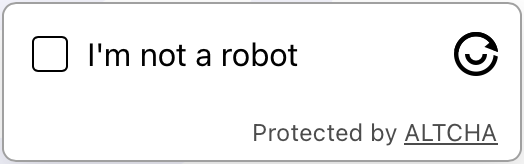
captcha例
Python
Node.js
Go
PHP
Java
Kotlin
C#
C++
Rust
Ruby
bash
Python で Altcha proxy-on を解く方法
#pip3 install anticaptchaofficial

from anticaptchaofficial.altchaproxyon import *

solver = altchaProxyon()
solver.set_verbose(1)
solver.set_key("YOUR_API_KEY_HERE")
solver.set_website_url("https://website.com/")
# Option 1: set challenge URL
solver.set_challenge_url("/path/to/challenge/url")
# Option 2: set challenge JSON grabbed from challenge URL
#solver.set_challenge_json('"algorithm":"SHA-256","challenge":"2a40f7ba3393f9513011179de41c7221f14e563856de2f647233a00accf9c28b","salt":"08d7f273d79df143355b9e5n","signature":"1de2bbf282420aef6ca0a84c38c85e2b1e40023d28bef72278d735555a8f47fb"}')
solver.set_proxy_address("PROXY_ADDRESS")
solver.set_proxy_port(1234)
solver.set_proxy_login("proxylogin")
solver.set_proxy_password("proxypassword")

# Specify softId to earn 10% commission with your app.
# Get your softId here: https://anti-captcha.com/clients/tools/devcenter
solver.set_soft_id(0)

token = solver.solve_and_return_solution()
if token != 0:
    print("token: "+token)
    # user-agent in case you need it:
    print("user-agent: "+solver.get_user_agent())
else:
    print("task finished with error "+solver.error_code)
Node.js で Altcha proxy-on を解く方法
//npm install @antiadmin/anticaptchaofficial
//https://github.com/anti-captcha/anticaptcha-npm

const ac = require("@antiadmin/anticaptchaofficial");

ac.setAPIKey('YOUR_API_KEY_HERE');

//Specify softId to earn 10% commission with your app.
//Get your softId here: https://anti-captcha.com/clients/tools/devcenter
ac.setSoftId(0);

ac.solveAltchaProxyOn('http://DOMAIN.COM',
    // option 1:
    '/some/challenge/url',
    // option 2 (use one of the option !):
    '{"algorithm":"SHA-256","challenge":"2a40f7ba3393f9513011179de41c7221f14e563856de2f647233a00accf9c28b","salt":"08d7f273d79df143355b9e5n","signature":"1de2bbf282420aef6ca0a84c38c85e2b1e40023d28bef72278d735555a8f47fb"}',
    'http', //http, socks4, socks5
    'PROXY_ADDRESS',
    'PROXY_PORT',
    'PROXY_LOGIN',
    'PROXY_PASSWORD')
    .then(token => {
        console.log('token: '+token);
    })
    .catch(error => console.log('test received error '+error));

// in case you need it
console.log("worker's user-agent:");
console.log(ac.getUserAgent());
Go で Altcha proxy-on を解く方法
// Install with:
// go get github.com/anti-captcha/anticaptcha-go
package main

import (
    "fmt"
    "github.com/anti-captcha/anticaptcha-go"
    "log"
)

func main() {
    // Create API client and set the API Key
    ac := anticaptcha.NewClient("API_KEY_HERE")

    // set to 'false' to turn off debug output
    ac.IsVerbose = true

    // Specify softId to earn 10% commission with your app.
    // Get your softId here: https://anti-captcha.com/clients/tools/devcenter
    //ac.SoftId = 1187

    // Make sure the API key funds balance is positive
    balance, err := ac.GetBalance()
    if err != nil {
        log.Fatal(err)
        // Exit program to make sure you don't DDoS API with requests, while having empty balance
        return
    }
    fmt.Println("Balance:", balance)

    // Solve Altcha with proxy
    solution, err := ac.SolveAltchaProxyOn(anticaptcha.AltchaCaptcha{
        WebsiteURL:   "https://www.website.com/",
        // Option 1: use challenge URL (use one of the options!)
        ChallengeURL: "/some/path/to/challenge/url",
        // Option 2: use challenge JSON:
        ChallengeJSON: `{"algorithm":"SHA-256","challenge":"1a40f7ba3393f9513016879de41c7221f14e563856de2f647233a00accf9c28b","salt":"0887f273d79df143355b9e5f","signature":"1de2bbf282420aef6ca0a84c38c85e2b1e40023d28bef72278d735555a8f47fb"}`,
        Proxy: &anticaptcha.Proxy{
            Type:      "http",
            IPAddress: "1.2.3.4",
            Port:      1234,
            Login:     "login-optional",
            Password:  "pass-optional",
        },
    })
    if err != nil {
        log.Fatal(err)
    }
    fmt.Println("Altcha Token:", solution)
    // In case you need the worker's user-agent
    fmt.Println("User-Agent:", ac.WorkersUserAgent)
}
PHP で Altcha proxy-on を解く方法
//git clone https://github.com/anti-captcha/anticaptcha-php.git

include("anticaptcha.php");
include("altcha.php");

$api = new Altcha();
$api->setVerboseMode(true);

//your anti-captcha.com account key
$api->setKey("YOUR_API_KEY_HERE");

//target website address
$api->setWebsiteURL("https://website.com/");

//altcha challenge URL from target website
$api->setChallengeURL("/some/url");

//proxy access parameters
// DO NOT USE PURCHASED/RENTED PROXIES ON PROXY SERVICES!!!
// THEY WILL NOT WORK!
// USE ONLY PROXIES YOU INSTALL YOURSELF ON YOUR OWN SERVER OR FAST VPS
// USE PROPER PROXY SOFTWARE LIKE SQUID !
// INSTALLATION INSTRUCTIONS:
// https://anti-captcha.com/apidoc/articles/how-to-install-squid
$api->setProxyType("http");
$api->setProxyAddress("8.8.8.8");
$api->setProxyPort(1234);
//optional login and password
$api->setProxyLogin("login");
$api->setProxyPassword("password");

//Specify softId to earn 10% commission with your app.
//Get your softId here: https://anti-captcha.com/clients/tools/devcenter
$api->setSoftId(0);

//create task in API
if (!$api->createTask()) {
    $api->debout("API v2 send failed - ".$api->getErrorMessage(), "red");
    return false;
}

$taskId = $api->getTaskId();

//wait in a loop for max 300 seconds till task is solved
if (!$api->waitForResult(300)) {
    echo "could not solve captcha\n";
    echo $api->getErrorMessage()."\n";
} else {

    $token    =   $api->getTaskSolution();
    echo "\n";
    echo "your Altcha token: $token\n\n";
    echo "worker's user-agent in case you need it:\n";
    echo $api->getWorkersUserAgent()."\n";

}
Java で Altcha proxy-on を解く方法
// GitHub: https://github.com/anti-captcha/anticaptcha-java
//
// Maven, add to pom.xml:
//   <dependency>
//     <groupId>com.anti-captcha</groupId>
//     <artifactId>anticaptcha</artifactId>
//     <version>1.0.0</version>
//   </dependency>
//
// Gradle, add to build.gradle:
//   implementation "com.anti-captcha:anticaptcha:1.0.0"

import com.anti_captcha.AnticaptchaBase;
import com.anti_captcha.Api.Altcha;
import com.anti_captcha.Helper.DebugHelper;

public class Main {

    public static void main(String[] args) throws InterruptedException {
        // Set to false to turn the debug output off
        DebugHelper.setVerboseMode(true);

        Altcha api = new Altcha();
        api.setClientKey("YOUR_API_KEY_HERE");

        // Specify softId to earn 10% commission with your app.
        // Get your softId here: https://anti-captcha.com/clients/tools/devcenter
        api.setSoftId(0);

        api.setWebsiteUrl("http://website.com/");
        api.setChallengeURL("/some/path/to/challenge/url");

        // Do not use purchased/rented proxies from proxy services,
        // use proper proxy software like Squid
        api.setProxyType(AnticaptchaBase.ProxyTypeOption.HTTP);
        api.setProxyAddress("xxx.xx.xx.xx");
        api.setProxyPort(1234);
        api.setProxyLogin("login");
        api.setProxyPassword("password");

        // Make sure the API key funds balance is positive
        Double balance = api.getBalance();
        if (balance == null || balance <= 0) {
            // Stop here to make sure you don't DDoS the API while having empty balance
            DebugHelper.out("Balance error: " + api.getErrorMessage(), DebugHelper.Type.ERROR);
            return;
        }
        DebugHelper.out("Balance: " + balance, DebugHelper.Type.SUCCESS);

        if (!api.createTask()) {
            DebugHelper.out("API v2 send failed. " + api.getErrorMessage(), DebugHelper.Type.ERROR);
        } else if (!api.waitForResult()) {
            DebugHelper.out("Could not solve the captcha.", DebugHelper.Type.ERROR);
        } else {
            DebugHelper.out("Captcha token: " + api.getTaskSolution().getToken(), DebugHelper.Type.SUCCESS);
        }
    }
}
Kotlin で Altcha proxy-on を解く方法
// GitHub: https://github.com/anti-captcha/anticaptcha-kotlin
//
// Gradle, add to build.gradle.kts:
//   implementation("com.anti-captcha:anticaptcha-kotlin:1.0.0")

import com.anticaptcha.Altcha
import com.anticaptcha.AnticaptchaClient
import com.anticaptcha.AnticaptchaException
import com.anticaptcha.ApiException
import com.anticaptcha.Proxy
import com.anticaptcha.ProxyType
import kotlinx.coroutines.runBlocking

fun main(): Unit = runBlocking {
    // Create the API client and set the API key
    val ac = AnticaptchaClient(
        apiKey = "YOUR_API_KEY_HERE",
        // Specify softId to earn 10% commission with your app.
        // Get your softId here: https://anti-captcha.com/clients/tools/devcenter
        softId = 0,
        // Set to false to turn the debug output off
        verbose = true,
    )

    try {
        // Make sure the API key funds balance is positive
        val balance = ac.getBalance()
        if (balance <= 0) {
            // Stop here to make sure you don't DDoS the API while having empty balance
            System.err.println("Empty balance")
            return@runBlocking
        }
        println("Balance: $balance")

        val solution = ac.solveAltchaProxyOn(
            Altcha(
                websiteUrl = "http://website.com/",
                challengeUrl = "/some/path/to/challenge/url",
            ),
            // Do not use purchased/rented proxies from proxy services,
            // use proper proxy software like Squid
            Proxy(
                address = "xxx.xx.xx.xx",
                port = 1234,
                type = ProxyType.HTTP,
                login = "login",
                password = "password",
            ),
        )

        println("Captcha token: ${solution.token}")
    } catch (error: ApiException) {
        // https://anti-captcha.com/apidoc/errors
        System.err.println("API error: ${error.errorCode} ${error.description}")
    } catch (error: AnticaptchaException) {
        System.err.println("Failed: ${error.message}")
    }
}
C# で Altcha proxy-on を解く方法
// GitHub: https://github.com/anti-captcha/anticaptcha-csharp.git
// install:  dotnet add package AntiCaptchaOfficial
// or, in the Package Manager Console:
// Install-Package AntiCaptchaOfficial

using System;
using AntiCaptcha.Api;
using AntiCaptcha.Helper;


class Program
{
    static void Main()
    {
        // Set to 'false' to turn off debug output
        DebugHelper.VerboseMode = true;

        var api = new Altcha
        {
            ClientKey = "YOUR_API_KEY_HERE",
            WebsiteUrl = new Uri("http://website.com"),
            ChallengeURL = "/some/path/to/challenge/url",
            ProxyAddress = "xxx.xx.xx.xx",
            ProxyPort = 1234,
            ProxyLogin = "login",
            ProxyPassword = "password",
            // Specify softId to earn 10% commission with your app.
            // Get your softId here:
            // https://anti-captcha.com/clients/tools/devcenter
            SoftId = 0
        };

        // Make sure the API key funds balance is positive
        var balance = api.GetBalance();
        if (balance == null || balance <= 0)
        {
            // Exit the program to make sure you don't DDoS the API with requests while having empty balance
            Console.WriteLine("Balance error: " + api.ErrorMessage);
            return;
        }
        Console.WriteLine("Balance: " + balance);

        var solution = api.Solve();
        Console.WriteLine("Altcha Token: " + solution?.Token);
    }
}
C++ で Altcha proxy-on を解く方法
// GitHub: https://github.com/anti-captcha/anticaptcha-cplus.git
// Add it to your CMake project:
//   include(FetchContent)
//   FetchContent_Declare(anticaptcha
//           GIT_REPOSITORY https://github.com/anti-captcha/anticaptcha-cplus.git
//           GIT_TAG v1.0.0)
//   FetchContent_MakeAvailable(anticaptcha)
//   target_link_libraries(your_app PRIVATE anticaptcha::anticaptcha)

#include <iostream>
#include <anticaptcha/anticaptcha.hpp>

int main() {
    // Create the API client and set the API key
    anticaptcha::Client ac("YOUR_API_KEY_HERE");

    // Debug output is on by default, turn it off with:
    // ac.shut_up();

    // Specify softId to earn 10% commission with your app.
    // Get your softId here: https://anti-captcha.com/clients/tools/devcenter
    ac.set_soft_id(0);

    try {
        // Make sure the API key funds balance is positive
        const double balance = ac.get_balance();
        if (balance <= 0) {
            // Stop here to make sure you don't DDoS the API while having empty balance
            std::cerr << "Empty balance" << std::endl;
            return 1;
        }
        std::cout << "Balance: " << balance << std::endl;

        anticaptcha::Altcha params;
        params.website_url = "http://website.com/";
        params.challenge_url = "/some/path/to/challenge/url";
        // Do not use purchased/rented proxies from proxy services,
        // use proper proxy software like Squid
        params.proxy.type = "http";  // "http", "socks4" or "socks5"
        params.proxy.address = "xxx.xx.xx.xx";
        params.proxy.port = 1234;
        params.proxy.login = "login";
        params.proxy.password = "password";

        const anticaptcha::Solution solution = ac.solve_altcha_proxy_on(params);
        std::cout << "Captcha token: " << solution.token() << std::endl;
    } catch (const anticaptcha::ApiError& error) {
        // https://anti-captcha.com/apidoc/errors
        std::cerr << "API error: " << error.error_code() << " " << error.description() << std::endl;
        return 1;
    } catch (const anticaptcha::Error& error) {
        std::cerr << "Failed: " << error.what() << std::endl;
        return 1;
    }

    return 0;
}
Rust で Altcha proxy-on を解く方法
// GitHub: https://github.com/anti-captcha/anticaptcha-rust
// Install with:
//   cargo add anticaptchaofficial
// or add it to Cargo.toml:
//   [dependencies]
//   anticaptchaofficial = "1"

use anticaptcha::{Altcha, Client, Proxy, ProxyType};

#[tokio::main]
async fn main() -> anticaptcha::Result<()> {
    // Create the API client and set the API key
    let ac = Client::new("YOUR_API_KEY_HERE")
        // Specify softId to earn 10% commission with your app.
        // Get your softId here: https://anti-captcha.com/clients/tools/devcenter
        .with_soft_id(0);
    // .quiet() turns the debug output off

    // Make sure the API key funds balance is positive
    let balance = ac.get_balance().await?;
    if balance <= 0.0 {
        // Stop here to make sure you don't DDoS the API while having empty balance
        eprintln!("Empty balance");
        return Ok(());
    }
    println!("Balance: {balance}");

    let solution = ac
        .solve_altcha_proxy_on(&Altcha {
            website_url: "http://website.com/".into(),
            challenge_url: "/some/path/to/challenge/url".into(),
            // Do not use purchased/rented proxies from proxy services,
            // use proper proxy software like Squid
            proxy: Proxy::new(ProxyType::Http, "xxx.xx.xx.xx", 1234)
                .with_auth("login", "password"),
            ..Default::default()
        })
        .await?;

    println!("Captcha token: {}", solution.token());

    Ok(())
}
Ruby で Altcha proxy-on を解く方法
# GitHub: https://github.com/anti-captcha/anticaptcha-ruby
# Install with:
#   gem install anticaptchaofficial
# or add it to your Gemfile:
#   gem "anticaptchaofficial"

require "anticaptcha"

# Create the API client and set the API key
ac = Anticaptcha.new("YOUR_API_KEY_HERE")

# Specify softId to earn 10% commission with your app.
# Get your softId here: https://anti-captcha.com/clients/tools/devcenter
ac.soft_id = 0

# Set to false to turn the debug output off
ac.verbose = true

begin
  # Make sure the API key funds balance is positive
  balance = ac.balance
  # Stop here to make sure you don't DDoS the API while having empty balance
  abort "Empty balance" if balance <= 0
  puts "Balance: #{balance}"

  solution = ac.solve_altcha_proxy_on(
    website_url: "http://website.com/",
    challenge_url: "/some/path/to/challenge/url",
    # Do not use purchased/rented proxies from proxy services,
    # use proper proxy software like Squid
    proxy: { type: "http", address: "xxx.xx.xx.xx", port: 1234,
             login: "login", password: "password" }
  )

  puts "Captcha token: #{solution.token}"
rescue Anticaptcha::ApiError => e
  # https://anti-captcha.com/apidoc/errors
  warn "API error: #{e.error_code} #{e.description}"
rescue Anticaptcha::Error => e
  warn "Failed: #{e.message}"
end
bash で Altcha proxy-on を解く方法
echo "option 1:"
curl -i -H "Accept: application/json" \
     -H "Content-Type: application/json" \
     -X POST -d '{
    "clientKey":"YOUR_API_KEY_HERE",
    "task":
        {
            "type":"AltchaTask",
            "websiteURL":"https://website.com/",
            "challengeURL":"/some/path/to/challenge/url",
            "proxyType":"http",
            "proxyAddress":"8.8.8.8",
            "proxyPort":8080,
            "proxyLogin":"proxyLoginHere",
            "proxyPassword":"proxyPasswordHere"
        },
    "softId": 0
}' https://api.anti-captcha.com/createTask


echo "option 2:"
curl -i -H "Accept: application/json" \
     -H "Content-Type: application/json" \
     -X POST -d '{
    "clientKey":"YOUR_API_KEY_HERE",
    "task":
        {
            "type":"AltchaTask",
            "websiteURL":"https://website.com/",
            "challengeJSON":"{\"algorithm\":\"SHA-256\",\"challenge\":\"2b40f7ba3393f9513016879de41c7221f14e563856de2f647233a00accf9c28b\",\"salt\":\"08d8f273d79df143355b9e5f\",\"signature\":\"1de2bbf282420aef6ca0a84c38c85e2b1e40023d28bef72278d735555a8f47fb\"}",
            "proxyType":"http",
            "proxyAddress":"8.8.8.8",
            "proxyPort":8080,
            "proxyLogin":"proxyLoginHere",
            "proxyPassword":"proxyPasswordHere"
        },
    "softId": 0
}' https://api.anti-captcha.com/createTask
タスクオブジェクト
| プロパティ | タイプ | 必須 | 目的 |
|---|---|---|---|
| type | 文字列 | はい | AltchaoTask |
| websiteURL | 文字列 | はい | ターゲットページのアドレス。ユーザーエリアでも、ウェブサイトのどこにでも挿入できます。作業員は実際にアクセスしませんがアクセスをシミュレートします。 |
| challengeURL | 文字列 | いいえ | オプション1: altcha-widgetからのチャレンジURL <altcha-widget challengeurl="/this/one"></altcha-widget > |
| challengeJSON | 文字列 | いいえ | オプション2: ウィジェットのチャレンジURLから取得したチャレンジJSON |
| proxyType | 文字列 | はい | プロキシのタイプ http - 通常のhttp/httpsプロキシ socks4 - socks4 プロキシ socks5 - socks5 プロキシ |
| proxyAddress | 文字列 | はい | プロキシIP アドレスipv4/ipv6。ローカルネットワークからのホスト名またはIPアドレスがありません。 |
| proxyPort | 整数 | はい | プロキシポート |
| proxyLogin | 文字列 | はい | 認可が必要なプロキシのログインです(基本) |
| proxyPassword | 文字列 | はい | プロキシパスワード |
タスクソリューションオブジェクト
| プロパティ | タイプ | 目的 |
|---|---|---|
| token | 文字列 | ターゲットウェブサイトで送信フォームでやり取りするために必要なトークン文字列です。 |
| userAgent | 文字列 | 作業員のブラウザのUser-Agent。応答トークンを送信するときに使用します。 |
レスポンス例
{
    "errorId":0,
    "status":"ready",
    "solution":
    {
        "token":"eyJhbGdvcml0aG0iOiJTSEEtMjU2IiwiY2hhbGxlbmdlIjoiZWFiOTE3NjRkM2Y5ZDBjMGU4ZmR.......",
        "userAgent":"Mozilla\5.0 (Windows NT 10.0; Win64; x64) AppleWebKit\/537.36 (KHTML, like Gecko) Chrome\/145.0.0.0 Safari\/537.36"
    },
    "cost":"0.001500",
    "ip":"46.98.54.221",
    "createTime":1472205564,
    "endTime":1472205570,
    "solveCount":"0"
}