Menu

GeeTest captchaを解決する

このタイプのタスクは、作業員のブラウザーでGeeTestのcaptchaを解決します。アプリはウェブサイトアドレス、gtキー、チャレンジキーを送信し、タスクの完了後に3つのトークンで構成されるソリューションを受け取ります。バージョンGeeTestの場合、バージョン4の出力は5つの値で構成され、チャレンジキーは必須ではありません。

GeeTestTaskと似ていますが、プロキシを必要とせず、当社自分のIPアドレスから解決する点が異なります。
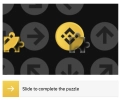
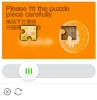
GeeTest captcha example

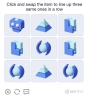
Geetest Checkbox example
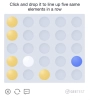
GeeTest captcha example
v3
v4
Python
Node.js
Go
PHP
Java
C#
bash

Python で GeeTest v4 を解く方法

#pip3 install anticaptchaofficial

from anticaptchaofficial.geetestproxyless import *

solver = geetestProxyless()
solver.set_verbose(1)
solver.set_key("YOUR_API_KEY_HERE")
solver.set_website_url("https://address.com")
solver.set_gt_key("captchaId value")
solver.set_version(4)

# optional API subdomain, make sure you understand what to set here
# solver.set_js_api_domain("custom-domain.geetest.com")

# optional initialization parameters
# solver.set_init_parameters({"riskType": "slide"})

# Specify softId to earn 10% commission with your app.
# Get your softId here: https://anti-captcha.com/clients/tools/devcenter
solver.set_soft_id(0)

token = solver.solve_and_return_solution()
if token != 0:
    print("result tokens: ")
    print(token)
    # user-agent in case you need it:
    print("user-agent: "+solver.get_user_agent())
else:
    print("task finished with error "+solver.error_code)

Node.js で GeeTest v4 を解く方法

//npm install @antiadmin/anticaptchaofficial
//https://github.com/anti-captcha/anticaptcha-npm

const ac = require("@antiadmin/anticaptchaofficial");

ac.setAPIKey('YOUR_API_KEY_HERE');

//Specify softId to earn 10% commission with your app.
//Get your softId here: https://anti-captcha.com/clients/tools/devcenter
ac.setSoftId(0);

ac.solveGeeTestV4Proxyless('http://DOMAIN.COM',
    'captchaId',
    'API_SUBDOMAIN',
    {
        "riskType": "slide"
    })
    .then(result => {
        console.log('result: ');
        console.log(result);
    })
    .catch(error => console.log('test received error '+error));

// in case you need it
console.log("worker's user-agent:");
console.log(ac.getUserAgent());

Go で GeeTest v4 を解く方法

// Install with:
// go get github.com/anti-captcha/anticaptcha-go
package main

import (
    "fmt"
    "github.com/anti-captcha/anticaptcha-go"
    "log"
)

func main() {
    // Create API client and set the API Key
    ac := anticaptcha.NewClient("API_KEY_HERE")

    // set to 'false' to turn off debug output
    ac.IsVerbose = true

    // Specify softId to earn 10% commission with your app.
    // Get your softId here: https://anti-captcha.com/clients/tools/devcenter
    //ac.SoftId = 1187

    // Make sure the API key funds balance is positive
    balance, err := ac.GetBalance()
    if err != nil {
        log.Fatal(err)
        // Exit program to make sure you don't DDoS API with requests, while having empty balance
        return
    }
    fmt.Println("Balance:", balance)

    //Solve Geetest v4 without proxy
    solution, err := ac.SolveGeeTest(anticaptcha.GeeTest{
        WebsiteURL: "https://bitget.com/",
        Gt:         "e9ca9c9ca19ad540a8017f5c107b2d0f",
        Version:    4,
        InitParameters: map[string]interface{}{
            "riskType": "slide",
        },
    })
    if err != nil {
        log.Fatal(err)
    }
    fmt.Println("Captcha Solution:", solution)
    // In case you need the worker's user-agent
    fmt.Println("User-Agent:", ac.WorkersUserAgent)
}

PHP で GeeTest v4 を解く方法

//git clone https://github.com/anti-captcha/anticaptcha-php.git

include("anticaptcha.php");
include("geetestproxyless.php");

$api = new GeeTestProxyless();
$api->setVerboseMode(true);
$api->setWebsiteURL("https://www.geetest.com/en/adaptive-captcha-demo");
$api->setGTKey("fcd636b4514bf7ac4143922550b3008b");
$api->setVersion(4);
$api->setInitParameters([
    "riskType": "slide"
]);
//optional API subdomain, make sure you understand what to set here
$api->setAPISubdomain("gcaptcha4.geetest.com");

//your anti-captcha.com account key
$api->setKey("YOUR_API_KEY_HERE");

//Specify softId to earn 10% commission with your app.
//Get your softId here: https://anti-captcha.com/clients/tools/devcenter
$api->setSoftId(0);

//create task in API
if (!$api->createTask()) {
    $api->debout("API v2 send failed - ".$api->getErrorMessage(), "red");
    return false;
}

$taskId = $api->getTaskId();

//wait in a loop for max 300 seconds till task is solved
if (!$api->waitForResult(300)) {
    echo "could not solve captcha\n";
    echo $api->getErrorMessage()."\n";
} else {

    echo "your geetest tokens:\n";
    print_r($api->getTaskSolution());
    echo "worker's user-agent in case you need it:\n";
    echo $api->getWorkersUserAgent()."\n";

}

Java で GeeTest v4 を解く方法

//git clone https://github.com/anti-captcha/anticaptcha-java.git

package com.anti_captcha;

import com.anti_captcha.Api.GeeTestProxyless;
import com.anti_captcha.Helper.DebugHelper;

import org.json.JSONArray;
import org.json.JSONException;
import org.json.JSONObject;

import java.net.MalformedURLException;
import java.net.URL;
import java.util.Iterator;
import java.util.concurrent.ThreadLocalRandom;

public class Main {

    public static void main(String[] args) throws InterruptedException, MalformedURLException, JSONException {
        DebugHelper.setVerboseMode(true);

        GeeTestProxyless api = new GeeTestV4Proxyless();
        api.setClientKey("YOUR_API_KEY_HERE");
        api.setWebsiteUrl(new URL("http://biletmaster.com/"));
        api.setWebsiteKey("be33de396f8d04030f6eca8fbd225071");

        // optional initial parameters
        JSONObject additionalInitParameters = new JSONObject();
        try {
            additionalInitParameters.put("riskType", "ai");
        } catch (Exception e) {
            DebugHelper.out("JSON error: "+e.getMessage(), DebugHelper.Type.ERROR);
            return;
        }
        api.setInitParameters(additionalInitParameters);

        //optional API subdomain, make sure you understand what to set here
        //api.setGeetestApiServerSubdomain("optional.subdomain.api.geetest.com");

        //Specify softId to earn 10% commission with your app.
        //Get your softId here: https://anti-captcha.com/clients/tools/devcenter
        api.setSoftId(0);

        if (!api.createTask()) {
            DebugHelper.out(
                    "API v2 send failed. " + api.getErrorMessage(),
                    DebugHelper.Type.ERROR
            );
        } else if (!api.waitForResult()) {
            DebugHelper.out("Could not solve the captcha.", DebugHelper.Type.ERROR);
        } else {
            DebugHelper.out("Result captcha_id: " + api.getTaskSolution().getCaptchaId(), DebugHelper.Type.SUCCESS);
            DebugHelper.out("Result lot_number: " + api.getTaskSolution().getLotNumber(), DebugHelper.Type.SUCCESS);
            DebugHelper.out("Result pass_token: " + api.getTaskSolution().getPassToken(), DebugHelper.Type.SUCCESS);
            DebugHelper.out("Result gen_time: " + api.getTaskSolution().getGenTime(), DebugHelper.Type.SUCCESS);
            DebugHelper.out("Result captcha_output: " + api.getTaskSolution().getCaptchaOutput(), DebugHelper.Type.SUCCESS);
        }
    }

}

C# で GeeTest v4 を解く方法

//git clone https://github.com/anti-captcha/anticaptcha-csharp.git

using System;
using Anticaptcha_example.Api;
using Anticaptcha_example.Helper;
using Newtonsoft.Json.Linq;

namespace Anticaptcha_example
{
    internal class Program
    {
        private static void Main() {

            DebugHelper.VerboseMode = true;

            var api = new GeeTestV4Proxyless()
            {
                ClientKey = ClientKey,
                WebsiteUrl = new Uri("http://www.supremenewyork.com"),
                WebsiteKey = "b6e21f90a91a3c2d4a31fe84e10d0442",

                // Specify softId to earn 10% commission with your app.
                // Get your softId here:
                // https://anti-captcha.com/clients/tools/devcenter
                SoftId = 0
            };

            api.initParameters.Add("riskType", "slide");

            if (!api.CreateTask())
                DebugHelper.Out("API v2 send failed. " + api.ErrorMessage, DebugHelper.Type.Error);
            else if (!api.WaitForResult())
                DebugHelper.Out("Could not solve the captcha.", DebugHelper.Type.Error);
            else
            {
                DebugHelper.Out("Result CaptchaId: " + api.GetTaskSolution().CaptchaId, DebugHelper.Type.Success);
                DebugHelper.Out("Result LotNumber: " + api.GetTaskSolution().LotNumber, DebugHelper.Type.Success);
                DebugHelper.Out("Result PassToken: " + api.GetTaskSolution().PassToken, DebugHelper.Type.Success);
                DebugHelper.Out("Result GenTime: " + api.GetTaskSolution().GenTime, DebugHelper.Type.Success);
                DebugHelper.Out("Result CaptchaOutput: " + api.GetTaskSolution().CaptchaOutput, DebugHelper.Type.Success);
            }

        }
    }
}

bash で GeeTest v4 を解く方法

curl -i -H "Accept: application/json" \
     -H "Content-Type: application/json" \
     -X POST -d '{
    "clientKey":"YOUR_API_KEY_HERE",
    "task":
        {
            "type":"GeeTestTaskProxyless",
            "websiteURL":"http://mywebsite.com/geetest/test.php",
            "gt":"874703612e5cac182812a00e273aad0d",
            "version":4,
            "initParameters": {
              "riskType": "slide"
            }
        },
    "softId": 0
}' https://api.anti-captcha.com/createTask

タスクオブジェクト

プロパティ タイプ 必須 目的
type 文字列 はい GeeTestTaskProxyless
websiteURL 文字列 はい ターゲットページのアドレス。ユーザーエリアでも、ウェブサイトのどこにでも挿入できます。作業員は実際にアクセスしませんがアクセスをシミュレートします。
gt 文字列 はい ドメインの公開キーは、ほとんど更新されません。
challenge 文字列 いいえ トークンキーの変更。captcha毎に最新なものであることをご確認ください。そうでなければ、エラータスクのため課金されます。 バージョン3では必要です。バージョン4では必要ではありません。
geetestApiServerSubdomain 文字列 いいえ オプションAPIのサブドメイン。一部の実装では必要になります。
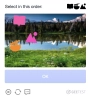
GeeTest V3 example
version 整数 いいえ バージョン。デフォルトバージョンは3です。サポートされているバージョン:3と4です。
initParameters オブジェクト いいえ バージョン4の追加の初期化パラメーター
v3
v4

タスクソリューションオブジェクト

プロパティ タイプ 目的
captcha_id 文字列 複合トークンの一部
lot_number 文字列 複合トークンの一部
pass_token 文字列 複合トークンの一部
gen_time 整数 複合トークンの一部
captcha_output 文字列 複合トークンの一部
userAgent 文字列 作業員のブラウザのUser-Agent。応答トークンを送信するときに使用します。

レスポンス例

{
    "errorId":0,
    "status":"ready",
    "solution":
    {
        "captcha_id": "fcd636b4514bf7ac4143922550b3008b",
        "lot_number": "354ab6dd4e594fdc903074c4d8d37b24",
        "pass_token": "b645946a654e60218c7922b74b3b5ee8e8717e8fd3cd5182a5c98d660bbd1ed5",
        "gen_time": "1649921519",
        "captcha_output": "cFPIALDXSop8Ri2mPABbRWzNBs86N8D4vNUTuVa7wN7E...[cut]...ciM50ePCCzLBZ1bmaV9Yt7IkkFI9Emx4eaP8rRoA==",
        "userAgent":"Mozilla\5.0 (Windows NT 10.0; Win64; x64) AppleWebKit\/537.36 (KHTML, like Gecko) Chrome\/145.0.0.0 Safari\/537.36"
    },
    "cost":"0.001500",
    "ip":"46.98.54.221",
    "createTime":1472205564,
    "endTime":1472205570,
    "solveCount":"0"
}