

 GitHub

Menu
แก้ Captcha ที่เป็นมิตรโดยไม่ต้องพร็อกซี
Captcha ที่เป็นมิตรเป็นอีกหนึ่งโคลนของ Recaptcha งานประเภทนี้แก้ปัญหาโดยไม่ต้องพร็อกซีจากที่อยู่ IP ของคนงาน ลองสิ่งนี้ก่อนที่จะเปลี่ยนไปใช้งาน กับผู้รับมอบฉันทะ
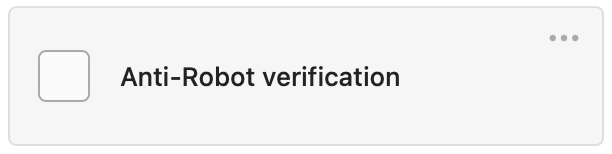
ตัวอย่าง Captcha
Python
Node.js
Go
PHP
Java
Kotlin
C#
C++
Rust
Ruby
bash
วิธีแก้ Friendly Captcha ใน Python
#pip3 install anticaptchaofficial

from anticaptchaofficial.friendlycaptchaproxyless import *

solver = friendlyCaptchaProxyless()
solver.set_verbose(1)
solver.set_key("YOUR_API_KEY_HERE")
solver.set_website_url("https://website.com")
solver.set_website_key("FCMDESUD3M34857N")

# Specify softId to earn 10% commission with your app.
# Get your softId here: https://anti-captcha.com/clients/tools/devcenter
solver.set_soft_id(0)

token = solver.solve_and_return_solution()
if token != 0:
    print("token: "+token)
    # user-agent in case you need it:
    print("user-agent: "+solver.get_user_agent())
else:
    print("task finished with error "+solver.error_code)
วิธีแก้ Friendly Captcha ใน Node.js
//npm install @antiadmin/anticaptchaofficial
//https://github.com/anti-captcha/anticaptcha-npm

const ac = require("@antiadmin/anticaptchaofficial");

ac.setAPIKey('YOUR_API_KEY_HERE');

//Specify softId to earn 10% commission with your app.
//Get your softId here: https://anti-captcha.com/clients/tools/devcenter
ac.setSoftId(0);

ac.solveFriendlyCaptchaProxyless(
    'http://DOMAIN.COM',  // website address
    'FCMDESUD3M34857N')   // sitekey
    .then(token => {
        console.log('token: '+token);
    })
    .catch(error => console.log('test received error '+error));

// in case you need it
console.log("worker's user-agent:");
console.log(ac.getUserAgent());
วิธีแก้ Friendly Captcha ใน Go
// Install with:
// go get github.com/anti-captcha/anticaptcha-go
package main

import (
    "fmt"
    "github.com/anti-captcha/anticaptcha-go"
    "log"
)

func main() {
    // Create API client and set the API Key
    ac := anticaptcha.NewClient("API_KEY_HERE")

    // set to 'false' to turn off debug output
    ac.IsVerbose = true

    // Specify softId to earn 10% commission with your app.
    // Get your softId here: https://anti-captcha.com/clients/tools/devcenter
    //ac.SoftId = 1187

    // Make sure the API key funds balance is positive
    balance, err := ac.GetBalance()
    if err != nil {
        log.Fatal(err)
        // Exit program to make sure you don't DDoS API with requests, while having empty balance
        return
    }
    fmt.Println("Balance:", balance)

    // Solve Friendly Captcha without proxy
    solution, err := ac.SolveFriendlyCaptcha(anticaptcha.FriendlyCaptcha{
        WebsiteURL: "https://www.website.com/",
        WebsiteKey: "FCMDESUD3M34857N",
    })
    if err != nil {
        log.Fatal(err)
    }
    fmt.Println("Friendly Captcha Token:", solution)
    // In case you need the worker's user-agent
    fmt.Println("User-Agent:", ac.WorkersUserAgent)
}
วิธีแก้ Friendly Captcha ใน PHP
//git clone https://github.com/anti-captcha/anticaptcha-php.git

include("anticaptcha.php");
include("friendlycaptchaproxyless.php");

$api = new FriendlyCaptchaProxyless();
$api->setVerboseMode(true);

//your anti-captcha.com account key
$api->setKey("YOUR_API_KEY_HERE");

//target website address
$api->setWebsiteURL("http://website.com/");

//friendly captcha key from target website
$api->setWebsiteKey("FCMDESUD3M34857N");

//Specify softId to earn 10% commission with your app.
//Get your softId here: https://anti-captcha.com/clients/tools/devcenter
$api->setSoftId(0);

//create task in API
if (!$api->createTask()) {
    $api->debout("API v2 send failed - ".$api->getErrorMessage(), "red");
    return false;
}

$taskId = $api->getTaskId();

//wait in a loop for max 300 seconds till task is solved
if (!$api->waitForResult(300)) {
    echo "could not solve captcha\n";
    echo $api->getErrorMessage()."\n";
} else {

    $token = $api->getTaskSolution();
    echo "\n";
    echo "your friendly captcha token: $token\n\n";
    echo "worker's user-agent in case you need it:\n";
    echo $api->getWorkersUserAgent()."\n";

}
วิธีแก้ Friendly Captcha ใน Java
// GitHub: https://github.com/anti-captcha/anticaptcha-java
//
// Maven, add to pom.xml:
//   <dependency>
//     <groupId>com.anti-captcha</groupId>
//     <artifactId>anticaptcha</artifactId>
//     <version>1.0.0</version>
//   </dependency>
//
// Gradle, add to build.gradle:
//   implementation "com.anti-captcha:anticaptcha:1.0.0"

import com.anti_captcha.Api.FriendlyCaptchaProxyless;
import com.anti_captcha.Helper.DebugHelper;

public class Main {

    public static void main(String[] args) throws InterruptedException {
        // Set to false to turn the debug output off
        DebugHelper.setVerboseMode(true);

        FriendlyCaptchaProxyless api = new FriendlyCaptchaProxyless();
        api.setClientKey("YOUR_API_KEY_HERE");

        // Specify softId to earn 10% commission with your app.
        // Get your softId here: https://anti-captcha.com/clients/tools/devcenter
        api.setSoftId(0);

        api.setWebsiteUrl("http://website.com/");
        api.setWebsiteKey("FCMDESUD3M34857N");

        // Make sure the API key funds balance is positive
        Double balance = api.getBalance();
        if (balance == null || balance <= 0) {
            // Stop here to make sure you don't DDoS the API while having empty balance
            DebugHelper.out("Balance error: " + api.getErrorMessage(), DebugHelper.Type.ERROR);
            return;
        }
        DebugHelper.out("Balance: " + balance, DebugHelper.Type.SUCCESS);

        if (!api.createTask()) {
            DebugHelper.out("API v2 send failed. " + api.getErrorMessage(), DebugHelper.Type.ERROR);
        } else if (!api.waitForResult()) {
            DebugHelper.out("Could not solve the captcha.", DebugHelper.Type.ERROR);
        } else {
            DebugHelper.out("Captcha token: " + api.getTaskSolution().getToken(), DebugHelper.Type.SUCCESS);
        }
    }
}
วิธีแก้ Friendly Captcha ใน Kotlin
// GitHub: https://github.com/anti-captcha/anticaptcha-kotlin
//
// Gradle, add to build.gradle.kts:
//   implementation("com.anti-captcha:anticaptcha-kotlin:1.0.0")

import com.anticaptcha.AnticaptchaClient
import com.anticaptcha.AnticaptchaException
import com.anticaptcha.ApiException
import com.anticaptcha.FriendlyCaptcha
import kotlinx.coroutines.runBlocking

fun main(): Unit = runBlocking {
    // Create the API client and set the API key
    val ac = AnticaptchaClient(
        apiKey = "YOUR_API_KEY_HERE",
        // Specify softId to earn 10% commission with your app.
        // Get your softId here: https://anti-captcha.com/clients/tools/devcenter
        softId = 0,
        // Set to false to turn the debug output off
        verbose = true,
    )

    try {
        // Make sure the API key funds balance is positive
        val balance = ac.getBalance()
        if (balance <= 0) {
            // Stop here to make sure you don't DDoS the API while having empty balance
            System.err.println("Empty balance")
            return@runBlocking
        }
        println("Balance: $balance")

        val solution = ac.solveFriendlyCaptcha(
            FriendlyCaptcha(
                websiteUrl = "http://website.com/",
                websiteKey = "FCMDESUD3M34857N",
            ),
        )

        println("Captcha token: ${solution.token}")
    } catch (error: ApiException) {
        // https://anti-captcha.com/apidoc/errors
        System.err.println("API error: ${error.errorCode} ${error.description}")
    } catch (error: AnticaptchaException) {
        System.err.println("Failed: ${error.message}")
    }
}
วิธีแก้ Friendly Captcha ใน C#
// GitHub: https://github.com/anti-captcha/anticaptcha-csharp.git
// install:  dotnet add package AntiCaptchaOfficial
// or, in the Package Manager Console:
// Install-Package AntiCaptchaOfficial

using System;
using AntiCaptcha.Api;
using AntiCaptcha.Helper;


class Program
{
    static void Main()
    {
        // Set to 'false' to turn off debug output
        DebugHelper.VerboseMode = true;

        var api = new FriendlyCaptchaProxyless
        {
            ClientKey = "YOUR_API_KEY_HERE",
            WebsiteUrl = new Uri("http://website.com/"),
            WebsiteKey = "FCMDESUD3M34857N",
            // Specify softId to earn 10% commission with your app.
            // Get your softId here:
            // https://anti-captcha.com/clients/tools/devcenter
            SoftId = 0
        };

        // Make sure the API key funds balance is positive
        var balance = api.GetBalance();
        if (balance == null || balance <= 0)
        {
            // Exit the program to make sure you don't DDoS the API with requests while having empty balance
            Console.WriteLine("Balance error: " + api.ErrorMessage);
            return;
        }
        Console.WriteLine("Balance: " + balance);

        var solution = api.Solve();
        Console.WriteLine("Captcha token: " + solution?.Token);
    }
}
วิธีแก้ Friendly Captcha ใน C++
// GitHub: https://github.com/anti-captcha/anticaptcha-cplus.git
// Add it to your CMake project:
//   include(FetchContent)
//   FetchContent_Declare(anticaptcha
//           GIT_REPOSITORY https://github.com/anti-captcha/anticaptcha-cplus.git
//           GIT_TAG v1.0.0)
//   FetchContent_MakeAvailable(anticaptcha)
//   target_link_libraries(your_app PRIVATE anticaptcha::anticaptcha)

#include <iostream>
#include <anticaptcha/anticaptcha.hpp>

int main() {
    // Create the API client and set the API key
    anticaptcha::Client ac("YOUR_API_KEY_HERE");

    // Debug output is on by default, turn it off with:
    // ac.shut_up();

    // Specify softId to earn 10% commission with your app.
    // Get your softId here: https://anti-captcha.com/clients/tools/devcenter
    ac.set_soft_id(0);

    try {
        // Make sure the API key funds balance is positive
        const double balance = ac.get_balance();
        if (balance <= 0) {
            // Stop here to make sure you don't DDoS the API while having empty balance
            std::cerr << "Empty balance" << std::endl;
            return 1;
        }
        std::cout << "Balance: " << balance << std::endl;

        anticaptcha::FriendlyCaptcha params;
        params.website_url = "http://website.com/";
        params.website_key = "FCMDESUD3M34857N";

        const anticaptcha::Solution solution = ac.solve_friendly_captcha(params);
        std::cout << "Captcha token: " << solution.token() << std::endl;
    } catch (const anticaptcha::ApiError& error) {
        // https://anti-captcha.com/apidoc/errors
        std::cerr << "API error: " << error.error_code() << " " << error.description() << std::endl;
        return 1;
    } catch (const anticaptcha::Error& error) {
        std::cerr << "Failed: " << error.what() << std::endl;
        return 1;
    }

    return 0;
}
วิธีแก้ Friendly Captcha ใน Rust
// GitHub: https://github.com/anti-captcha/anticaptcha-rust
// Install with:
//   cargo add anticaptchaofficial
// or add it to Cargo.toml:
//   [dependencies]
//   anticaptchaofficial = "1"

use anticaptcha::{Client, FriendlyCaptcha};

#[tokio::main]
async fn main() -> anticaptcha::Result<()> {
    // Create the API client and set the API key
    let ac = Client::new("YOUR_API_KEY_HERE")
        // Specify softId to earn 10% commission with your app.
        // Get your softId here: https://anti-captcha.com/clients/tools/devcenter
        .with_soft_id(0);
    // .quiet() turns the debug output off

    // Make sure the API key funds balance is positive
    let balance = ac.get_balance().await?;
    if balance <= 0.0 {
        // Stop here to make sure you don't DDoS the API while having empty balance
        eprintln!("Empty balance");
        return Ok(());
    }
    println!("Balance: {balance}");

    let solution = ac
        .solve_friendly_captcha(&FriendlyCaptcha {
            website_url: "http://website.com/".into(),
            website_key: "FCMDESUD3M34857N".into(),
            ..Default::default()
        })
        .await?;

    println!("Captcha token: {}", solution.token());

    Ok(())
}
วิธีแก้ Friendly Captcha ใน Ruby
# GitHub: https://github.com/anti-captcha/anticaptcha-ruby
# Install with:
#   gem install anticaptchaofficial
# or add it to your Gemfile:
#   gem "anticaptchaofficial"

require "anticaptcha"

# Create the API client and set the API key
ac = Anticaptcha.new("YOUR_API_KEY_HERE")

# Specify softId to earn 10% commission with your app.
# Get your softId here: https://anti-captcha.com/clients/tools/devcenter
ac.soft_id = 0

# Set to false to turn the debug output off
ac.verbose = true

begin
  # Make sure the API key funds balance is positive
  balance = ac.balance
  # Stop here to make sure you don't DDoS the API while having empty balance
  abort "Empty balance" if balance <= 0
  puts "Balance: #{balance}"

  solution = ac.solve_friendly_captcha(
    website_url: "http://website.com/",
    website_key: "FCMDESUD3M34857N"
  )

  puts "Captcha token: #{solution.token}"
rescue Anticaptcha::ApiError => e
  # https://anti-captcha.com/apidoc/errors
  warn "API error: #{e.error_code} #{e.description}"
rescue Anticaptcha::Error => e
  warn "Failed: #{e.message}"
end
วิธีแก้ Friendly Captcha ใน bash
curl -i -H "Accept: application/json" \
     -H "Content-Type: application/json" \
     -X POST -d '{
    "clientKey":"YOUR_API_KEY_HERE",
    "task":
        {
            "type":"FriendlyCaptchaTaskProxyless",
            "websiteURL":"https://website.com/",
            "websiteKey":"FCMDESUD3M34857N"
        },
    "softId": 0
}' https://api.anti-captcha.com/createTask
อ็อบเจ็กต์งาน
| คุณสมบัติ | ประเภท | จำเป็น | วัตถุประสงค์ |
|---|---|---|---|
| type | สตริง | ใช่ | FriendlyCaptchaTaskProxyless |
| websiteURL | สตริง | ใช่ | ที่อยู่ของหน้าเว็บเป้าหมาย สามารถอยู่ที่ใดก็ได้ในเว็บไซต์ แม้ในพื้นที่สมาชิก พนักงานของเราไม่ได้ไปยังที่นั่น แต่จะจำลองการเข้าชมแทน |
| websiteKey | สตริง | ใช่ | captcha sitekey ที่เป็นมิตร |
อ็อบเจ็กต์โซลูชันงาน
| คุณสมบัติ | ประเภท | วัตถุประสงค์ |
|---|---|---|
| token | สตริง | สตริงโทเค็นที่จำเป็นสำหรับการโต้ตอบกับการส่งแบบฟอร์มบนเว็บไซต์เป้าหมาย |
| userAgent | สตริง | User-Agent ของเบราว์เซอร์ของพนักงาน ใช้เมื่อคุณส่งโทเค็นตอบกลับ |
ตัวอย่างการตอบกลับ
{
    "errorId":0,
    "status":"ready",
    "solution":
    {
        "token":"sPwOkl_n2Rh5Ah_OXyGMaSI_VGo0UiU3-6W8na0jz6CdLoFe0gEXQtAs_q1B_CObNrZIJTqZXR8IKWFpTwl.......",
        "userAgent":"Mozilla/5.0 (Windows NT 10.0; Win64; x64; rv:102.0) Gecko/20100101 Firefox/102.0"
    },
    "cost":"0.001500",
    "ip":"46.98.54.221",
    "createTime":1472205564,
    "endTime":1472205570,
    "solveCount":"0"
}