Menu

แก้ Captcha ของ GeeTest

งานประเภทนี้แก้ Captcha ของ GeeTest ในเบราว์เซอร์ของพนักงานของเรา แอปของคุณจะส่งที่อยู่เว็บไซต์, gt Key, Challenge Key และหลังจากงานเสร็จจะได้รับโซลูชันที่ประกอบด้วยโทเค็น 3 รายการ สำหรับ GeeTest เวอร์ชัน 4 เอาท์พุทจะมี 5 ค่าและไม่จำเป็นต้องใช้ Challenge Key

ทุกอย่างคล้ายกับ GeeTestTask ยกเว้นเราไม่ต้องใช้พร็อกซีและเราแก้จากที่อยู่ IP ของเราเอง
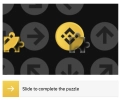
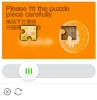
GeeTest captcha example

Geetest Checkbox example
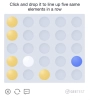
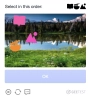
GeeTest captcha example
ตัวอย่าง
v3
v4
Python
Node.js
Go
PHP
Java
Kotlin
C#
C++
Rust
Ruby
bash

วิธีแก้ GeeTest v4 ใน Python

#pip3 install anticaptchaofficial

from anticaptchaofficial.geetestproxyless import *

solver = geetestProxyless()
solver.set_verbose(1)
solver.set_key("YOUR_API_KEY_HERE")
solver.set_website_url("https://address.com")
solver.set_gt_key("captchaId value")
solver.set_version(4)

# optional API subdomain, make sure you understand what to set here
# solver.set_js_api_domain("custom-domain.geetest.com")

# optional initialization parameters
# solver.set_init_parameters({"riskType": "slide"})

# Specify softId to earn 10% commission with your app.
# Get your softId here: https://anti-captcha.com/clients/tools/devcenter
solver.set_soft_id(0)

token = solver.solve_and_return_solution()
if token != 0:
    print("result tokens: ")
    print(token)
    # user-agent in case you need it:
    print("user-agent: "+solver.get_user_agent())
else:
    print("task finished with error "+solver.error_code)

วิธีแก้ GeeTest v4 ใน Node.js

//npm install @antiadmin/anticaptchaofficial
//https://github.com/anti-captcha/anticaptcha-npm

const ac = require("@antiadmin/anticaptchaofficial");

ac.setAPIKey('YOUR_API_KEY_HERE');

//Specify softId to earn 10% commission with your app.
//Get your softId here: https://anti-captcha.com/clients/tools/devcenter
ac.setSoftId(0);

ac.solveGeeTestV4Proxyless('http://DOMAIN.COM',
    'captchaId',
    'API_SUBDOMAIN',
    {
        "riskType": "slide"
    })
    .then(result => {
        console.log('result: ');
        console.log(result);
    })
    .catch(error => console.log('test received error '+error));

// in case you need it
console.log("worker's user-agent:");
console.log(ac.getUserAgent());

วิธีแก้ GeeTest v4 ใน Go

// Install with:
// go get github.com/anti-captcha/anticaptcha-go
package main

import (
    "fmt"
    "github.com/anti-captcha/anticaptcha-go"
    "log"
)

func main() {
    // Create API client and set the API Key
    ac := anticaptcha.NewClient("API_KEY_HERE")

    // set to 'false' to turn off debug output
    ac.IsVerbose = true

    // Specify softId to earn 10% commission with your app.
    // Get your softId here: https://anti-captcha.com/clients/tools/devcenter
    //ac.SoftId = 1187

    // Make sure the API key funds balance is positive
    balance, err := ac.GetBalance()
    if err != nil {
        log.Fatal(err)
        // Exit program to make sure you don't DDoS API with requests, while having empty balance
        return
    }
    fmt.Println("Balance:", balance)

    //Solve Geetest v4 without proxy
    solution, err := ac.SolveGeeTest(anticaptcha.GeeTest{
        WebsiteURL: "https://bitget.com/",
        Gt:         "e9ca9c9ca19ad540a8017f5c107b2d0f",
        Version:    4,
        InitParameters: map[string]interface{}{
            "riskType": "slide",
        },
    })
    if err != nil {
        log.Fatal(err)
    }
    fmt.Println("Captcha Solution:", solution)
    // In case you need the worker's user-agent
    fmt.Println("User-Agent:", ac.WorkersUserAgent)
}

วิธีแก้ GeeTest v4 ใน PHP

//git clone https://github.com/anti-captcha/anticaptcha-php.git

include("anticaptcha.php");
include("geetestproxyless.php");

$api = new GeeTestProxyless();
$api->setVerboseMode(true);
$api->setWebsiteURL("https://www.geetest.com/en/adaptive-captcha-demo");
$api->setGTKey("fcd636b4514bf7ac4143922550b3008b");
$api->setVersion(4);
$api->setInitParameters([
    "riskType": "slide"
]);
//optional API subdomain, make sure you understand what to set here
$api->setAPISubdomain("gcaptcha4.geetest.com");

//your anti-captcha.com account key
$api->setKey("YOUR_API_KEY_HERE");

//Specify softId to earn 10% commission with your app.
//Get your softId here: https://anti-captcha.com/clients/tools/devcenter
$api->setSoftId(0);

//create task in API
if (!$api->createTask()) {
    $api->debout("API v2 send failed - ".$api->getErrorMessage(), "red");
    return false;
}

$taskId = $api->getTaskId();

//wait in a loop for max 300 seconds till task is solved
if (!$api->waitForResult(300)) {
    echo "could not solve captcha\n";
    echo $api->getErrorMessage()."\n";
} else {

    echo "your geetest tokens:\n";
    print_r($api->getTaskSolution());
    echo "worker's user-agent in case you need it:\n";
    echo $api->getWorkersUserAgent()."\n";

}

วิธีแก้ GeeTest v4 ใน Java

// GitHub: https://github.com/anti-captcha/anticaptcha-java
//
// Maven, add to pom.xml:
//   <dependency>
//     <groupId>com.anti-captcha</groupId>
//     <artifactId>anticaptcha</artifactId>
//     <version>1.0.0</version>
//   </dependency>
//
// Gradle, add to build.gradle:
//   implementation "com.anti-captcha:anticaptcha:1.0.0"

import com.anti_captcha.Api.GeeTestV4Proxyless;
import com.anti_captcha.Helper.DebugHelper;
import org.json.JSONObject;

public class Main {

    public static void main(String[] args) throws InterruptedException {
        // Set to false to turn the debug output off
        DebugHelper.setVerboseMode(true);

        GeeTestV4Proxyless api = new GeeTestV4Proxyless();
        api.setClientKey("YOUR_API_KEY_HERE");

        // Specify softId to earn 10% commission with your app.
        // Get your softId here: https://anti-captcha.com/clients/tools/devcenter
        api.setSoftId(0);

        api.setWebsiteUrl("http://website.com/");
        api.setWebsiteKey("b6e21f90a91a3c2d4a31fe84e10d0442");
        api.setInitParameters(new JSONObject().put("riskType", "slide"));

        // Make sure the API key funds balance is positive
        Double balance = api.getBalance();
        if (balance == null || balance <= 0) {
            // Stop here to make sure you don't DDoS the API while having empty balance
            DebugHelper.out("Balance error: " + api.getErrorMessage(), DebugHelper.Type.ERROR);
            return;
        }
        DebugHelper.out("Balance: " + balance, DebugHelper.Type.SUCCESS);

        if (!api.createTask()) {
            DebugHelper.out("API v2 send failed. " + api.getErrorMessage(), DebugHelper.Type.ERROR);
        } else if (!api.waitForResult()) {
            DebugHelper.out("Could not solve the captcha.", DebugHelper.Type.ERROR);
        } else {
            DebugHelper.out("captcha_id: " + api.getTaskSolution().getCaptchaId(), DebugHelper.Type.SUCCESS);
            DebugHelper.out("lot_number: " + api.getTaskSolution().getLotNumber(), DebugHelper.Type.SUCCESS);
            DebugHelper.out("pass_token: " + api.getTaskSolution().getPassToken(), DebugHelper.Type.SUCCESS);
            DebugHelper.out("gen_time: " + api.getTaskSolution().getGenTime(), DebugHelper.Type.SUCCESS);
            DebugHelper.out("captcha_output: " + api.getTaskSolution().getCaptchaOutput(), DebugHelper.Type.SUCCESS);
        }
    }
}

วิธีแก้ GeeTest v4 ใน Kotlin

// GitHub: https://github.com/anti-captcha/anticaptcha-kotlin
//
// Gradle, add to build.gradle.kts:
//   implementation("com.anti-captcha:anticaptcha-kotlin:1.0.0")

import com.anticaptcha.AnticaptchaClient
import com.anticaptcha.AnticaptchaException
import com.anticaptcha.ApiException
import com.anticaptcha.GeeTest
import kotlinx.coroutines.runBlocking

fun main(): Unit = runBlocking {
    // Create the API client and set the API key
    val ac = AnticaptchaClient(
        apiKey = "YOUR_API_KEY_HERE",
        // Specify softId to earn 10% commission with your app.
        // Get your softId here: https://anti-captcha.com/clients/tools/devcenter
        softId = 0,
        // Set to false to turn the debug output off
        verbose = true,
    )

    try {
        // Make sure the API key funds balance is positive
        val balance = ac.getBalance()
        if (balance <= 0) {
            // Stop here to make sure you don't DDoS the API while having empty balance
            System.err.println("Empty balance")
            return@runBlocking
        }
        println("Balance: $balance")

        val solution = ac.solveGeeTest(
            GeeTest(
                websiteUrl = "http://website.com/",
                gt = "b6e21f90a91a3c2d4a31fe84e10d0442",
                version = 4,
                initParameters = mapOf("riskType" to "slide"),
            ),
        )

        println("captcha_id: ${solution.captchaId}")
        println("lot_number: ${solution.lotNumber}")
        println("pass_token: ${solution.passToken}")
        println("gen_time: ${solution.genTime}")
        println("captcha_output: ${solution.captchaOutput}")
    } catch (error: ApiException) {
        // https://anti-captcha.com/apidoc/errors
        System.err.println("API error: ${error.errorCode} ${error.description}")
    } catch (error: AnticaptchaException) {
        System.err.println("Failed: ${error.message}")
    }
}

วิธีแก้ GeeTest v4 ใน C#

// GitHub: https://github.com/anti-captcha/anticaptcha-csharp.git
// install:  dotnet add package AntiCaptchaOfficial
// or, in the Package Manager Console:
// Install-Package AntiCaptchaOfficial

using System;
using AntiCaptcha.Api;
using AntiCaptcha.Helper;


class Program
{
    static void Main()
    {
        // Set to 'false' to turn off debug output
        DebugHelper.VerboseMode = true;

        var api = new GeeTestV4Proxyless
        {
            ClientKey = "YOUR_API_KEY_HERE",
            WebsiteUrl = new Uri("http://website.com/"),
            WebsiteKey = "b6e21f90a91a3c2d4a31fe84e10d0442",
            // Specify softId to earn 10% commission with your app.
            // Get your softId here:
            // https://anti-captcha.com/clients/tools/devcenter
            SoftId = 0
        };

        api.InitParameters.Add("riskType", "slide");

        // Make sure the API key funds balance is positive
        var balance = api.GetBalance();
        if (balance == null || balance <= 0)
        {
            // Exit the program to make sure you don't DDoS the API with requests while having empty balance
            Console.WriteLine("Balance error: " + api.ErrorMessage);
            return;
        }
        Console.WriteLine("Balance: " + balance);

        var solution = api.Solve();
        Console.WriteLine("captcha_id: " + solution?.CaptchaId);
        Console.WriteLine("lot_number: " + solution?.LotNumber);
        Console.WriteLine("pass_token: " + solution?.PassToken);
        Console.WriteLine("gen_time: " + solution?.GenTime);
        Console.WriteLine("captcha_output: " + solution?.CaptchaOutput);
    }
}

วิธีแก้ GeeTest v4 ใน C++

// GitHub: https://github.com/anti-captcha/anticaptcha-cplus.git
// Add it to your CMake project:
//   include(FetchContent)
//   FetchContent_Declare(anticaptcha
//           GIT_REPOSITORY https://github.com/anti-captcha/anticaptcha-cplus.git
//           GIT_TAG v1.0.0)
//   FetchContent_MakeAvailable(anticaptcha)
//   target_link_libraries(your_app PRIVATE anticaptcha::anticaptcha)

#include <iostream>
#include <anticaptcha/anticaptcha.hpp>

int main() {
    // Create the API client and set the API key
    anticaptcha::Client ac("YOUR_API_KEY_HERE");

    // Debug output is on by default, turn it off with:
    // ac.shut_up();

    // Specify softId to earn 10% commission with your app.
    // Get your softId here: https://anti-captcha.com/clients/tools/devcenter
    ac.set_soft_id(0);

    try {
        // Make sure the API key funds balance is positive
        const double balance = ac.get_balance();
        if (balance <= 0) {
            // Stop here to make sure you don't DDoS the API while having empty balance
            std::cerr << "Empty balance" << std::endl;
            return 1;
        }
        std::cout << "Balance: " << balance << std::endl;

        anticaptcha::GeeTest params;
        params.website_url = "http://website.com/";
        params.gt = "b6e21f90a91a3c2d4a31fe84e10d0442";
        params.version = 4;
        params.init_parameters = riskType;

        const anticaptcha::Solution solution = ac.solve_geetest(params);
        std::cout << "captcha_id: " << solution.captcha_id() << std::endl;
        std::cout << "lot_number: " << solution.lot_number() << std::endl;
        std::cout << "pass_token: " << solution.pass_token() << std::endl;
        std::cout << "gen_time: " << solution.gen_time() << std::endl;
        std::cout << "captcha_output: " << solution.captcha_output() << std::endl;
    } catch (const anticaptcha::ApiError& error) {
        // https://anti-captcha.com/apidoc/errors
        std::cerr << "API error: " << error.error_code() << " " << error.description() << std::endl;
        return 1;
    } catch (const anticaptcha::Error& error) {
        std::cerr << "Failed: " << error.what() << std::endl;
        return 1;
    }

    return 0;
}

วิธีแก้ GeeTest v4 ใน Rust

// GitHub: https://github.com/anti-captcha/anticaptcha-rust
// Install with:
//   cargo add anticaptchaofficial
// or add it to Cargo.toml:
//   [dependencies]
//   anticaptchaofficial = "1"

use anticaptcha::serde_json::json;
use anticaptcha::{Client, GeeTest};

#[tokio::main]
async fn main() -> anticaptcha::Result<()> {
    // Create the API client and set the API key
    let ac = Client::new("YOUR_API_KEY_HERE")
        // Specify softId to earn 10% commission with your app.
        // Get your softId here: https://anti-captcha.com/clients/tools/devcenter
        .with_soft_id(0);
    // .quiet() turns the debug output off

    // Make sure the API key funds balance is positive
    let balance = ac.get_balance().await?;
    if balance <= 0.0 {
        // Stop here to make sure you don't DDoS the API while having empty balance
        eprintln!("Empty balance");
        return Ok(());
    }
    println!("Balance: {balance}");

    let init_parameters = json!({ "riskType": "slide" })
        .as_object()
        .cloned()
        .unwrap_or_default();

    let solution = ac
        .solve_geetest(&GeeTest {
            website_url: "http://website.com/".into(),
            gt: "b6e21f90a91a3c2d4a31fe84e10d0442".into(),
            version: 4,
            init_parameters,
            ..Default::default()
        })
        .await?;

    println!("captcha_id: {}", solution.captcha_id());
    println!("lot_number: {}", solution.lot_number());
    println!("pass_token: {}", solution.pass_token());
    println!("gen_time: {}", solution.gen_time());
    println!("captcha_output: {}", solution.captcha_output());

    Ok(())
}

วิธีแก้ GeeTest v4 ใน Ruby

# GitHub: https://github.com/anti-captcha/anticaptcha-ruby
# Install with:
#   gem install anticaptchaofficial
# or add it to your Gemfile:
#   gem "anticaptchaofficial"

require "anticaptcha"

# Create the API client and set the API key
ac = Anticaptcha.new("YOUR_API_KEY_HERE")

# Specify softId to earn 10% commission with your app.
# Get your softId here: https://anti-captcha.com/clients/tools/devcenter
ac.soft_id = 0

# Set to false to turn the debug output off
ac.verbose = true

begin
  # Make sure the API key funds balance is positive
  balance = ac.balance
  # Stop here to make sure you don't DDoS the API while having empty balance
  abort "Empty balance" if balance <= 0
  puts "Balance: #{balance}"

  solution = ac.solve_geetest(
    website_url: "http://website.com/",
    gt: "b6e21f90a91a3c2d4a31fe84e10d0442",
    version: 4,
    init_parameters: { "riskType" => "slide" }
  )

  puts "captcha_id: #{solution.captcha_id}"
  puts "lot_number: #{solution.lot_number}"
  puts "pass_token: #{solution.pass_token}"
  puts "gen_time: #{solution.gen_time}"
  puts "captcha_output: #{solution.captcha_output}"
rescue Anticaptcha::ApiError => e
  # https://anti-captcha.com/apidoc/errors
  warn "API error: #{e.error_code} #{e.description}"
rescue Anticaptcha::Error => e
  warn "Failed: #{e.message}"
end

วิธีแก้ GeeTest v4 ใน bash

curl -i -H "Accept: application/json" \
     -H "Content-Type: application/json" \
     -X POST -d '{
    "clientKey":"YOUR_API_KEY_HERE",
    "task":
        {
            "type":"GeeTestTaskProxyless",
            "websiteURL":"http://mywebsite.com/geetest/test.php",
            "gt":"874703612e5cac182812a00e273aad0d",
            "version":4,
            "initParameters": {
              "riskType": "slide"
            }
        },
    "softId": 0
}' https://api.anti-captcha.com/createTask

อ็อบเจ็กต์งาน

คุณสมบัติ ประเภท จำเป็น วัตถุประสงค์
type สตริง ใช่ GeeTestTaskProxyless
websiteURL สตริง ใช่ ที่อยู่ของหน้าเว็บเป้าหมาย สามารถอยู่ที่ใดก็ได้ในเว็บไซต์ แม้ในพื้นที่สมาชิก พนักงานของเราไม่ได้ไปยังที่นั่น แต่จะจำลองการเข้าชมแทน
gt สตริง ใช่ Public Key ของโดเมนไม่ค่อยมีการอัปเดต
challenge สตริง ไม่ การเปลี่ยนคีย์โทเค็น โปรดตรวจสอบให้แน่ใจว่าได้เลือกรหัสโทเค็นใหม่สำหรับ Captcha แต่ละอัน ไม่เช่นนั้นคุณจะถูกเรียกเก็บเงินสำหรับงานข้อผิดพลาด จำเป็นสำหรับเวอร์ชัน 3 ไม่จำเป็นสำหรับเวอร์ชัน 4
geetestApiServerSubdomain สตริง ไม่ โดเมนย่อย API ที่เป็นทางเลือก อาจจำเป็นสำหรับการใช้งานบางอย่าง
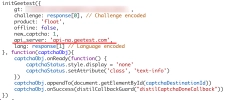
GeeTest V3 example
version จำนวนเต็ม ไม่ หมายเลขเวอร์ชัน เวอร์ชันเริ่มต้น: 3 เวอร์ชันที่รองรับ: 3 และ 4
initParameters อ็อบเจ็กต์ ไม่ พารามิเตอร์การเตรียมใช้งานเพิ่มเติมสำหรับเวอร์ชัน 4
v3
v4

อ็อบเจ็กต์โซลูชันงาน

คุณสมบัติ ประเภท วัตถุประสงค์
captcha_id สตริง ส่วนหนึ่งของโทเค็นแบบประกอบ
lot_number สตริง ส่วนหนึ่งของโทเค็นแบบประกอบ
pass_token สตริง ส่วนหนึ่งของโทเค็นแบบประกอบ
gen_time จำนวนเต็ม ส่วนหนึ่งของโทเค็นแบบประกอบ
captcha_output สตริง ส่วนหนึ่งของโทเค็นแบบประกอบ
userAgent สตริง User-Agent ของเบราว์เซอร์ของพนักงาน ใช้เมื่อคุณส่งโทเค็นตอบกลับ

ตัวอย่างการตอบกลับ

{
    "errorId":0,
    "status":"ready",
    "solution":
    {
        "captcha_id": "fcd636b4514bf7ac4143922550b3008b",
        "lot_number": "354ab6dd4e594fdc903074c4d8d37b24",
        "pass_token": "b645946a654e60218c7922b74b3b5ee8e8717e8fd3cd5182a5c98d660bbd1ed5",
        "gen_time": "1649921519",
        "captcha_output": "cFPIALDXSop8Ri2mPABbRWzNBs86N8D4vNUTuVa7wN7E...[cut]...ciM50ePCCzLBZ1bmaV9Yt7IkkFI9Emx4eaP8rRoA==",
        "userAgent":"Mozilla\5.0 (Windows NT 10.0; Win64; x64) AppleWebKit\/537.36 (KHTML, like Gecko) Chrome\/145.0.0.0 Safari\/537.36"
    },
    "cost":"0.001500",
    "ip":"46.98.54.221",
    "createTime":1472205564,
    "endTime":1472205570,
    "solveCount":"0"
}