Menu

Altcha Captcha را از طریق یک پروکسی حل کنید

این نوع کار از طریق پروکسی شما Altcha Captcha را حل می کند. لطفاً از آن استفاده کنید فقط در صورتی که کارهای پروکسی برای شما کار نمی کنند ، همانطور که کند خط لوله حل می شود و نیاز به درک متخصص در نحوه عملکرد پروکسی ها دارد.
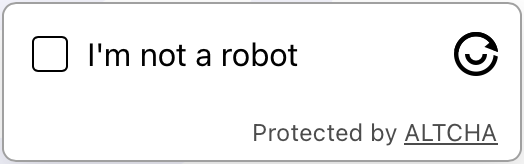
Altcha captcha example
مثال کپچا
Python
Node.js
Go
PHP
Java
C#
bash

چگونه Altcha proxy-on را در Python حل کنیم

#pip3 install anticaptchaofficial

from anticaptchaofficial.altchaproxyon import *

solver = altchaProxyon()
solver.set_verbose(1)
solver.set_key("YOUR_API_KEY_HERE")
solver.set_website_url("https://website.com/")
# Option 1: set challenge URL
solver.set_challenge_url("/path/to/challenge/url")
# Option 2: set challenge JSON grabbed from challenge URL
#solver.set_challenge_json('"algorithm":"SHA-256","challenge":"2a40f7ba3393f9513011179de41c7221f14e563856de2f647233a00accf9c28b","salt":"08d7f273d79df143355b9e5n","signature":"1de2bbf282420aef6ca0a84c38c85e2b1e40023d28bef72278d735555a8f47fb"}')
solver.set_proxy_address("PROXY_ADDRESS")
solver.set_proxy_port(1234)
solver.set_proxy_login("proxylogin")
solver.set_proxy_password("proxypassword")

# Specify softId to earn 10% commission with your app.
# Get your softId here: https://anti-captcha.com/clients/tools/devcenter
solver.set_soft_id(0)

token = solver.solve_and_return_solution()
if token != 0:
    print("token: "+token)
    # user-agent in case you need it:
    print("user-agent: "+solver.get_user_agent())
else:
    print("task finished with error "+solver.error_code)

چگونه Altcha proxy-on را در Node.js حل کنیم

//npm install @antiadmin/anticaptchaofficial
//https://github.com/anti-captcha/anticaptcha-npm

const ac = require("@antiadmin/anticaptchaofficial");

ac.setAPIKey('YOUR_API_KEY_HERE');

//Specify softId to earn 10% commission with your app.
//Get your softId here: https://anti-captcha.com/clients/tools/devcenter
ac.setSoftId(0);

ac.solveAltchaProxyOn('http://DOMAIN.COM',
    // option 1:
    '/some/challenge/url',
    // option 2 (use one of the option !):
    '{"algorithm":"SHA-256","challenge":"2a40f7ba3393f9513011179de41c7221f14e563856de2f647233a00accf9c28b","salt":"08d7f273d79df143355b9e5n","signature":"1de2bbf282420aef6ca0a84c38c85e2b1e40023d28bef72278d735555a8f47fb"}',
    'http', //http, socks4, socks5
    'PROXY_ADDRESS',
    'PROXY_PORT',
    'PROXY_LOGIN',
    'PROXY_PASSWORD')
    .then(token => {
        console.log('token: '+token);
    })
    .catch(error => console.log('test received error '+error));

// in case you need it
console.log("worker's user-agent:");
console.log(ac.getUserAgent());

چگونه Altcha proxy-on را در Go حل کنیم

// Install with:
// go get github.com/anti-captcha/anticaptcha-go
package main

import (
    "fmt"
    "github.com/anti-captcha/anticaptcha-go"
    "log"
)

func main() {
    // Create API client and set the API Key
    ac := anticaptcha.NewClient("API_KEY_HERE")

    // set to 'false' to turn off debug output
    ac.IsVerbose = true

    // Specify softId to earn 10% commission with your app.
    // Get your softId here: https://anti-captcha.com/clients/tools/devcenter
    //ac.SoftId = 1187

    // Make sure the API key funds balance is positive
    balance, err := ac.GetBalance()
    if err != nil {
        log.Fatal(err)
        // Exit program to make sure you don't DDoS API with requests, while having empty balance
        return
    }
    fmt.Println("Balance:", balance)

    // Solve Altcha with proxy
    solution, err := ac.SolveAltchaProxyOn(anticaptcha.AltchaCaptcha{
        WebsiteURL:   "https://www.website.com/",
        // Option 1: use challenge URL (use one of the options!)
        ChallengeURL: "/some/path/to/challenge/url",
        // Option 2: use challenge JSON:
        ChallengeJSON: `{"algorithm":"SHA-256","challenge":"1a40f7ba3393f9513016879de41c7221f14e563856de2f647233a00accf9c28b","salt":"0887f273d79df143355b9e5f","signature":"1de2bbf282420aef6ca0a84c38c85e2b1e40023d28bef72278d735555a8f47fb"}`,
        Proxy: &anticaptcha.Proxy{
            Type:      "http",
            IPAddress: "1.2.3.4",
            Port:      1234,
            Login:     "login-optional",
            Password:  "pass-optional",
        },
    })
    if err != nil {
        log.Fatal(err)
    }
    fmt.Println("Altcha Token:", solution)
    // In case you need the worker's user-agent
    fmt.Println("User-Agent:", ac.WorkersUserAgent)
}

چگونه Altcha proxy-on را در PHP حل کنیم

//git clone https://github.com/anti-captcha/anticaptcha-php.git

include("anticaptcha.php");
include("altcha.php");

$api = new Altcha();
$api->setVerboseMode(true);

//your anti-captcha.com account key
$api->setKey("YOUR_API_KEY_HERE");

//target website address
$api->setWebsiteURL("https://website.com/");

//altcha challenge URL from target website
$api->setChallengeURL("/some/url");

//proxy access parameters
// DO NOT USE PURCHASED/RENTED PROXIES ON PROXY SERVICES!!!
// THEY WILL NOT WORK!
// USE ONLY PROXIES YOU INSTALL YOURSELF ON YOUR OWN SERVER OR FAST VPS
// USE PROPER PROXY SOFTWARE LIKE SQUID !
// INSTALLATION INSTRUCTIONS:
// https://anti-captcha.com/apidoc/articles/how-to-install-squid
$api->setProxyType("http");
$api->setProxyAddress("8.8.8.8");
$api->setProxyPort(1234);
//optional login and password
$api->setProxyLogin("login");
$api->setProxyPassword("password");

//Specify softId to earn 10% commission with your app.
//Get your softId here: https://anti-captcha.com/clients/tools/devcenter
$api->setSoftId(0);

//create task in API
if (!$api->createTask()) {
    $api->debout("API v2 send failed - ".$api->getErrorMessage(), "red");
    return false;
}

$taskId = $api->getTaskId();

//wait in a loop for max 300 seconds till task is solved
if (!$api->waitForResult(300)) {
    echo "could not solve captcha\n";
    echo $api->getErrorMessage()."\n";
} else {

    $token    =   $api->getTaskSolution();
    echo "\n";
    echo "your Altcha token: $token\n\n";
    echo "worker's user-agent in case you need it:\n";
    echo $api->getWorkersUserAgent()."\n";

}

چگونه Altcha proxy-on را در Java حل کنیم

//git clone https://github.com/anti-captcha/anticaptcha-java.git

package com.anti_captcha;

import com.anti_captcha.Api.Altcha;
import com.anti_captcha.Helper.DebugHelper;

import org.json.JSONArray;
import org.json.JSONException;
import org.json.JSONObject;

import java.net.MalformedURLException;
import java.net.URL;
import java.util.Iterator;
import java.util.concurrent.ThreadLocalRandom;

public class Main {

    public static void main(String[] args) throws InterruptedException, MalformedURLException, JSONException {

        DebugHelper.setVerboseMode(true);

        Altcha api = new Altcha();
        api.setClientKey("API_KEY_HERE");
        api.setWebsiteUrl(new URL("http://website.com"));
        api.setChallengeURL("/some/path/to/challenge/url");

        // proxy access parameters
        // DO NOT USE PURCHASED/RENTED PROXIES WITH PROXY SERVICES!!!
        // THEY WILL NOT WORK!
        // USE ONLY PROXIES YOU INSTALL YOURSELF ON YOUR OWN SERVER OR FAST VPS
        // USE PROPER PROXY SOFTWARE LIKE SQUID !
        // INSTALLATION INSTRUCTIONS:
        // https://anti-captcha.com/apidoc/articles/how-to-install-squid
        api.setProxyType(NoCaptcha.ProxyTypeOption.HTTP);
        api.setProxyAddress("xx.xxx.xx.xx");
        api.setProxyPort(8282);
        api.setProxyLogin("login");
        api.setProxyPassword("password");

        //Specify softId to earn 10% commission with your app.
        //Get your softId here: https://anti-captcha.com/clients/tools/devcenter
        api.setSoftId(0);

        if (!api.createTask()) {
            DebugHelper.out(
                    "API v2 send failed. " + api.getErrorMessage(),
                    DebugHelper.Type.ERROR
            );
        } else if (!api.waitForResult()) {
            DebugHelper.out("Could not solve the captcha.", DebugHelper.Type.ERROR);
        } else {
            DebugHelper.out("Result: " + api.getTaskSolution().getToken(), DebugHelper.Type.SUCCESS);
        }
    }
}

چگونه Altcha proxy-on را در C# حل کنیم

//git clone https://github.com/anti-captcha/anticaptcha-csharp.git

using System;
using Anticaptcha_example.Api;
using Anticaptcha_example.Helper;
using Newtonsoft.Json.Linq;

namespace Anticaptcha_example
{
    internal class Program
    {
        private static void Main() {

            DebugHelper.VerboseMode = true;

            var api = new Altcha
            {
                ClientKey = "YOUR_API_KEY_HERE",
                WebsiteUrl = new Uri("http://website.com"),
                ChallengeURL = "/some/path/to/challenge/url",
                ProxyAddress = "xxx.xx.xx.xx",
                ProxyPort = 1234,
                ProxyLogin = "login",
                ProxyPassword = "password",
                // Specify softId to earn 10% commission with your app.
                // Get your softId here:
                // https://anti-captcha.com/clients/tools/devcenter
                SoftId = 0
            };

            if (!api.CreateTask())
                DebugHelper.Out("API v2 send failed. " + api.ErrorMessage, DebugHelper.Type.Error);
            else if (!api.WaitForResult())
                DebugHelper.Out("Could not solve the captcha.", DebugHelper.Type.Error);
            else
                DebugHelper.Out("Result: " + api.GetTaskSolution().token, DebugHelper.Type.Success);

        }
    }
}

چگونه Altcha proxy-on را در bash حل کنیم

echo "option 1:"
curl -i -H "Accept: application/json" \
     -H "Content-Type: application/json" \
     -X POST -d '{
    "clientKey":"YOUR_API_KEY_HERE",
    "task":
        {
            "type":"AltchaTask",
            "websiteURL":"https://website.com/",
            "challengeURL":"/some/path/to/challenge/url",
            "proxyType":"http",
            "proxyAddress":"8.8.8.8",
            "proxyPort":8080,
            "proxyLogin":"proxyLoginHere",
            "proxyPassword":"proxyPasswordHere"
        },
    "softId": 0
}' https://api.anti-captcha.com/createTask


echo "option 2:"
curl -i -H "Accept: application/json" \
     -H "Content-Type: application/json" \
     -X POST -d '{
    "clientKey":"YOUR_API_KEY_HERE",
    "task":
        {
            "type":"AltchaTask",
            "websiteURL":"https://website.com/",
            "challengeJSON":"{\"algorithm\":\"SHA-256\",\"challenge\":\"2b40f7ba3393f9513016879de41c7221f14e563856de2f647233a00accf9c28b\",\"salt\":\"08d8f273d79df143355b9e5f\",\"signature\":\"1de2bbf282420aef6ca0a84c38c85e2b1e40023d28bef72278d735555a8f47fb\"}",
            "proxyType":"http",
            "proxyAddress":"8.8.8.8",
            "proxyPort":8080,
            "proxyLogin":"proxyLoginHere",
            "proxyPassword":"proxyPasswordHere"
        },
    "softId": 0
}' https://api.anti-captcha.com/createTask

شیء وظیفه

خصوصیت نوع ضروری هدف
type رشته بله AltchaoTask
websiteURL رشته بله آدرس صفحه وب هدف. می‌تواند در هرجایی از وب‌سایت حتی بخش اعضا قرار گرفته باشد. کارگران ما به آنجا نمی‌روند بلکه در عوض بازدید را شبیه‌سازی می‌کنند.
challengeURL رشته خیر گزینه 1: URL چالش از Altcha-Widget

<altcha-widget challengeurl="/this/one"></altcha-widget >
challengeJSON رشته خیر گزینه 2: چالش JSON از URL چالش ویجت واکشی شده است
proxyType رشته بله نوع پروکسی
، http – پروکسی عادی http/https
socks4- پروکسی socks4
، socks5 – پروکسی socks5
proxyAddress رشته بله آدرس IP پروکسی ipv4/ipv6. بدون نام میزبان یا آدرس‌های IP متعلق به شبکه‌های محلی
proxyPort عدد صحیح بله پورت (درگاه) پروکسی
proxyLogin رشته بله نام کاربری برای پروکسی که نیاز به احراز هویت دارد (پایه)
proxyPassword رشته بله رمز عبور پروکسی

شیء راه‌حل وظیفه

خصوصیت نوع هدف
token رشته رشته توکن که برای تعامل با فرم ارسال در وب‌سایت هدف لازم است.
userAgent رشته عامل کاربر مرورگر کارگر. هنگام ارسال توکن پاسخ از آن استفاده کنید.

نمونه پاسخ

{
    "errorId":0,
    "status":"ready",
    "solution":
    {
        "token":"eyJhbGdvcml0aG0iOiJTSEEtMjU2IiwiY2hhbGxlbmdlIjoiZWFiOTE3NjRkM2Y5ZDBjMGU4ZmR.......",
        "userAgent":"Mozilla\5.0 (Windows NT 10.0; Win64; x64) AppleWebKit\/537.36 (KHTML, like Gecko) Chrome\/145.0.0.0 Safari\/537.36"
    },
    "cost":"0.001500",
    "ip":"46.98.54.221",
    "createTime":1472205564,
    "endTime":1472205570,
    "solveCount":"0"
}