Menu

عبور از آمازون WAF

2 گزینه وجود دارد که چگونه این Captcha در صفحات مقصد استفاده می شود:

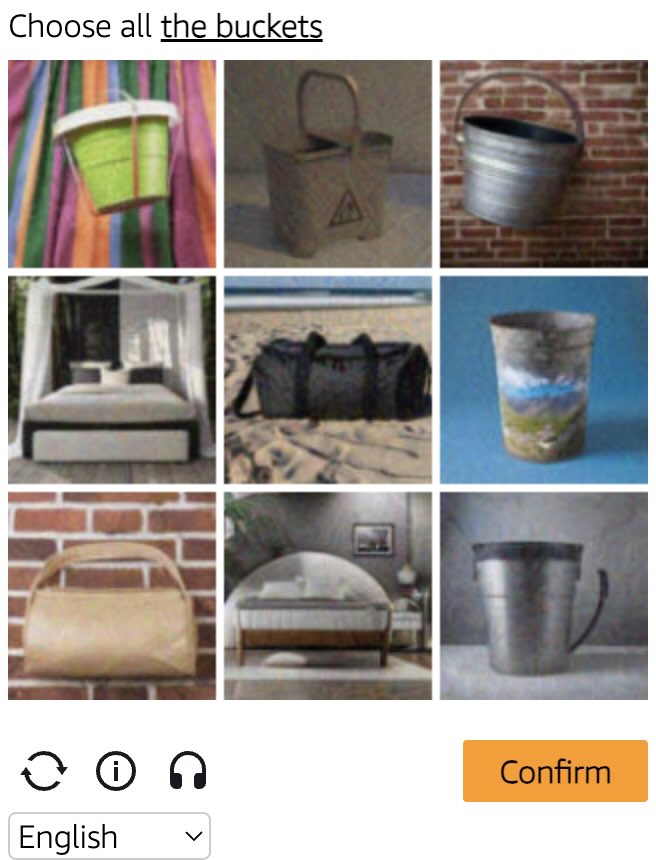
1. صفحه فیلتر ربات ها که آمازون هنگام بازدید از وب سایت در پشت فایروال خود به طور خودکار نشان می دهد. ما آن را "gokuProps" می نامیم ، زیرا می توانید پارامترهای Window.gokuprops را در این صفحه کد منبع پیدا کنید.

۲. ابزار کپچای مستقل که با اقدام کاربر فعال میشود. ما آن را "Widget" مینامیم.

نوع Captcha را خودتان مشخص کنید و از سوئیچر در زیر استفاده کنید تا نسخه های مختلفی از مستندات و نمونه ها را نشان دهید.

gokuProps
Widget

برای به دست آوردن نشانه کوکی آمازون WAF از این نوع کارها استفاده کنید. به سادگی نشانه های موقت iv و context را به همراه کلید سایت دائمی key بگیرید ، آنها را به API ما ارسال کنید. نتیجه کار یک نشانه است که می توانید در درخواست HTTP خود به عنوان یک مقدار کوکی با نام amazon-waf-token استفاده کنید.

قبل از تست وظیفه‌های با پروکسی، ابتدا این نوع وظیفه را از نظر میزان موفقیت در دورزدن کپچا امتحان کنید.
Amazon WAF captcha example Amazon WAF widget captcha example
مثال کپچا
gokuProps
Widget
Python
Node.js
Go
PHP
Java
Kotlin
C#
C++
Rust
Ruby
bash

چگونه Amazon WAF gokuProps را در Python حل کنیم

#pip3 install anticaptchaofficial

from anticaptchaofficial.amazonproxyless import *

solver = amazonProxyless()
solver.set_verbose(1)
solver.set_key("YOUR_API_KEY")
solver.set_website_url("https://website.com")
solver.set_website_key("key_value_from_window.gokuProps_object")
solver.set_iv("iv_value_from_window.gokuProps_object")
solver.set_context("context_value_from_window.gokuProps_object")

# Optional script URLs
solver.set_captcha_script("https://e9b10f157f38.9a96e8b4.us-gov-west-1.captcha.awswaf.com/e9b10f157f38/76cbcde1c834/2a564e323e7b/captcha.js")
solver.set_challenge_script("https://e9b10f157f38.9a96e8b4.us-gov-west-1.token.awswaf.com/e9b10f157f38/76cbcde1c834/2a564e323e7b/challenge.js")

# Specify softId to earn 10% commission with your app.
# Get your softId here: https://anti-captcha.com/clients/tools/devcenter
solver.set_soft_id(0)

token = solver.solve_and_return_solution()
if token != 0:
    print("token: "+token)
    # user-agent in case you need it:
    print("user-agent: "+solver.get_user_agent())
else:
    print("task finished with error "+solver.error_code)

چگونه Amazon WAF gokuProps را در Node.js حل کنیم

//npm install @antiadmin/anticaptchaofficial
//https://github.com/anti-captcha/anticaptcha-npm

const ac = require("@antiadmin/anticaptchaofficial");

ac.setAPIKey('YOUR_API_KEY_HERE');

//Specify softId to earn 10% commission with your app.
//Get your softId here: https://anti-captcha.com/clients/tools/devcenter
ac.setSoftId(0);

ac.solveAmazonProxyless('http://DOMAIN.COM',
    'key_value_from_window.gokuProps_object',
    'iv_value_from_window.gokuProps_object',
    'context_value_from_window.gokuProps_object',
    'https://e9b10f157f38.9a96e8b4.us-gov-west-1.captcha.awswaf.com/e9b10f157f38/76cbcde1c834/2a564e323e7b/captcha.js', //optional
    'https://e9b10f157f38.9a96e8b4.us-gov-west-1.token.awswaf.com/e9b10f157f38/76cbcde1c834/2a564e323e7b/challenge.js'  //optional
).then(token => {
    console.log('token: '+token);
})
.catch(error => console.log('test received error '+error));

// in case you need it
console.log("worker's user-agent:");
console.log(ac.getUserAgent());

چگونه Amazon WAF gokuProps را در Go حل کنیم

// Install with:
// go get github.com/anti-captcha/anticaptcha-go
package main

import (
    "fmt"
    "github.com/anti-captcha/anticaptcha-go"
    "log"
)

func main() {
    // Create API client and set the API Key
    ac := anticaptcha.NewClient("API_KEY_HERE")

    // set to 'false' to turn off debug output
    ac.IsVerbose = true

    // Specify softId to earn 10% commission with your app.
    // Get your softId here: https://anti-captcha.com/clients/tools/devcenter
    //ac.SoftId = 1187

    // Make sure the API key funds balance is positive
    balance, err := ac.GetBalance()
    if err != nil {
        log.Fatal(err)
        // Exit program to make sure you don't DDoS API with requests, while having empty balance
        return
    }
    fmt.Println("Balance:", balance)

    // Get Amazon WAF token without proxy
    solution, err := ac.SolveAmazon(anticaptcha.AmazonCaptcha{
        WebsiteURL: "https://www.website.com/",
        WebsiteKey: "key_value_from_window.gokuProps_object",
        Iv: "iv_value_from_window.gokuProps_object",
        Context: "context_value_from_window.gokuProps_object",
        //optional scripts:
        //CaptchaScript: "https://e9b10f157f38.9a96e8b4.us-gov-west-1.captcha.awswaf.com/e9b10f157f38/76cbcde1c834/2a564e323e7b/captcha.js",
        //ChallengeScript: "https://e9b10f157f38.9a96e8b4.us-gov-west-1.token.awswaf.com/e9b10f157f38/76cbcde1c834/2a564e323e7b/challenge.js",
    })
    if err != nil {
        log.Fatal(err)
    }
    fmt.Println("amazon-waf-token:", solution)
    // In case you need the worker's user-agent
    fmt.Println("User-Agent:", ac.WorkersUserAgent)
}

چگونه Amazon WAF gokuProps را در PHP حل کنیم

//git clone https://github.com/anti-captcha/anticaptcha-php.git

include("anticaptcha.php");
include("amazonroxyless.php");

$api = new AmazonProxyless();
$api->setVerboseMode(true);

//your anti-captchano.com account key
$api->setKey("YOUR_API_KEY_HERE");

//target website address
$api->setWebsiteURL("http://website.com/");

//key value from window.gokuProps object (see html source)
$api->setWebsiteKey("key_value_from_window.gokuProps_object");

//iv and context values from window.gokuProps object (see html source)
$api->setIv("iv_value_from_window.gokuProps_object")
$api->setContext("context_value_from_window.gokuProps_object");

//optional scripts
$api->setCaptchaScript("https://e9b10f157f38.9a96e8b4.us-gov-west-1.captcha.awswaf.com/e9b10f157f38/76cbcde1c834/2a564e323e7b/captcha.js");
$api->setChallengeScript("https://e9b10f157f38.9a96e8b4.us-gov-west-1.token.awswaf.com/e9b10f157f38/76cbcde1c834/2a564e323e7b/challenge.js");

//Specify softId to earn 10% commission with your app.
//Get your softId here: https://anti-captcha.com/clients/tools/devcenter
$api->setSoftId(0);

//create task in API
if (!$api->createTask()) {
    $api->debout("API v2 send failed - ".$api->getErrorMessage(), "red");
    return false;
}

$taskId = $api->getTaskId();

//wait in a loop for max 300 seconds till task is solved
if (!$api->waitForResult(300)) {
    echo "could not solve captcha\n";
    echo $api->getErrorMessage()."\n";
} else {

    $token = $api->getTaskSolution();
    echo "\n";
    echo "your aws-waf-token: $token\n\n";
    echo "worker's user-agent in case you need it:\n";
    echo $api->getWorkersUserAgent()."\n";

}

چگونه Amazon WAF gokuProps را در Java حل کنیم

// GitHub: https://github.com/anti-captcha/anticaptcha-java
//
// Maven, add to pom.xml:
//   <dependency>
//     <groupId>com.anti-captcha</groupId>
//     <artifactId>anticaptcha</artifactId>
//     <version>1.0.0</version>
//   </dependency>
//
// Gradle, add to build.gradle:
//   implementation "com.anti-captcha:anticaptcha:1.0.0"

import com.anti_captcha.Api.AmazonProxyless;
import com.anti_captcha.Helper.DebugHelper;

public class Main {

    public static void main(String[] args) throws InterruptedException {
        // Set to false to turn the debug output off
        DebugHelper.setVerboseMode(true);

        AmazonProxyless api = new AmazonProxyless();
        api.setClientKey("YOUR_API_KEY_HERE");

        // Specify softId to earn 10% commission with your app.
        // Get your softId here: https://anti-captcha.com/clients/tools/devcenter
        api.setSoftId(0);

        api.setWebsiteUrl("http://website.com/");
        api.setWebsiteKey("key_value_from_window.gokuProps_object");
        api.setIv("iv_value_from_window.gokuProps_object");
        api.setContext("context_value_from_window.gokuProps_object");

        // Optional scripts
        api.setCaptchaScript("https://e9b10f157f38.9a96e8b4.us-gov-west-1.captcha.awswaf.com/e9b10f157f38/76cbcde1c834/2a564e323e7b/captcha.js");
        api.setChallengeScript("https://e9b10f157f38.9a96e8b4.us-gov-west-1.token.awswaf.com/e9b10f157f38/76cbcde1c834/2a564e323e7b/challenge.js");

        // Make sure the API key funds balance is positive
        Double balance = api.getBalance();
        if (balance == null || balance <= 0) {
            // Stop here to make sure you don't DDoS the API while having empty balance
            DebugHelper.out("Balance error: " + api.getErrorMessage(), DebugHelper.Type.ERROR);
            return;
        }
        DebugHelper.out("Balance: " + balance, DebugHelper.Type.SUCCESS);

        if (!api.createTask()) {
            DebugHelper.out("API v2 send failed. " + api.getErrorMessage(), DebugHelper.Type.ERROR);
        } else if (!api.waitForResult()) {
            DebugHelper.out("Could not solve the captcha.", DebugHelper.Type.ERROR);
        } else {
            DebugHelper.out("Captcha token: " + api.getTaskSolution().getToken(), DebugHelper.Type.SUCCESS);
        }
    }
}

چگونه Amazon WAF gokuProps را در Kotlin حل کنیم

// GitHub: https://github.com/anti-captcha/anticaptcha-kotlin
//
// Gradle, add to build.gradle.kts:
//   implementation("com.anti-captcha:anticaptcha-kotlin:1.0.0")

import com.anticaptcha.Amazon
import com.anticaptcha.AnticaptchaClient
import com.anticaptcha.AnticaptchaException
import com.anticaptcha.ApiException
import kotlinx.coroutines.runBlocking

fun main(): Unit = runBlocking {
    // Create the API client and set the API key
    val ac = AnticaptchaClient(
        apiKey = "YOUR_API_KEY_HERE",
        // Specify softId to earn 10% commission with your app.
        // Get your softId here: https://anti-captcha.com/clients/tools/devcenter
        softId = 0,
        // Set to false to turn the debug output off
        verbose = true,
    )

    try {
        // Make sure the API key funds balance is positive
        val balance = ac.getBalance()
        if (balance <= 0) {
            // Stop here to make sure you don't DDoS the API while having empty balance
            System.err.println("Empty balance")
            return@runBlocking
        }
        println("Balance: $balance")

        val solution = ac.solveAmazon(
            Amazon(
                websiteUrl = "http://website.com/",
                websiteKey = "key_value_from_window.gokuProps_object",
                iv = "iv_value_from_window.gokuProps_object",
                context = "context_value_from_window.gokuProps_object",

                // Optional scripts
                captchaScript = "https://e9b10f157f38.9a96e8b4.us-gov-west-1.captcha.awswaf.com/e9b10f157f38/76cbcde1c834/2a564e323e7b/captcha.js",
                challengeScript = "https://e9b10f157f38.9a96e8b4.us-gov-west-1.token.awswaf.com/e9b10f157f38/76cbcde1c834/2a564e323e7b/challenge.js",
            ),
        )

        println("Captcha token: ${solution.token}")
    } catch (error: ApiException) {
        // https://anti-captcha.com/apidoc/errors
        System.err.println("API error: ${error.errorCode} ${error.description}")
    } catch (error: AnticaptchaException) {
        System.err.println("Failed: ${error.message}")
    }
}

چگونه Amazon WAF gokuProps را در C# حل کنیم

// GitHub: https://github.com/anti-captcha/anticaptcha-csharp.git
// install:  dotnet add package AntiCaptchaOfficial
// or, in the Package Manager Console:
// Install-Package AntiCaptchaOfficial

using System;
using AntiCaptcha.Api;
using AntiCaptcha.Helper;


class Program
{
    static void Main()
    {
        // Set to 'false' to turn off debug output
        DebugHelper.VerboseMode = true;

        var api = new AmazonProxyless
        {
            ClientKey = "YOUR_API_KEY_HERE",
            WebsiteUrl = new Uri("http://website.com/"),
            WebsiteKey = "key_value_from_window.gokuProps_object",
            Iv = "iv_value_from_window.gokuProps_object",
            Context = "context_value_from_window.gokuProps_object",

            // Optional scripts
            CaptchaScript = "https://e9b10f157f38.9a96e8b4.us-gov-west-1.captcha.awswaf.com/e9b10f157f38/76cbcde1c834/2a564e323e7b/captcha.js",
            ChallengeScript = "https://e9b10f157f38.9a96e8b4.us-gov-west-1.token.awswaf.com/e9b10f157f38/76cbcde1c834/2a564e323e7b/challenge.js",

            // Specify softId to earn 10% commission with your app.
            // Get your softId here:
            // https://anti-captcha.com/clients/tools/devcenter
            SoftId = 0
        };

        // Make sure the API key funds balance is positive
        var balance = api.GetBalance();
        if (balance == null || balance <= 0)
        {
            // Exit the program to make sure you don't DDoS the API with requests while having empty balance
            Console.WriteLine("Balance error: " + api.ErrorMessage);
            return;
        }
        Console.WriteLine("Balance: " + balance);

        var solution = api.Solve();
        Console.WriteLine("Captcha token: " + solution?.Token);
    }
}

چگونه Amazon WAF gokuProps را در C++ حل کنیم

// GitHub: https://github.com/anti-captcha/anticaptcha-cplus.git
// Add it to your CMake project:
//   include(FetchContent)
//   FetchContent_Declare(anticaptcha
//           GIT_REPOSITORY https://github.com/anti-captcha/anticaptcha-cplus.git
//           GIT_TAG v1.0.0)
//   FetchContent_MakeAvailable(anticaptcha)
//   target_link_libraries(your_app PRIVATE anticaptcha::anticaptcha)

#include <iostream>
#include <anticaptcha/anticaptcha.hpp>

int main() {
    // Create the API client and set the API key
    anticaptcha::Client ac("YOUR_API_KEY_HERE");

    // Debug output is on by default, turn it off with:
    // ac.shut_up();

    // Specify softId to earn 10% commission with your app.
    // Get your softId here: https://anti-captcha.com/clients/tools/devcenter
    ac.set_soft_id(0);

    try {
        // Make sure the API key funds balance is positive
        const double balance = ac.get_balance();
        if (balance <= 0) {
            // Stop here to make sure you don't DDoS the API while having empty balance
            std::cerr << "Empty balance" << std::endl;
            return 1;
        }
        std::cout << "Balance: " << balance << std::endl;

        anticaptcha::Amazon params;
        params.website_url = "http://website.com/";
        params.website_key = "key_value_from_window.gokuProps_object";
        params.iv = "iv_value_from_window.gokuProps_object";
        params.context = "context_value_from_window.gokuProps_object";

        // Optional scripts
        params.captcha_script = "https://e9b10f157f38.9a96e8b4.us-gov-west-1.captcha.awswaf.com/e9b10f157f38/76cbcde1c834/2a564e323e7b/captcha.js";
        params.challenge_script = "https://e9b10f157f38.9a96e8b4.us-gov-west-1.token.awswaf.com/e9b10f157f38/76cbcde1c834/2a564e323e7b/challenge.js";

        const anticaptcha::Solution solution = ac.solve_amazon(params);
        std::cout << "Captcha token: " << solution.token() << std::endl;
    } catch (const anticaptcha::ApiError& error) {
        // https://anti-captcha.com/apidoc/errors
        std::cerr << "API error: " << error.error_code() << " " << error.description() << std::endl;
        return 1;
    } catch (const anticaptcha::Error& error) {
        std::cerr << "Failed: " << error.what() << std::endl;
        return 1;
    }

    return 0;
}

چگونه Amazon WAF gokuProps را در Rust حل کنیم

// GitHub: https://github.com/anti-captcha/anticaptcha-rust
// Install with:
//   cargo add anticaptchaofficial
// or add it to Cargo.toml:
//   [dependencies]
//   anticaptchaofficial = "1"

use anticaptcha::{Amazon, Client};

#[tokio::main]
async fn main() -> anticaptcha::Result<()> {
    // Create the API client and set the API key
    let ac = Client::new("YOUR_API_KEY_HERE")
        // Specify softId to earn 10% commission with your app.
        // Get your softId here: https://anti-captcha.com/clients/tools/devcenter
        .with_soft_id(0);
    // .quiet() turns the debug output off

    // Make sure the API key funds balance is positive
    let balance = ac.get_balance().await?;
    if balance <= 0.0 {
        // Stop here to make sure you don't DDoS the API while having empty balance
        eprintln!("Empty balance");
        return Ok(());
    }
    println!("Balance: {balance}");

    let solution = ac
        .solve_amazon(&Amazon {
            website_url: "http://website.com/".into(),
            website_key: "key_value_from_window.gokuProps_object".into(),
            iv: "iv_value_from_window.gokuProps_object".into(),
            context: "context_value_from_window.gokuProps_object".into(),

            // Optional scripts
            captcha_script: "https://e9b10f157f38.9a96e8b4.us-gov-west-1.captcha.awswaf.com/e9b10f157f38/76cbcde1c834/2a564e323e7b/captcha.js"
                .into(),
            challenge_script: "https://e9b10f157f38.9a96e8b4.us-gov-west-1.token.awswaf.com/e9b10f157f38/76cbcde1c834/2a564e323e7b/challenge.js"
                .into(),
            ..Default::default()
        })
        .await?;

    println!("Captcha token: {}", solution.token());

    Ok(())
}

چگونه Amazon WAF gokuProps را در Ruby حل کنیم

# GitHub: https://github.com/anti-captcha/anticaptcha-ruby
# Install with:
#   gem install anticaptchaofficial
# or add it to your Gemfile:
#   gem "anticaptchaofficial"

require "anticaptcha"

# Create the API client and set the API key
ac = Anticaptcha.new("YOUR_API_KEY_HERE")

# Specify softId to earn 10% commission with your app.
# Get your softId here: https://anti-captcha.com/clients/tools/devcenter
ac.soft_id = 0

# Set to false to turn the debug output off
ac.verbose = true

begin
  # Make sure the API key funds balance is positive
  balance = ac.balance
  # Stop here to make sure you don't DDoS the API while having empty balance
  abort "Empty balance" if balance <= 0
  puts "Balance: #{balance}"

  solution = ac.solve_amazon(
    website_url: "http://website.com/",
    website_key: "key_value_from_window.gokuProps_object",
    iv: "iv_value_from_window.gokuProps_object",
    context: "context_value_from_window.gokuProps_object",
    captcha_script: "https://e9b10f157f38.9a96e8b4.us-gov-west-1.captcha.awswaf.com/e9b10f157f38/76cbcde1c834/2a564e323e7b/captcha.js",
    challenge_script: "https://e9b10f157f38.9a96e8b4.us-gov-west-1.token.awswaf.com/e9b10f157f38/76cbcde1c834/2a564e323e7b/challenge.js"
  )

  puts "Captcha token: #{solution.token}"
rescue Anticaptcha::ApiError => e
  # https://anti-captcha.com/apidoc/errors
  warn "API error: #{e.error_code} #{e.description}"
rescue Anticaptcha::Error => e
  warn "Failed: #{e.message}"
end

چگونه Amazon WAF gokuProps را در bash حل کنیم

curl -i -H "Accept: application/json" \
     -H "Content-Type: application/json" \
     -X POST -d '{
    "clientKey":"YOUR_API_KEY_HERE",
    "task":
        {
            "type":"AmazonTaskProxyless",
            "websiteURL":"https://website.com/",
            "websiteKey":"key_value_from_window.gokuProps_object",
            "iv":"iv_value_from_window.gokuProps_object",
            "context":"context_value_from_window.gokuProps_object",
            "captchaScript": "https://e9b10f157f38.9a96e8b4.us-gov-west-1.captcha.awswaf.com/e9b10f157f38/76cbcde1c834/2a564e323e7b/captcha.js",
            "challengeScript": "https://e9b10f157f38.9a96e8b4.us-gov-west-1.token.awswaf.com/e9b10f157f38/76cbcde1c834/2a564e323e7b/challenge.js"
        },
    "softId": 0
}' https://api.anti-captcha.com/createTask
gokuProps
Widget

شیء وظیفه

خصوصیت نوع ضروری هدف
type رشته بله AmazonTaskProxyless
websiteURL رشته بله آدرس صفحه وب هدف. می‌تواند در هرجایی از وب‌سایت حتی بخش اعضا قرار گرفته باشد. کارگران ما به آنجا نمی‌روند بلکه در عوض بازدید را شبیه‌سازی می‌کنند.
websiteKey رشته بله مقدار key از window.gokuProps شیء در کد منبع صفحه WAF.
iv رشته بله مقدار iv از window.gokuProps شیء در کد منبع صفحه WAF.
context رشته بله مقدار context از window.gokuProps شیء در کد منبع صفحه WAF.
captchaScript رشته خیر URL اختیاری منتهی به captcha.js
challengeScript رشته خیر URL اختیاری که منجر به Challenge.js می شود

شیء راه‌حل وظیفه

خصوصیت نوع هدف
token رشته در درخواست خود به صفحه وب هدف از این Token به عنوان یک مقدار کوکی با نام "AWS-WAF-TOKEN" استفاده کنید.
userAgent رشته عامل کاربر مرورگر کارگر. هنگام ارسال توکن پاسخ از آن استفاده کنید.

نمونه پاسخ

{
    "errorId":0,
    "status":"ready",
    "solution": {
      "token": "fe4c2ff3-6ed6-40fa-95c9-4c738a7dad49:FgoAe0ZLBmYBAAAA:LK0S/m1nGbfjDk/9i6tMmiUWGecMfyjvuAx9lY6ZhaBUmjrILEqW00UAsEliykPjwebdzn9J3...",
      "userAgent":"Mozilla\5.0 (Windows NT 10.0; Win64; x64) AppleWebKit\/537.36 (KHTML, like Gecko) Chrome\/145.0.0.0 Safari\/537.36"
    },
    "cost":"0.002000",
    "ip":"46.98.54.221",
    "createTime":1472205564,
    "endTime":1472205570,
    "solveCount":"0"
}