Menu

Ominięcie Amazon WAF

Istnieją 2 opcje, w jaki sposób captcha jest używana na stronach docelowych:

1. Strona filtrująca boty, którą Amazon wyświetla automatycznie, gdy odwiedzasz witrynę za ich zaporą ogniową. Nazywamy ją "gokuProps", ponieważ w kodzie źródłowym tej strony można znaleźć parametry window.gokuProps.

2. Samodzielny widget captcha, który jest uruchamiany przez akcję użytkownika. Nazywamy go Widget.

Samodzielnie określ typ captcha i użyj przełącznika poniżej, aby wyświetlić różne wersje dokumentacji i przykładów.

gokuProps
Widget

Zadania tego typu pozwalają uzyskać token cookie Amazon WAF. Wystarczy pobrać tymczasowe tokeny iv i context wraz ze stałym kluczem witryny key i wysłać je do naszego API. Wynikiem zadania jest token, który można wykorzystać w żądaniu HTTP jako wartość pliku cookie o nazwie amazon-waf-token.

Najpierw należy przetestować ten typ zadania pod kątem współczynnika udanych obejść zanim zaczniesz testować zadania z proxy.
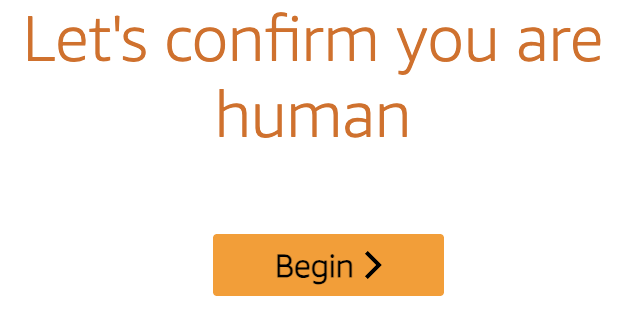
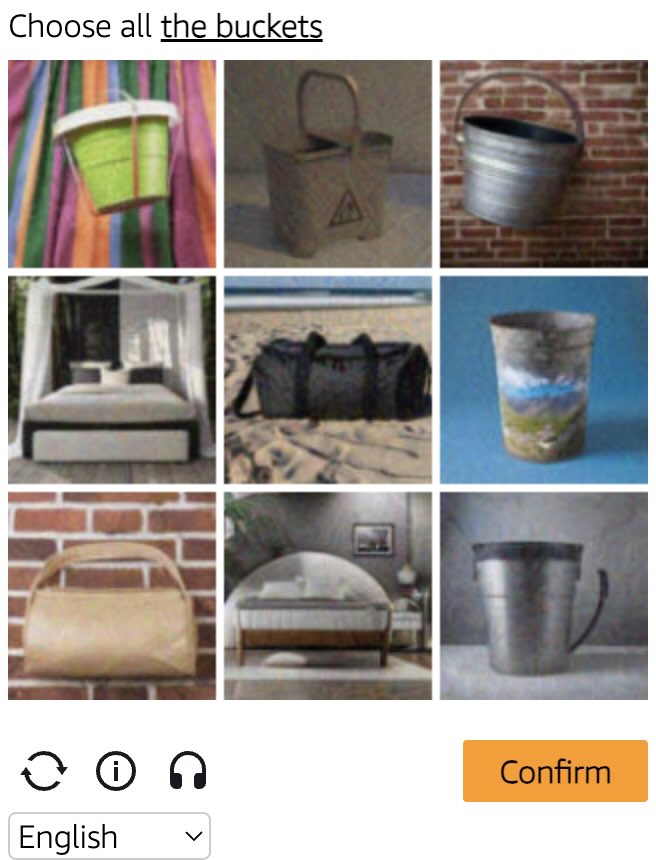
Amazon WAF captcha example Amazon WAF widget captcha example
Przykład Captcha
gokuProps
Widget
Python
Node.js
Go
PHP
Java
Kotlin
C#
C++
Rust
Ruby
bash

Jak rozwiązać Amazon WAF gokuProps w Python

#pip3 install anticaptchaofficial

from anticaptchaofficial.amazonproxyless import *

solver = amazonProxyless()
solver.set_verbose(1)
solver.set_key("YOUR_API_KEY")
solver.set_website_url("https://website.com")
solver.set_website_key("key_value_from_window.gokuProps_object")
solver.set_iv("iv_value_from_window.gokuProps_object")
solver.set_context("context_value_from_window.gokuProps_object")

# Optional script URLs
solver.set_captcha_script("https://e9b10f157f38.9a96e8b4.us-gov-west-1.captcha.awswaf.com/e9b10f157f38/76cbcde1c834/2a564e323e7b/captcha.js")
solver.set_challenge_script("https://e9b10f157f38.9a96e8b4.us-gov-west-1.token.awswaf.com/e9b10f157f38/76cbcde1c834/2a564e323e7b/challenge.js")

# Specify softId to earn 10% commission with your app.
# Get your softId here: https://anti-captcha.com/clients/tools/devcenter
solver.set_soft_id(0)

token = solver.solve_and_return_solution()
if token != 0:
    print("token: "+token)
    # user-agent in case you need it:
    print("user-agent: "+solver.get_user_agent())
else:
    print("task finished with error "+solver.error_code)

Jak rozwiązać Amazon WAF gokuProps w Node.js

//npm install @antiadmin/anticaptchaofficial
//https://github.com/anti-captcha/anticaptcha-npm

const ac = require("@antiadmin/anticaptchaofficial");

ac.setAPIKey('YOUR_API_KEY_HERE');

//Specify softId to earn 10% commission with your app.
//Get your softId here: https://anti-captcha.com/clients/tools/devcenter
ac.setSoftId(0);

ac.solveAmazonProxyless('http://DOMAIN.COM',
    'key_value_from_window.gokuProps_object',
    'iv_value_from_window.gokuProps_object',
    'context_value_from_window.gokuProps_object',
    'https://e9b10f157f38.9a96e8b4.us-gov-west-1.captcha.awswaf.com/e9b10f157f38/76cbcde1c834/2a564e323e7b/captcha.js', //optional
    'https://e9b10f157f38.9a96e8b4.us-gov-west-1.token.awswaf.com/e9b10f157f38/76cbcde1c834/2a564e323e7b/challenge.js'  //optional
).then(token => {
    console.log('token: '+token);
})
.catch(error => console.log('test received error '+error));

// in case you need it
console.log("worker's user-agent:");
console.log(ac.getUserAgent());

Jak rozwiązać Amazon WAF gokuProps w Go

// Install with:
// go get github.com/anti-captcha/anticaptcha-go
package main

import (
    "fmt"
    "github.com/anti-captcha/anticaptcha-go"
    "log"
)

func main() {
    // Create API client and set the API Key
    ac := anticaptcha.NewClient("API_KEY_HERE")

    // set to 'false' to turn off debug output
    ac.IsVerbose = true

    // Specify softId to earn 10% commission with your app.
    // Get your softId here: https://anti-captcha.com/clients/tools/devcenter
    //ac.SoftId = 1187

    // Make sure the API key funds balance is positive
    balance, err := ac.GetBalance()
    if err != nil {
        log.Fatal(err)
        // Exit program to make sure you don't DDoS API with requests, while having empty balance
        return
    }
    fmt.Println("Balance:", balance)

    // Get Amazon WAF token without proxy
    solution, err := ac.SolveAmazon(anticaptcha.AmazonCaptcha{
        WebsiteURL: "https://www.website.com/",
        WebsiteKey: "key_value_from_window.gokuProps_object",
        Iv: "iv_value_from_window.gokuProps_object",
        Context: "context_value_from_window.gokuProps_object",
        //optional scripts:
        //CaptchaScript: "https://e9b10f157f38.9a96e8b4.us-gov-west-1.captcha.awswaf.com/e9b10f157f38/76cbcde1c834/2a564e323e7b/captcha.js",
        //ChallengeScript: "https://e9b10f157f38.9a96e8b4.us-gov-west-1.token.awswaf.com/e9b10f157f38/76cbcde1c834/2a564e323e7b/challenge.js",
    })
    if err != nil {
        log.Fatal(err)
    }
    fmt.Println("amazon-waf-token:", solution)
    // In case you need the worker's user-agent
    fmt.Println("User-Agent:", ac.WorkersUserAgent)
}

Jak rozwiązać Amazon WAF gokuProps w PHP

//git clone https://github.com/anti-captcha/anticaptcha-php.git

include("anticaptcha.php");
include("amazonroxyless.php");

$api = new AmazonProxyless();
$api->setVerboseMode(true);

//your anti-captchano.com account key
$api->setKey("YOUR_API_KEY_HERE");

//target website address
$api->setWebsiteURL("http://website.com/");

//key value from window.gokuProps object (see html source)
$api->setWebsiteKey("key_value_from_window.gokuProps_object");

//iv and context values from window.gokuProps object (see html source)
$api->setIv("iv_value_from_window.gokuProps_object")
$api->setContext("context_value_from_window.gokuProps_object");

//optional scripts
$api->setCaptchaScript("https://e9b10f157f38.9a96e8b4.us-gov-west-1.captcha.awswaf.com/e9b10f157f38/76cbcde1c834/2a564e323e7b/captcha.js");
$api->setChallengeScript("https://e9b10f157f38.9a96e8b4.us-gov-west-1.token.awswaf.com/e9b10f157f38/76cbcde1c834/2a564e323e7b/challenge.js");

//Specify softId to earn 10% commission with your app.
//Get your softId here: https://anti-captcha.com/clients/tools/devcenter
$api->setSoftId(0);

//create task in API
if (!$api->createTask()) {
    $api->debout("API v2 send failed - ".$api->getErrorMessage(), "red");
    return false;
}

$taskId = $api->getTaskId();

//wait in a loop for max 300 seconds till task is solved
if (!$api->waitForResult(300)) {
    echo "could not solve captcha\n";
    echo $api->getErrorMessage()."\n";
} else {

    $token = $api->getTaskSolution();
    echo "\n";
    echo "your aws-waf-token: $token\n\n";
    echo "worker's user-agent in case you need it:\n";
    echo $api->getWorkersUserAgent()."\n";

}

Jak rozwiązać Amazon WAF gokuProps w Java

// GitHub: https://github.com/anti-captcha/anticaptcha-java
//
// Maven, add to pom.xml:
//   <dependency>
//     <groupId>com.anti-captcha</groupId>
//     <artifactId>anticaptcha</artifactId>
//     <version>1.0.0</version>
//   </dependency>
//
// Gradle, add to build.gradle:
//   implementation "com.anti-captcha:anticaptcha:1.0.0"

import com.anti_captcha.Api.AmazonProxyless;
import com.anti_captcha.Helper.DebugHelper;

public class Main {

    public static void main(String[] args) throws InterruptedException {
        // Set to false to turn the debug output off
        DebugHelper.setVerboseMode(true);

        AmazonProxyless api = new AmazonProxyless();
        api.setClientKey("YOUR_API_KEY_HERE");

        // Specify softId to earn 10% commission with your app.
        // Get your softId here: https://anti-captcha.com/clients/tools/devcenter
        api.setSoftId(0);

        api.setWebsiteUrl("http://website.com/");
        api.setWebsiteKey("key_value_from_window.gokuProps_object");
        api.setIv("iv_value_from_window.gokuProps_object");
        api.setContext("context_value_from_window.gokuProps_object");

        // Optional scripts
        api.setCaptchaScript("https://e9b10f157f38.9a96e8b4.us-gov-west-1.captcha.awswaf.com/e9b10f157f38/76cbcde1c834/2a564e323e7b/captcha.js");
        api.setChallengeScript("https://e9b10f157f38.9a96e8b4.us-gov-west-1.token.awswaf.com/e9b10f157f38/76cbcde1c834/2a564e323e7b/challenge.js");

        // Make sure the API key funds balance is positive
        Double balance = api.getBalance();
        if (balance == null || balance <= 0) {
            // Stop here to make sure you don't DDoS the API while having empty balance
            DebugHelper.out("Balance error: " + api.getErrorMessage(), DebugHelper.Type.ERROR);
            return;
        }
        DebugHelper.out("Balance: " + balance, DebugHelper.Type.SUCCESS);

        if (!api.createTask()) {
            DebugHelper.out("API v2 send failed. " + api.getErrorMessage(), DebugHelper.Type.ERROR);
        } else if (!api.waitForResult()) {
            DebugHelper.out("Could not solve the captcha.", DebugHelper.Type.ERROR);
        } else {
            DebugHelper.out("Captcha token: " + api.getTaskSolution().getToken(), DebugHelper.Type.SUCCESS);
        }
    }
}

Jak rozwiązać Amazon WAF gokuProps w Kotlin

// GitHub: https://github.com/anti-captcha/anticaptcha-kotlin
//
// Gradle, add to build.gradle.kts:
//   implementation("com.anti-captcha:anticaptcha-kotlin:1.0.0")

import com.anticaptcha.Amazon
import com.anticaptcha.AnticaptchaClient
import com.anticaptcha.AnticaptchaException
import com.anticaptcha.ApiException
import kotlinx.coroutines.runBlocking

fun main(): Unit = runBlocking {
    // Create the API client and set the API key
    val ac = AnticaptchaClient(
        apiKey = "YOUR_API_KEY_HERE",
        // Specify softId to earn 10% commission with your app.
        // Get your softId here: https://anti-captcha.com/clients/tools/devcenter
        softId = 0,
        // Set to false to turn the debug output off
        verbose = true,
    )

    try {
        // Make sure the API key funds balance is positive
        val balance = ac.getBalance()
        if (balance <= 0) {
            // Stop here to make sure you don't DDoS the API while having empty balance
            System.err.println("Empty balance")
            return@runBlocking
        }
        println("Balance: $balance")

        val solution = ac.solveAmazon(
            Amazon(
                websiteUrl = "http://website.com/",
                websiteKey = "key_value_from_window.gokuProps_object",
                iv = "iv_value_from_window.gokuProps_object",
                context = "context_value_from_window.gokuProps_object",

                // Optional scripts
                captchaScript = "https://e9b10f157f38.9a96e8b4.us-gov-west-1.captcha.awswaf.com/e9b10f157f38/76cbcde1c834/2a564e323e7b/captcha.js",
                challengeScript = "https://e9b10f157f38.9a96e8b4.us-gov-west-1.token.awswaf.com/e9b10f157f38/76cbcde1c834/2a564e323e7b/challenge.js",
            ),
        )

        println("Captcha token: ${solution.token}")
    } catch (error: ApiException) {
        // https://anti-captcha.com/apidoc/errors
        System.err.println("API error: ${error.errorCode} ${error.description}")
    } catch (error: AnticaptchaException) {
        System.err.println("Failed: ${error.message}")
    }
}

Jak rozwiązać Amazon WAF gokuProps w C#

// GitHub: https://github.com/anti-captcha/anticaptcha-csharp.git
// install:  dotnet add package AntiCaptchaOfficial
// or, in the Package Manager Console:
// Install-Package AntiCaptchaOfficial

using System;
using AntiCaptcha.Api;
using AntiCaptcha.Helper;


class Program
{
    static void Main()
    {
        // Set to 'false' to turn off debug output
        DebugHelper.VerboseMode = true;

        var api = new AmazonProxyless
        {
            ClientKey = "YOUR_API_KEY_HERE",
            WebsiteUrl = new Uri("http://website.com/"),
            WebsiteKey = "key_value_from_window.gokuProps_object",
            Iv = "iv_value_from_window.gokuProps_object",
            Context = "context_value_from_window.gokuProps_object",

            // Optional scripts
            CaptchaScript = "https://e9b10f157f38.9a96e8b4.us-gov-west-1.captcha.awswaf.com/e9b10f157f38/76cbcde1c834/2a564e323e7b/captcha.js",
            ChallengeScript = "https://e9b10f157f38.9a96e8b4.us-gov-west-1.token.awswaf.com/e9b10f157f38/76cbcde1c834/2a564e323e7b/challenge.js",

            // Specify softId to earn 10% commission with your app.
            // Get your softId here:
            // https://anti-captcha.com/clients/tools/devcenter
            SoftId = 0
        };

        // Make sure the API key funds balance is positive
        var balance = api.GetBalance();
        if (balance == null || balance <= 0)
        {
            // Exit the program to make sure you don't DDoS the API with requests while having empty balance
            Console.WriteLine("Balance error: " + api.ErrorMessage);
            return;
        }
        Console.WriteLine("Balance: " + balance);

        var solution = api.Solve();
        Console.WriteLine("Captcha token: " + solution?.Token);
    }
}

Jak rozwiązać Amazon WAF gokuProps w C++

// GitHub: https://github.com/anti-captcha/anticaptcha-cplus.git
// Add it to your CMake project:
//   include(FetchContent)
//   FetchContent_Declare(anticaptcha
//           GIT_REPOSITORY https://github.com/anti-captcha/anticaptcha-cplus.git
//           GIT_TAG v1.0.0)
//   FetchContent_MakeAvailable(anticaptcha)
//   target_link_libraries(your_app PRIVATE anticaptcha::anticaptcha)

#include <iostream>
#include <anticaptcha/anticaptcha.hpp>

int main() {
    // Create the API client and set the API key
    anticaptcha::Client ac("YOUR_API_KEY_HERE");

    // Debug output is on by default, turn it off with:
    // ac.shut_up();

    // Specify softId to earn 10% commission with your app.
    // Get your softId here: https://anti-captcha.com/clients/tools/devcenter
    ac.set_soft_id(0);

    try {
        // Make sure the API key funds balance is positive
        const double balance = ac.get_balance();
        if (balance <= 0) {
            // Stop here to make sure you don't DDoS the API while having empty balance
            std::cerr << "Empty balance" << std::endl;
            return 1;
        }
        std::cout << "Balance: " << balance << std::endl;

        anticaptcha::Amazon params;
        params.website_url = "http://website.com/";
        params.website_key = "key_value_from_window.gokuProps_object";
        params.iv = "iv_value_from_window.gokuProps_object";
        params.context = "context_value_from_window.gokuProps_object";

        // Optional scripts
        params.captcha_script = "https://e9b10f157f38.9a96e8b4.us-gov-west-1.captcha.awswaf.com/e9b10f157f38/76cbcde1c834/2a564e323e7b/captcha.js";
        params.challenge_script = "https://e9b10f157f38.9a96e8b4.us-gov-west-1.token.awswaf.com/e9b10f157f38/76cbcde1c834/2a564e323e7b/challenge.js";

        const anticaptcha::Solution solution = ac.solve_amazon(params);
        std::cout << "Captcha token: " << solution.token() << std::endl;
    } catch (const anticaptcha::ApiError& error) {
        // https://anti-captcha.com/apidoc/errors
        std::cerr << "API error: " << error.error_code() << " " << error.description() << std::endl;
        return 1;
    } catch (const anticaptcha::Error& error) {
        std::cerr << "Failed: " << error.what() << std::endl;
        return 1;
    }

    return 0;
}

Jak rozwiązać Amazon WAF gokuProps w Rust

// GitHub: https://github.com/anti-captcha/anticaptcha-rust
// Install with:
//   cargo add anticaptchaofficial
// or add it to Cargo.toml:
//   [dependencies]
//   anticaptchaofficial = "1"

use anticaptcha::{Amazon, Client};

#[tokio::main]
async fn main() -> anticaptcha::Result<()> {
    // Create the API client and set the API key
    let ac = Client::new("YOUR_API_KEY_HERE")
        // Specify softId to earn 10% commission with your app.
        // Get your softId here: https://anti-captcha.com/clients/tools/devcenter
        .with_soft_id(0);
    // .quiet() turns the debug output off

    // Make sure the API key funds balance is positive
    let balance = ac.get_balance().await?;
    if balance <= 0.0 {
        // Stop here to make sure you don't DDoS the API while having empty balance
        eprintln!("Empty balance");
        return Ok(());
    }
    println!("Balance: {balance}");

    let solution = ac
        .solve_amazon(&Amazon {
            website_url: "http://website.com/".into(),
            website_key: "key_value_from_window.gokuProps_object".into(),
            iv: "iv_value_from_window.gokuProps_object".into(),
            context: "context_value_from_window.gokuProps_object".into(),

            // Optional scripts
            captcha_script: "https://e9b10f157f38.9a96e8b4.us-gov-west-1.captcha.awswaf.com/e9b10f157f38/76cbcde1c834/2a564e323e7b/captcha.js"
                .into(),
            challenge_script: "https://e9b10f157f38.9a96e8b4.us-gov-west-1.token.awswaf.com/e9b10f157f38/76cbcde1c834/2a564e323e7b/challenge.js"
                .into(),
            ..Default::default()
        })
        .await?;

    println!("Captcha token: {}", solution.token());

    Ok(())
}

Jak rozwiązać Amazon WAF gokuProps w Ruby

# GitHub: https://github.com/anti-captcha/anticaptcha-ruby
# Install with:
#   gem install anticaptchaofficial
# or add it to your Gemfile:
#   gem "anticaptchaofficial"

require "anticaptcha"

# Create the API client and set the API key
ac = Anticaptcha.new("YOUR_API_KEY_HERE")

# Specify softId to earn 10% commission with your app.
# Get your softId here: https://anti-captcha.com/clients/tools/devcenter
ac.soft_id = 0

# Set to false to turn the debug output off
ac.verbose = true

begin
  # Make sure the API key funds balance is positive
  balance = ac.balance
  # Stop here to make sure you don't DDoS the API while having empty balance
  abort "Empty balance" if balance <= 0
  puts "Balance: #{balance}"

  solution = ac.solve_amazon(
    website_url: "http://website.com/",
    website_key: "key_value_from_window.gokuProps_object",
    iv: "iv_value_from_window.gokuProps_object",
    context: "context_value_from_window.gokuProps_object",
    captcha_script: "https://e9b10f157f38.9a96e8b4.us-gov-west-1.captcha.awswaf.com/e9b10f157f38/76cbcde1c834/2a564e323e7b/captcha.js",
    challenge_script: "https://e9b10f157f38.9a96e8b4.us-gov-west-1.token.awswaf.com/e9b10f157f38/76cbcde1c834/2a564e323e7b/challenge.js"
  )

  puts "Captcha token: #{solution.token}"
rescue Anticaptcha::ApiError => e
  # https://anti-captcha.com/apidoc/errors
  warn "API error: #{e.error_code} #{e.description}"
rescue Anticaptcha::Error => e
  warn "Failed: #{e.message}"
end

Jak rozwiązać Amazon WAF gokuProps w bash

curl -i -H "Accept: application/json" \
     -H "Content-Type: application/json" \
     -X POST -d '{
    "clientKey":"YOUR_API_KEY_HERE",
    "task":
        {
            "type":"AmazonTaskProxyless",
            "websiteURL":"https://website.com/",
            "websiteKey":"key_value_from_window.gokuProps_object",
            "iv":"iv_value_from_window.gokuProps_object",
            "context":"context_value_from_window.gokuProps_object",
            "captchaScript": "https://e9b10f157f38.9a96e8b4.us-gov-west-1.captcha.awswaf.com/e9b10f157f38/76cbcde1c834/2a564e323e7b/captcha.js",
            "challengeScript": "https://e9b10f157f38.9a96e8b4.us-gov-west-1.token.awswaf.com/e9b10f157f38/76cbcde1c834/2a564e323e7b/challenge.js"
        },
    "softId": 0
}' https://api.anti-captcha.com/createTask
gokuProps
Widget

Obiekt typu zadanie

Właściwość/atrybut Typ Wymagany Przeznaczenie
type Łańcuch znaków (String) Tak AmazonTaskProxyless
websiteURL Łańcuch znaków (String) Tak Adres docelowej strony. Może znajdować się w dowolnym miejscu witryny, włącznie ze strefami dla zalogowanych. Nasi pracownicy nie muszą tam wchodzić, gdyż wizyta jest symulowana.
websiteKey Łańcuch znaków (String) Tak Wartość key z obiektu window.gokuProps w kodzie źródłowym strony WAF.
iv Łańcuch znaków (String) Tak Wartość iv z obiektu window.gokuProps w kodzie źródłowym strony WAF.
context Łańcuch znaków (String) Tak Wartość context z obiektu window.gokuProps w kodzie źródłowym strony WAF.
captchaScript Łańcuch znaków (String) Nie Opcjonalny adres URL prowadzący do captcha.js
challengeScript Łańcuch znaków (String) Nie Opcjonalny adres URL prowadzący do challenge.js

Obiekt typu rozwiązanie zadania

Właściwość/atrybut Typ Przeznaczenie
token Łańcuch znaków (String) Użyj tego tokena jako wartości pliku cookie o nazwie "aws-waf-token" w żądaniu do docelowej strony internetowej.
userAgent Łańcuch znaków (String) User-Agent przeglądarki pracownika. Użyj go podczas przesyłania tokena odpowiedzi.

Przykład odpowiedzi

{
    "errorId":0,
    "status":"ready",
    "solution": {
      "token": "fe4c2ff3-6ed6-40fa-95c9-4c738a7dad49:FgoAe0ZLBmYBAAAA:LK0S/m1nGbfjDk/9i6tMmiUWGecMfyjvuAx9lY6ZhaBUmjrILEqW00UAsEliykPjwebdzn9J3...",
      "userAgent":"Mozilla\5.0 (Windows NT 10.0; Win64; x64) AppleWebKit\/537.36 (KHTML, like Gecko) Chrome\/145.0.0.0 Safari\/537.36"
    },
    "cost":"0.002000",
    "ip":"46.98.54.221",
    "createTime":1472205564,
    "endTime":1472205570,
    "solveCount":"0"
}