Menu

Giải Google Recaptcha V2 Enterprise có proxy

Loại tác vụ này dùng để giải Google Recaptcha Enterprise V2 qua proxy được cung cấp.

Loại tác vụ này gần giống với RecaptchaV2Task, điểm khác biệt là các tác vụ được giải quyết bằng Enterprise API và được chỉ định cho những nhân viên có điểm Recaptcha V3 cao nhất.
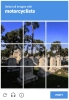
Recaptcha V2 funny example
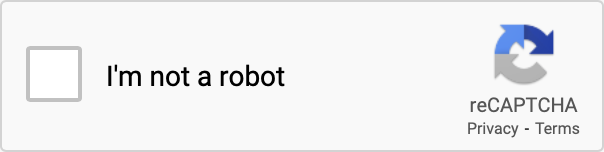
Recaptcha V2 checkbox
Ví dụ về Recaptcha V2 Enterprise. Về trực quan thì Recaptcha V2 Enterprise tương tự với phiên bản phi doanh nghiệp.
Python
Node.js
PHP
Java
C#
bash

Cách giải Recaptcha V2 Enterprise proxy-on trong Python

#pip3 install anticaptchaofficial

from anticaptchaofficial.recaptchav2enterpriseproxyon import *

solver = recaptchaV2EnterpriseProxyon()
solver.set_verbose(1)
solver.set_key("YOUR_API_KEY_HERE")
# solver.set_enterprise_payload({"s": "sometoken"})
solver.set_website_url("https://website.com")
solver.set_website_key("SITE_KEY")
solver.set_proxy_address("PROXY_ADDRESS")
solver.set_proxy_port(1234)
solver.set_proxy_login("proxylogin")
solver.set_proxy_password("proxypassword")
solver.set_user_agent("Mozilla/5.0")
solver.set_cookies("test=true")

# Specify softId to earn 10% commission with your app.
# Get your softId here: https://anti-captcha.com/clients/tools/devcenter
solver.set_soft_id(0)

g_response = solver.solve_and_return_solution()
if g_response != 0:
    print("g-response: "+g_response)
    # user-agent in case you need it:
    print("user-agent: "+solver.get_user_agent())
else:
    print("task finished with error "+solver.error_code)

Cách giải Recaptcha V2 Enterprise proxy-on trong Node.js

//npm install @antiadmin/anticaptchaofficial
//https://github.com/anti-captcha/anticaptcha-npm

const ac = require("@antiadmin/anticaptchaofficial");

ac.setAPIKey('YOUR_API_KEY_HERE');

//Specify softId to earn 10% commission with your app.
//Get your softId here: https://anti-captcha.com/clients/tools/devcenter
ac.setSoftId(0);

ac.solveRecaptchaV2EnterpriseProxyOn(
    'http://DOMAIN.COM',
    'WEBSITE_KEY',
    {
        "s" : "SOME_TOKEN",
        "any_custom_parameter" : "string_number_or_boolean"
    },
    'http', //http, socks4, socks5
    'PROXY_ADDRESS',
    'PROXY_PORT',
    'PROXY_LOGIN',
    'PROXY_PASSWORD',
    'Mozilla/5.0 (Macintosh; Intel Mac OS X 10_11_6) AppleWebKit/537.36 (KHTML, like Gecko) Chrome/52.0.2743.116',
    'some=cookies')
    .then(gresponse => {
        console.log('g-response: '+gresponse);
    })
    .catch(error => console.log('test received error '+error));

// in case you need it
console.log("worker's user-agent:");
console.log(ac.getUserAgent());

Cách giải Recaptcha V2 Enterprise proxy-on trong PHP

//git clone https://github.com/anti-captcha/anticaptcha-php.git

include("anticaptcha.php");
include("recaptchav2enterprise.php");

$api = new RecaptchaV2Enterprise();
$api->setVerboseMode(true);

//your anti-captcha.com account key
$api->setKey("YOUR_API_KEY_HERE");

//target website address
$api->setWebsiteURL("http://enteprisedomain.com/recaptcha/test.php");

//recaptcha key from target website
$api->setWebsiteKey("ENTEPRISE_SITEKEY_HERE");

//optional custom payload for grecaptcha.enterprise.render
$api->setEnterprisePayload(["s" => "TEMPORARY_TOKEN_VALUE"]);

//proxy access parameters
// DO NOT USE PURCHASED/RENTED PROXIES ON PROXY SERVICES!!!
// THEY WILL NOT WORK!
// USE ONLY PROXIES YOU INSTALL YOURSELF ON YOUR OWN SERVER OR FAST VPS
// USE PROPER PROXY SOFTWARE LIKE SQUID !
// INSTALLATION INSTRUCTIONS:
// https://anti-captcha.com/apidoc/articles/how-to-install-squid
$api->setProxyType("http");
$api->setProxyAddress("8.8.8.8");
$api->setProxyPort(1234);
//optional login and password
$api->setProxyLogin("login");
$api->setProxyPassword("password");

//browser header parameters
$api->setUserAgent("Mozilla/5.0 (Macintosh; Intel Mac OS X 10_11_6) AppleWebKit/537.36 (KHTML, like Gecko) Chrome/52.0.2743.116");

//Specify softId to earn 10% commission with your app.
//Get your softId here: https://anti-captcha.com/clients/tools/devcenter
$api->setSoftId(0);

//create task in API
if (!$api->createTask()) {
    $api->debout("API v2 send failed - ".$api->getErrorMessage(), "red");
    return false;
}

$taskId = $api->getTaskId();

//wait in a loop for max 300 seconds till task is solved
if (!$api->waitForResult(300)) {
    echo "could not solve captcha\n";
    echo $api->getErrorMessage()."\n";
} else {

    $gResponse    =   $api->getTaskSolution();
    echo "your recaptcha token: $gResponse\n\n";
    echo "worker's user-agent in case you need it:\n";
    echo $api->getWorkersUserAgent()."\n";

}

Cách giải Recaptcha V2 Enterprise proxy-on trong Java

//git clone https://github.com/anti-captcha/anticaptcha-java.git

package com.anti_captcha;

import com.anti_captcha.Api.RecaptchaV2Enterprise;
import com.anti_captcha.Helper.DebugHelper;

import org.json.JSONArray;
import org.json.JSONException;
import org.json.JSONObject;

import java.net.MalformedURLException;
import java.net.URL;
import java.util.Iterator;
import java.util.concurrent.ThreadLocalRandom;

public class Main {

    public static void main(String[] args) throws InterruptedException, MalformedURLException, JSONException {

        DebugHelper.setVerboseMode(true);

        RecaptchaV2Enterprise api = new RecaptchaV2Enterprise();
        api.setClientKey("YOUR_API_KEY_HERE");
        api.setWebsiteUrl(new URL("http://http.myjino.ru/recaptcha/test-get.php"));
        api.setWebsiteKey("6Lc_aCMTAAAAABx7u2W0WPXnVbI_v6ZdbM6rYf16");
        api.setUserAgent("Mozilla/5.0 (Macintosh; Intel Mac OS X 10_11_6) AppleWebKit/537.36 " +
                "(KHTML, like Gecko) Chrome/52.0.2743.116");

        // proxy access parameters
        // DO NOT USE PURCHASED/RENTED PROXIES WITH PROXY SERVICES!!!
        api.setProxyType(RecaptchaV2.ProxyTypeOption.HTTP);
        api.setProxyAddress("xx.xxx.xx.xx");
        api.setProxyPort(8282);
        api.setProxyLogin("login");
        api.setProxyPassword("password");

        //optional payload, please look for RecaptchaV2Enterprise documentation regarding it
        JSONObject enterprisePayload = new JSONObject();
        try {
            enterprisePayload.put("s", "SOME_UNDOCUMENTED_TOKEN_VALUE");
        } catch (Exception e) {
            DebugHelper.out("JSON error: "+e.getMessage(), DebugHelper.Type.ERROR);
            return;
        }
        api.setEnterprisePayload(enterprisePayload);

        //Specify softId to earn 10% commission with your app.
        //Get your softId here: https://anti-captcha.com/clients/tools/devcenter
        api.setSoftId(0);

        if (!api.createTask()) {
            DebugHelper.out(
                    "API v2 send failed. " + api.getErrorMessage(),
                    DebugHelper.Type.ERROR
            );
        } else if (!api.waitForResult()) {
            DebugHelper.out("Could not solve the captcha.", DebugHelper.Type.ERROR);
        } else {
            DebugHelper.out("Result: " + api.getTaskSolution().getGRecaptchaResponse(), DebugHelper.Type.SUCCESS);
        }

    }
}

Cách giải Recaptcha V2 Enterprise proxy-on trong C#

using System;
using Anticaptcha_example.Api;
using Anticaptcha_example.Helper;
using Newtonsoft.Json.Linq;

namespace Anticaptcha_example
{
    internal class Program
    {
        private static void Main() {

            DebugHelper.VerboseMode = true;

            var api = new RecaptchaV2Enterprise
            {
                ClientKey = "YOUR_API_KEY_HERE",
                WebsiteUrl = new Uri("http://makeawebsitehub.com/recaptcha/test.php"),
                WebsiteKey = "6LfI9IsUAAAAAKuvopU0hfY8pWADfR_mogXokIIZ",
                ProxyAddress = "xxx.xx.xx.xx",
                ProxyPort = 1234,
                ProxyLogin = "login",
                ProxyPassword = "password",
                UserAgent = "Opera 6.0",
                // Specify softId to earn 10% commission with your app.
                // Get your softId here:
                // https://anti-captcha.com/clients/tools/devcenter
                SoftId = 0

            };
            api.EnterprisePayload.Add("s", "SOME_UNDOCUMENTED_TOKEN");
            api.EnterprisePayload.Add("blabla", "ANOTHER TOKEN");

            if (!api.CreateTask())
                DebugHelper.Out("API v2 send failed. " + api.ErrorMessage, DebugHelper.Type.Error);
            else if (!api.WaitForResult())
                DebugHelper.Out("Could not solve the captcha.", DebugHelper.Type.Error);
            else
                DebugHelper.Out("Result: " + api.GetTaskSolution().GRecaptchaResponse, DebugHelper.Type.Success);

        }
    }
}

Cách giải Recaptcha V2 Enterprise proxy-on trong bash

curl -i -H "Accept: application/json" \
     -H "Content-Type: application/json" \
     -X POST -d '{
    "clientKey":"YOUR_API_KEY_HERE",
    "task":
        {
            "type":"RecaptchaV2EnterpriseTask",
            "websiteURL":"http://mywebsite.com/recaptcha/test.php",
            "websiteKey":"6Lc_aCMTAAAAABx7u2N0D1XnVbI_v6ZdbM6rYf16",
            "enterprisePayload": {
                "s": "SOME_ADDITIONAL_TOKEN"
            },
            "proxyType":"http",
            "proxyAddress":"8.8.8.8",
            "proxyPort":8080,
            "proxyLogin":"proxyLoginHere",
            "proxyPassword":"proxyPasswordHere",
            "userAgent":"MODERN_USER_AGENT_HERE"
        },
    "softId": 0
}' https://api.anti-captcha.com/createTask

Đối tượng tác vụ

Thuộc tính Loại Bắt buộc Mục đích
type Chuỗi RecaptchaV2EnterpriseTask
websiteURL Chuỗi Địa chỉ trang web đích. Có thể ở bất kỳ đâu trên trang web, ngay cả trong khu vực thành viên. Nhân viên của chúng tôi không điều hướng đến khu vực đó mà chỉ giả lập truy cập.
websiteKey Chuỗi Khóa trang web Recaptcha. Tìm hiểu về cách tìm khá trang web tại bài viết này.
enterprisePayload Đối tượng Không Các tham số bổ sung tùy chọn có thể được truyền vào phương thức "grecaptcha.enterprise.render" cùng với sitekey. Ví dụ về những gì bạn có thể tìm kiếm:
grecaptcha.enterprise.render("some-div-id", {
    sitekey: "6Lc_aCMTAAAAABx7u2N0D1XnVbI_v6ZdbM6rYf16",
    theme: "dark",
    s: "2JvUXHNTnZl1Jb6WEvbDyBMzrMTR7oQ78QRhBcG07rk9bpaAaE0LRq1ZeP5NYa0N...ugQA"
});
Trong ví dụ này, bạn sẽ nhận thấy tham số "s" không được ghi lại nhưng rõ ràng là bắt buộc. Gửi tới API để chúng tôi hiển thị tiện ích Recaptcha với tham số này một cách chính xác.
apiDomain Chuỗi Không Sử dụng tham số này để gửi tên miền phân phối tập lệnh Recaptcha. Chỉ có thể có một trong hai giá trị: "www.google.com" hoặc "www.recaptcha.net". Không sử dụng tham số này trừ khi bạn hiểu rõ quy trình thực hiện.
proxyType Chuỗi Loại proxy
http - proxy http/https thông thường
socks4 - socks4 proxy
socks5 - socks5 proxy
proxyAddress Chuỗi Địa chỉ IP Proxy ipv4/ipv6. Không có tên máy chủ hoặc địa chỉ IP từ mạng cục bộ.
proxyPort Số nguyên Cổng proxy
proxyLogin Chuỗi Thông tin đăng nhập cho proxy cần được xác minh (cơ bản)
proxyPassword Chuỗi Mật khẩu proxy
userAgent Chuỗi Tác nhân người dùng của trình duyệt được dùng trong mô phỏng. Bạn phải sử dụng chữ ký của một trình duyệt hiện đại, nếu không Google sẽ yêu cầu bạn "cập nhật trình duyệt".
cookies Chuỗi Không Cookie bổ sung được chúng tôi sử dụng trong các miền của Google.

Đối tượng giải của tác vụ

Thuộc tính Loại Mục đích
gRecaptchaResponse Chuỗi Cần có chuỗi mã thông báo để tương tác với biểu mẫu được gửi trên trang web đích.
userAgent Chuỗi Tác nhân người dùng trong trình duyệt của nhân viên. Sử dụng khi bạn gửi mã thông báo phản hồi.

Ví dụ về phản hồi

{
    "errorId":0,
    "status":"ready",
    "solution":
    {
        "gRecaptchaResponse":"3AHJ_VuvYIBNBW5yyv0zRYJ75VkOKvhKj9_xGBJKnQimF72rfoq3Iy-DyGHMwLAo6a3",
        "userAgent":"Mozilla\5.0 (Windows NT 10.0; Win64; x64) AppleWebKit\/537.36 (KHTML, like Gecko) Chrome\/145.0.0.0 Safari\/537.36"
    },
    "cost":"0.001500",
    "ip":"46.98.54.221",
    "createTime":1472205564,
    "endTime":1472205570,
    "solveCount":"0"
}